AI meeting notes can turn a busy conversation into a clear record of decisions, owners and next steps. The useful result is not a wall of transcript text; it is a concise, searchable summary that helps people act. This guide explains how AI meeting note takers work, how to prompt them, and how to review notes safely before sharing them.
Last reviewed: September 25, 2026. Features and policies change frequently, so verify the current settings in the tool you use.
Editorial note: AI-generated meeting notes can contain mistakes, missing context or incorrect speaker labels. Treat them as a first draft, then confirm names, numbers, decisions and deadlines with the people who attended.
What are AI meeting notes?
AI meeting notes are structured summaries created from a meeting transcript, recording or notes. A typical AI meeting note taker identifies the agenda, groups related discussion, highlights decisions and suggests action items. Some tools work inside a video-conferencing app; others accept an uploaded transcript or audio file.
A transcript preserves the conversation, while a summary explains what mattered. The best workflow keeps both available: use the summary for a fast read and the transcript when you need to verify an exact statement. If you already use a chatbot, you can also paste a cleaned transcript into Unlimited AI Chat and request a specific format.
| Meeting output | What it contains | Best use |
|---|---|---|
| Transcript | Verbatim or near-verbatim conversation | Searching for exact wording |
| Summary | Main decisions, context and open questions | Sharing a quick briefing |
| Action items | Owner, task, due date and status | Turning discussion into work |
Why teams use AI meeting note takers
Manual note-taking forces one person to divide attention between listening and writing. AI can capture a fuller record so the team can focus on the discussion. That does not remove the need for a human owner; it moves the work from typing every sentence to checking the important details.
- Faster follow-up: turn a 45-minute meeting into a two-minute briefing and a short task list.
- Consistent documentation: use the same headings for decisions, risks, owners and due dates every time.
- Better search: find the moment a decision was made without replaying the entire recording.
- More inclusive collaboration: give people who could not attend a useful, structured recap.
- Clearer accountability: attach each action to a named owner and an agreed deadline.
How to summarize a meeting with AI
A reliable process has four stages: prepare, capture, structure and verify. The prompt matters, but the inputs and review step matter just as much.
- Prepare the context. Add the meeting title, date, participants, agenda and any project names. Tell the tool which terms, acronyms or product names may be misheard.
- Capture the source. Use a transcript or recording that everyone is allowed to create. If you are uploading text, remove unrelated private messages and duplicate speaker labels.
- Request a fixed structure. Ask for a short overview, decisions, unresolved questions and an action table with owner and due date.
- Verify before sharing. Compare every high-impact decision, number, customer detail and deadline with the transcript or a participant’s notes.
Reusable prompt:
Summarize the meeting transcript below for people who were not present. Use these sections: 1) three-sentence overview, 2) decisions with supporting context, 3) open questions, 4) risks, and 5) action items in a table with task, owner, due date and evidence from the transcript. Mark uncertain information as “Needs confirmation.” Do not invent names, dates or commitments.
Prompt templates for better meeting summaries
Specific prompts produce more useful notes than “summarize this.” Match the instruction to the reader and the decision they need to make.
For an executive briefing
Prompt: Create a 150-word executive briefing. Lead with the decision, explain the business impact, list two risks and name the owner of each next step. Leave out greetings, repetition and informal conversation.
For a project handoff
Prompt: Convert this meeting into a handoff document. Include current status, completed work, remaining work, dependencies, blockers, acceptance criteria and the next three actions. Preserve technical terms exactly as written.
For a customer call
Prompt: Separate customer requirements, confirmed commitments, questions that need an answer and internal follow-up. Do not treat a suggestion as a promise. Flag any statement that could affect pricing, security or a contract.
How to capture accurate action items

An action item is useful only when someone can tell what “done” means. Ask the model to extract actions from explicit commitments, then have a participant confirm anything it inferred. A strong action item contains four fields: a verb-led task, one owner, a due date or review date, and a source sentence or decision.
- Replace “marketing to follow up” with “Maya sends the revised landing-page copy to the design channel by Friday.”
- If no owner was named, write “Owner: needs confirmation” instead of guessing.
- Use “no deadline stated” when the meeting did not establish a date.
- Separate a decision from an action: “Choose the vendor” is a decision; “Jordan compares the two quotes” is an action.
- Track status after the meeting. AI can suggest a checklist, but your project system remains the source of truth.
For complex knowledge work, a retrieval-augmented workflow can keep the summary grounded in approved project documents. See our RAG guide for an explanation of how retrieval can reduce unsupported answers.
Privacy, consent and accuracy

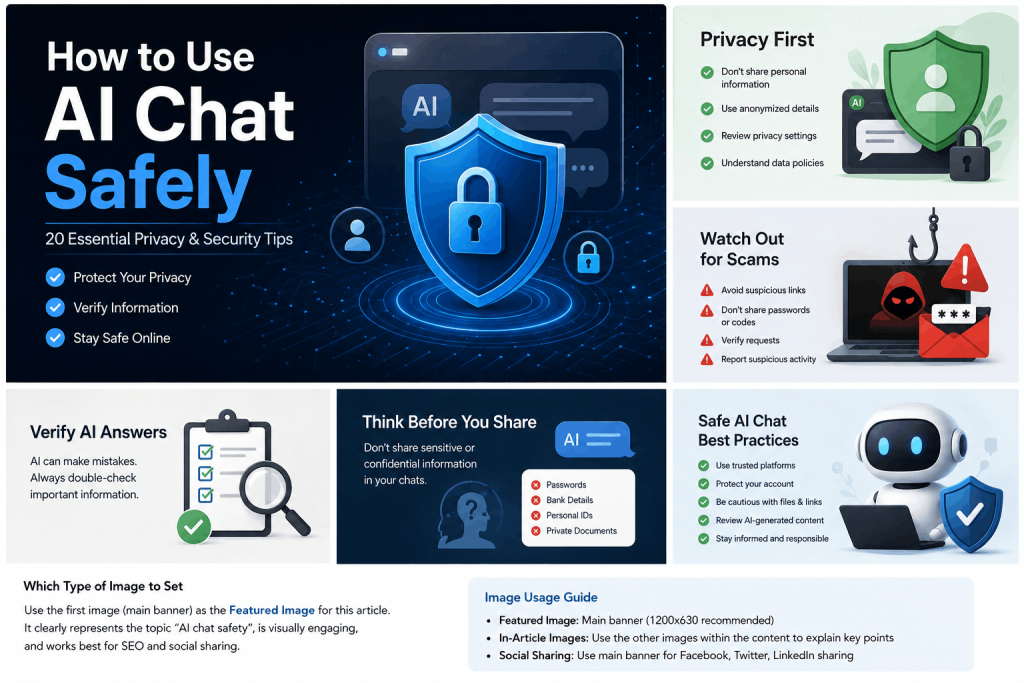
Before recording or uploading a meeting, check your organization’s policy and the laws that apply to the participants. Tell attendees when an AI note taker is active, explain what is stored, and provide a way to opt out when required. Avoid sending passwords, payment details, health information or confidential customer data to a tool that is not approved for that information.
Use the NIST AI Risk Management Framework as a practical reference for identifying risks, assigning human oversight and documenting review. Also read our AI chat safety guide before adopting a new workflow.
- Check whether audio and transcripts are retained, where they are processed and who can access them.
- Limit sharing to the people who need the notes. Remove sensitive passages from the recap when they are not relevant.
- Keep a human reviewer responsible for legal, financial, hiring, medical and security decisions.
- Label uncertain speaker attribution or incomplete audio so readers do not mistake it for confirmed fact.
- Delete recordings and transcripts according to your retention policy.
AI meeting notes FAQ
Are AI meeting notes accurate?
They can be useful, but accuracy depends on audio quality, accents, overlapping speech, terminology and the model. Review decisions, names, numbers and deadlines against the source before sharing.
How do I ask AI to summarize a meeting?
Provide context, name the intended reader, request headings and ask the model to mark uncertain information. A fixed output such as overview, decisions, open questions and action items is easier to review than a free-form summary.
Can AI identify action items?
Yes, it can extract explicit commitments and propose a task list. It may miss implied ownership or confuse a suggestion with a promise, so a participant should confirm every owner and deadline.
Are AI meeting notes private?
Privacy depends on the product, account settings, retention policy and your organization’s agreement. Review those terms before uploading a sensitive meeting and use an approved workspace for confidential information.
What should not be sent to an AI note tool?
Do not upload secrets, passwords, payment data or regulated personal information unless your organization has approved the specific tool and configured appropriate controls. Redact details that are unnecessary for the summary.
A simple checklist for your next meeting
- Tell attendees whether recording or AI notes are enabled.
- Add the agenda, participant names and project vocabulary before capture.
- Ask for a summary, decisions, open questions, risks and action items.
- Verify important facts against the transcript or recording.
- Send the recap with a clear owner and due date for each action.
- Store or delete the source files according to your policy.
Try the workflow: Use Unlimited AI Chat with the reusable prompt above, then compare the result with your original transcript. Clear inputs and a human review turn an AI draft into a dependable meeting record.