A team asks AI to build a dashboard. The result looks polished: cards, filters, a table and a bright “Complete” button. But what does that button change, whose records can it update and what happens when the data is missing? Those questions separate an attractive interface from an application people can rely on.
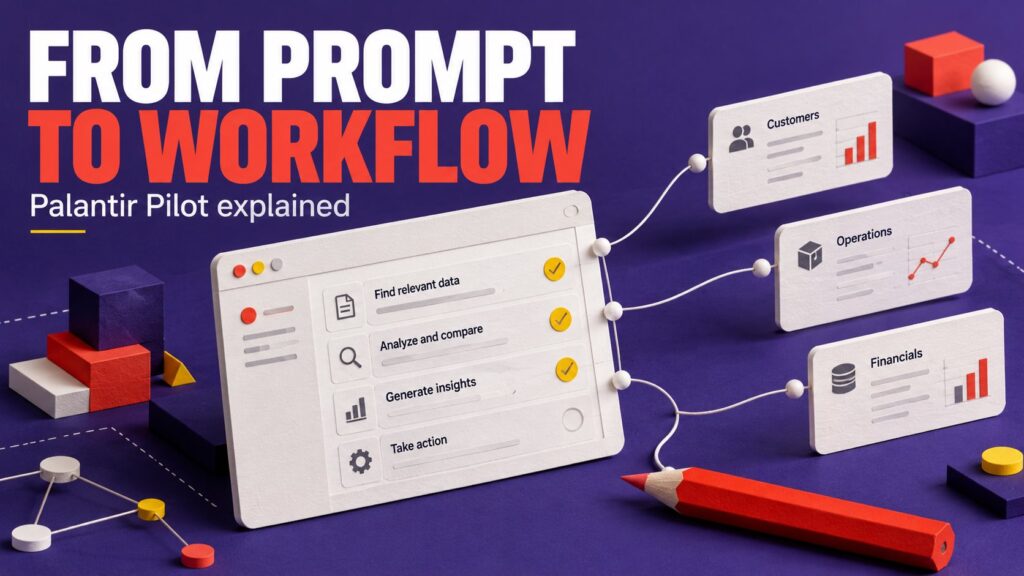
Palantir Pilot puts that connection between generated interfaces and operational data at the center of AI app building. Palantir’s October 29, 2026 announcement says Pilot is now generally available in Foundry. It builds React applications connected through the Ontology SDK, using natural-language instructions.
This guide explains the idea through a fictional maintenance-request app. It covers what the product offers, what a useful prompt should specify and why previewing a screen is only part of judging an AI-generated application. The example is editorial; we are not claiming hands-on Pilot testing.
The news in practical terms
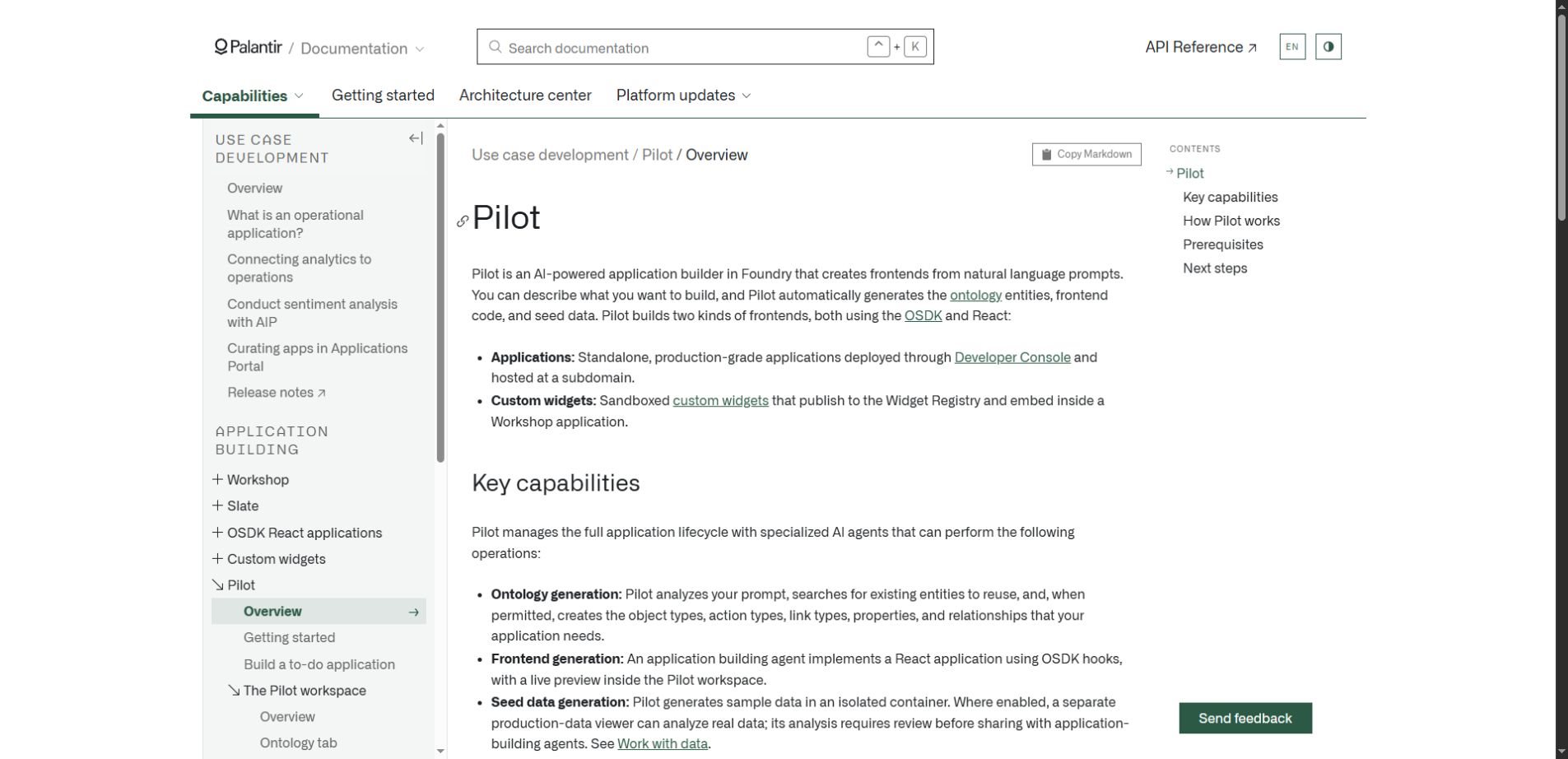
According to the official Pilot overview, Pilot can generate standalone applications or custom widgets for Workshop. It can create or reuse ontology entities, generate frontend code and sample data, and guide deployment. Access requires a Foundry enrollment with Pilot enabled and the relevant project permissions.
Who this is for: Pilot is a Foundry application-building tool. General availability does not mean that anyone can open a free consumer website and start building without a Foundry environment. Check your organization’s access and configuration first.
A maintenance queue reveals the real design work
Imagine a facilities team that receives requests about broken lights, leaking taps and damaged furniture. Today, employees copy messages into a spreadsheet, supervisors assign work and technicians report completion. The team wants one shared screen instead of several disconnected conversations.
A vague instruction would be “Build a modern maintenance dashboard.” It says little about the work. A useful brief identifies the people, records and changes involved: a requester submits an issue, a supervisor assigns it and a technician updates progress.
The distinction matters because those roles should not necessarily have the same powers. Seeing a request, assigning a technician and closing the record are different operations. A button label cannot settle which operation is allowed.
Describe records and actions before colors
For this fictional app, a request might have an identifier, location, description, status and assigned technician. A history record could capture significant changes. Before generating a layout, decide which information already exists and which fields the new workflow genuinely needs.
In Foundry terminology, an Ontology models the objects, relationships and actions an application uses. For a reader evaluating Pilot, the key idea is that the app connects to structured business concepts rather than displaying an arbitrary collection of mock cards.
That does not mean the AI should invent the organization’s meaning of “completed.” One team may require a supervisor’s confirmation; another may allow technicians to close ordinary jobs directly. These are operating decisions for the team to specify.
| Interface element | Workflow question | Example decision to make |
|---|---|---|
| Request list | Which records should this person see? | Only their location or all locations? |
| Assign button | Who can change ownership? | Supervisors only? |
| Status selector | Which transitions are allowed? | Can a closed job be reopened? |
| Completion action | What evidence is required? | A note, photo or approval? |
| Summary metric | How is the number calculated? | Exclude canceled requests? |
A better first prompt includes boundaries
Illustrative application brief: Build a maintenance-request queue for requesters, supervisors and technicians. Reuse approved existing request and location entities where available. Show status, location and owner. Let supervisors assign work and let technicians propose completion with a note. Use clearly labeled sample records for the first preview. Identify assumptions about permissions and status rules for review.
This brief is deliberately modest. It names an initial workflow and leaves space to resolve assumptions. Adding charts, notifications and several integrations before confirming the request lifecycle makes it harder to see whether the basic app behaves correctly.
Attach relevant approved definitions or reference material rather than pasting a large, unexplained document bundle. Our context engineering guide discusses why an AI system needs the right information, not simply more information.
Read the generated app as a set of claims
Every visible number or action makes a claim. “12 overdue requests” claims a particular definition of overdue. A green completion badge claims that the underlying record reached a valid state. A successful-looking notification claims that something actually happened.
Review those claims against the intended workflow. Ask a supervisor to explain what the screen means without coaching. If the supervisor interprets “pending” differently from the builder, fix the vocabulary before treating the interface as finished.
Also inspect the dull states. A request may have no owner. A technician may have no assigned jobs. A record may have been removed. Empty and error states are part of the application, even though they rarely appear in a promotional demonstration.
Preview data and live data need different habits
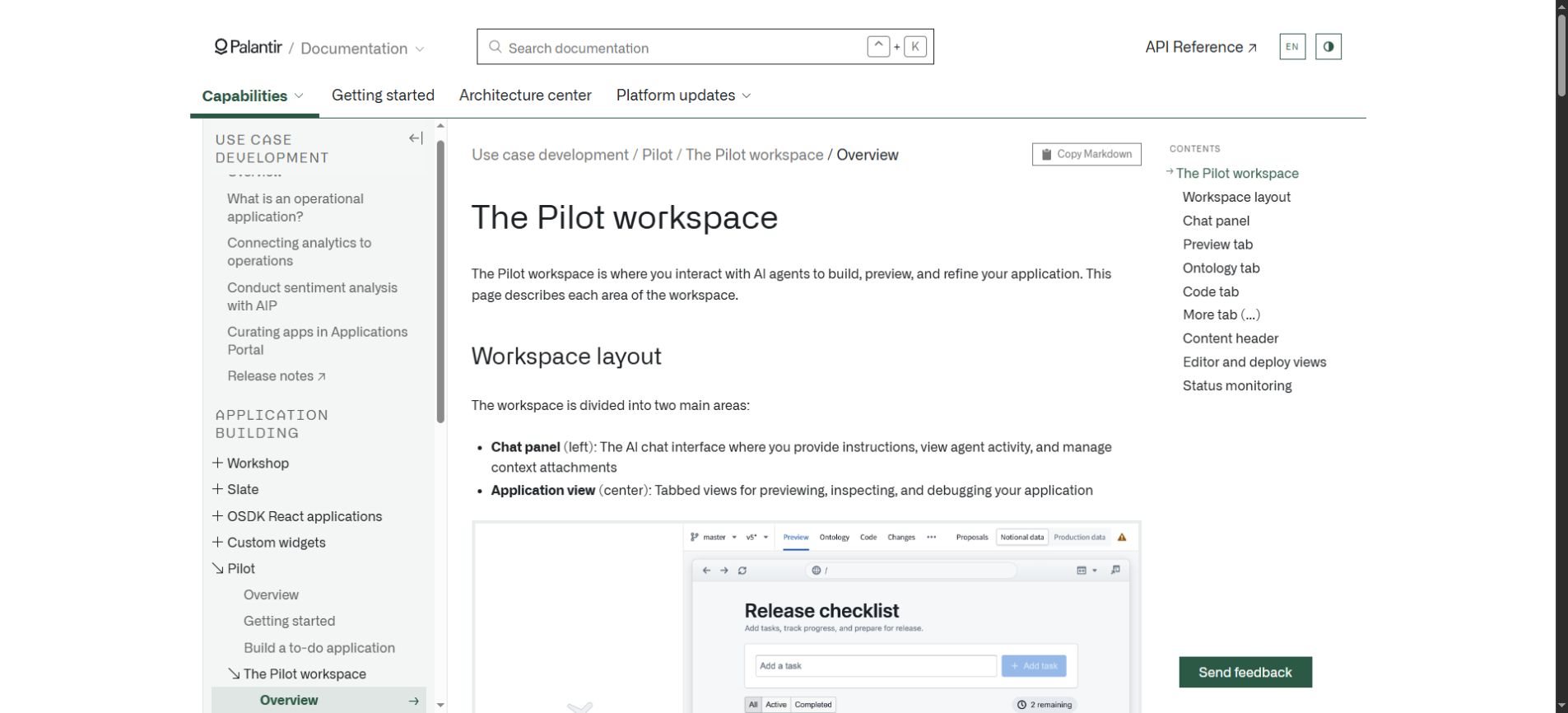
Palantir’s workspace guide describes chat alongside preview, ontology and code views. It also distinguishes seed data from production data and warns that actions on Main can be live ontology edits. The data indicator therefore matters when testing a generated interface.
For the fictional maintenance app, use sample requests to explore layout and interaction first. Label them so a reviewer cannot mistake them for actual work orders. A convincing list of fabricated records is useful for design, but it does not prove that real records will be complete or consistent.
When moving to approved real data, use test cases with known expected results. Check a request with missing fields, one with a long description and one already closed. Verify the resulting record after an action instead of relying only on a success message.
Keep a record of what changed between review sessions. Otherwise, a teammate may approve a screen based on yesterday’s behavior while today’s generated code performs a different action. Reviewable versions help connect a decision to the application that was actually assessed.
Five questions for a useful app review
- Can each role complete its ordinary task without explanation from the builder?
- Does every important metric match a clear definition and a known example?
- Are actions limited to the records and operations the user is allowed to change?
- Can people recognize missing data, failed updates and empty results?
- Is there a clear owner for corrections and future changes?
These questions apply beyond Pilot. AI app builders can shorten the path to an interface, but the organization still needs to agree on what that interface means. The person maintaining the workflow should participate before the final release, not only when something breaks.
For a small team, a successful first version might simply reduce duplicate entry and show who owns each request. That outcome is easier to measure than a broad claim that AI has “transformed operations.” Compare the time and corrections required before and after the change.
A generated build is not the same as an approved release
The deployment documentation describes a separate release process involving application configuration, required checks and approval conditions. A working preview should be treated as a stage in that process rather than evidence that every deployment requirement has been met.
For the maintenance queue, name the person who accepts the workflow, the person who owns its data definitions and the person responsible for support. One individual may cover several roles, but leaving them unnamed creates an avoidable handoff problem.
After release, record a small set of practical outcomes: requests lost between systems, time to assign an owner and the number of corrections staff must make. If the new app looks better but increases rework, that is a product problem worth fixing.
Where Pilot fits among AI building tools
The distinguishing question is whether the project needs a custom interface within a Foundry workflow. A team already using Foundry should compare that need with its existing application options. A team seeking a simple public brochure site has a different problem and should not assume an enterprise data application builder is necessary.
There is also a difference between an app-building assistant and an agent running an ongoing task. One helps create software; the other may perform work inside software. Keeping those roles clear makes it easier to decide what access and oversight each needs.
Palantir Pilot FAQs
Does Pilot create only standalone apps?
The official overview also describes custom widgets that can be embedded in Workshop. Choose the delivery format around where users already work and how the interface will be maintained.
Do I need to understand code to evaluate the result?
Workflow users can assess terminology, usability and whether the app supports their tasks. Technical reviewers still need to assess implementation, integration and release requirements. Those are complementary reviews, and an attractive screen does not replace either.
Is Pilot pricing confirmed in this article?
No standalone public price is established here. Availability and model choices depend on the organization’s environment. Confirm the relevant terms and access through the current Palantir product information rather than inferring them from the general-availability announcement.
Where can I follow AI app-building news?
Start with Palantir’s linked documentation for product behavior. News AI is another place to follow broader AI developments. Our small AI guide offers a related perspective on choosing technology around a specific practical need.
The best first app has a clear job
Pilot’s availability announcement is a useful sign of where AI-assisted development is heading: from generating screens toward connecting those screens to operational records and actions. The benefit still depends on the clarity of the workflow being built.
Begin with one queue, one set of users and one measurable improvement. Define the records and actions, inspect the generated behavior and keep the release review explicit. That gives the team something more valuable than a polished demo: an application whose purpose and limits are understood.