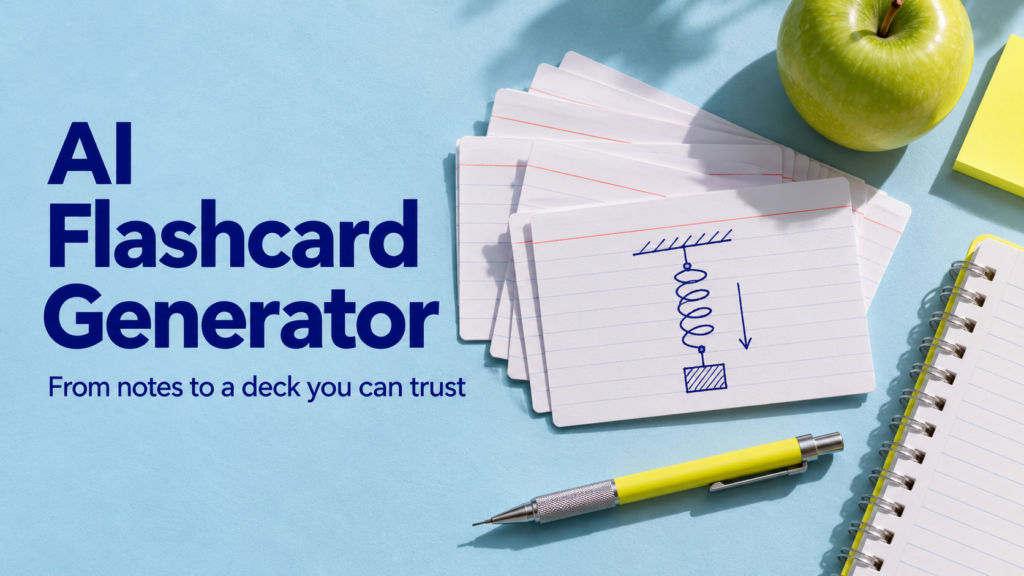
An AI flashcard generator can turn a page of notes into questions and answers in seconds. The hard part is deciding which cards deserve a place in your deck. A pile of vague questions and overly broad answers takes longer to review and makes it easy to mistake recognition for recall.
Start with one page, ask for six cards, and keep only the ones you can answer and verify. This walkthrough uses a short physics example, then shows how to move your checked cards into Anki if you want a separate review schedule.
Try one card before you generate a deck
Suppose your notes say: “At the highest point, a ball thrown straight upward is momentarily at rest. Ignoring air resistance, its acceleration is still downward due to gravity.”
A broad card asks “What happens to a ball thrown upward?” The answer could be anything from a description of the path to an equation. Two smaller cards give you a clear way to score what you remember.
| Card front | Card back | What it checks |
|---|---|---|
| At the highest point of a straight upward throw, what is the ball’s velocity? | Zero at that instant. | Recall of a specific fact. |
| Ignoring air resistance, which way does the ball accelerate at the highest point? | Downward, due to gravity. | Whether you confuse zero velocity with zero acceleration. |
| A classmate says the ball’s acceleration is zero at the top. How would you respond? | Its velocity is zero at that instant, but gravity still produces downward acceleration. | Whether you can explain the difference in context. |
The third card is optional. Keep it if your class expects explanations. If an exam asks you to solve problems, do some problems separately: recalling one fact doesn’t show that you can select and apply the right equation.
Give the generator material it can actually check
Choose a small section with a clear goal, such as distinguishing velocity from acceleration. Keep headings or page numbers so you can find the source again. For a scanned PDF, check that you can select the text and that symbols and units survived text extraction. Paste only notes you have permission to share, with private details removed.
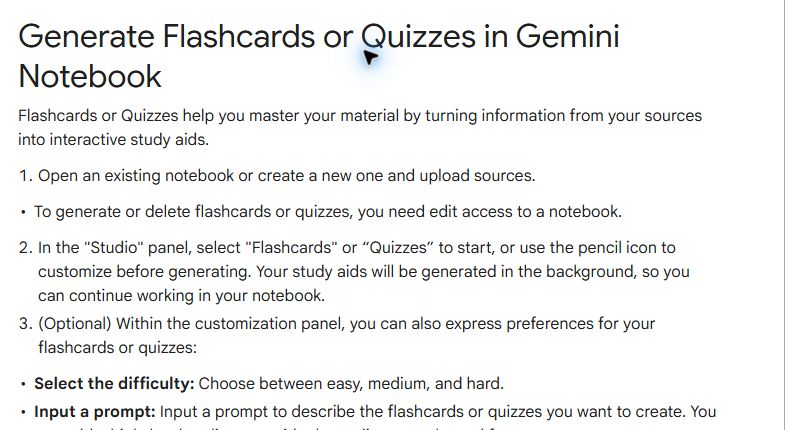
You can use a chat tool for a first draft or a source-based study tool for cards you review in place. Google’s flashcard guide explains how to generate cards from notebook sources, set difficulty, and revisit missed concepts. For a chat tool, paste a small excerpt and specify the format before asking for any output.
A prompt for making flashcards from notes
Make up to six flashcards from the notes below.
Test one idea per card. Put enough context on each front that it makes sense when shuffled. Keep each back short but complete. Preserve any units and conditions. Include one misconception or application question if the notes support it.
Return Front | Back | Source clue as three columns. For each source clue, give a heading or a short phrase I can find in the notes. Omit anything you cannot verify from the notes.

Notes: [paste one section here]
Ask for fewer cards if the notes are short. A request for 30 cards from three bullet points can produce duplicates or push the model to fill in gaps. When you need missing context, add the relevant page before generating again.
Keep, rewrite, or delete each card
- Keep it if the source supports the answer and the question has a clear target. Check the answer itself even when the tool gives a source clue.
- Rewrite it if the front uses “it,” “this,” or “the example above.” You won’t see the surrounding paragraph when the deck is shuffled. Split questions that ask for several unrelated facts.
- Delete it if it duplicates another card, teaches an unsupported claim, or tests a detail outside your learning goal.
Check the conditions as well as the facts. “At the highest point” and “ignoring air resistance” matter in the example above. In your own notes, watch for similar qualifiers, plus signs, minus signs, units, and dates.
Try answering three cards without looking at their backs. If you get one wrong because the question could reasonably mean two things, fix the question. If the answer is right but hard to remember, shorten the wording without dropping what makes it accurate.
Import your checked deck into Anki
Copy only the fronts and backs into a two-column sheet or a plain-text file. Keep the source clues in your working copy. The Anki text import guide explains supported separators and field mapping. For a simple deck, save a UTF-8 tab-separated file with one card per row and no header row.
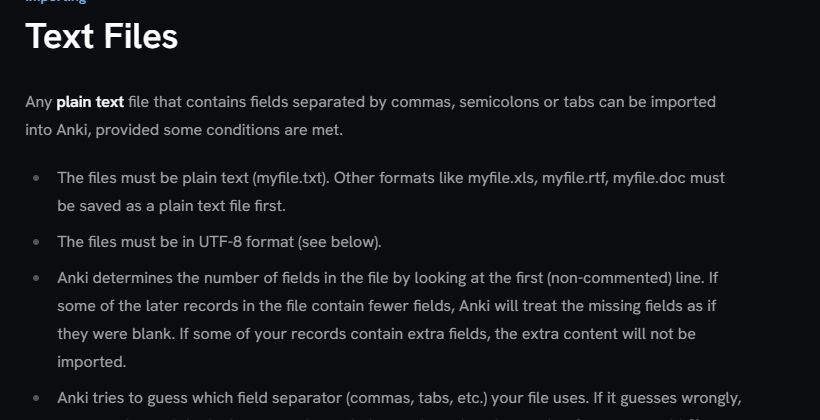
Import the file into a small test deck with the Basic note type. In the import preview, check that the first column maps to Front and the second maps to Back. Confirm that symbols display correctly and that the two fields didn’t collapse into one. Once imported, open two cards and flip them to check the result.
During review, say or write the answer before revealing it. Let the app schedule the next review based on how well you recalled it. When you repeatedly miss a card, revisit the source and decide whether you need a clearer question, a smaller fact, or practice with a whole problem.
When flashcards aren’t enough
Flashcards suit definitions, distinctions, and short explanations. If your goal is writing a strong essay, interpreting a graph, or solving a multi-step problem, pair the deck with tasks that ask you to do that work. Our guide to using AI for study and research covers other ways to practice and check what you understand.
Common questions
Can AI make flashcards from a PDF?
Yes, if the tool accepts the PDF and can read the text. For scanned pages, formulas, and tables, compare a few generated cards with the original before creating more.
Should I generate all my cards at once?
Start with one topic and review the results. A checked six-card deck helps you find a good format before you add another chapter or import dozens of cards.
What is the difference between flashcards and a quiz?
Flashcards let you recall a short answer and check it immediately. A quiz can ask you to choose between plausible alternatives or apply several ideas at once. Use both if your test expects recall and problem solving.