AI for students is no longer mainly about asking a chatbot to write an essay.
In 2026, students are using artificial intelligence to explain difficult concepts, create practice questions, plan revision, analyze course materials, find research sources, learn programming, improve writing, practice languages and prepare for presentations and exams.
AI has also become almost impossible for schools and universities to ignore.
A 2026 survey from the Higher Education Policy Institute found that 95% of surveyed UK undergraduates used AI in at least one way, while 94% said they had used generative AI in connection with assessed work. Almost half said AI had improved their student experience, commonly by saving time, improving understanding and providing immediate support. At the same time, students raised concerns about accuracy, fairness, skill loss and becoming too dependent on AI.
That combination captures the real opportunity and risk.
Used well, AI can function like an always-available study partner.
Used badly, it can become a shortcut that helps a student finish an assignment without actually learning the material.
The distinction matters because the OECD’s Digital Education Outlook 2026 concludes that generative AI can support learning when it is used with clear educational purpose, while simply outsourcing intellectual work to a general-purpose chatbot can improve immediate task performance without necessarily producing lasting learning gains.
This guide explains the best ways to use AI for students, including studying, research, writing, exam preparation, mathematics, coding and learning from documents. It also covers academic integrity, privacy, hallucinations, citations and the habits students should develop to use AI without weakening their own skills.
Last reviewed: September 2026
Editorial note: AI tools, institutional policies and product features change frequently. Always follow the rules of your school, university, teacher or course. AI-generated information can be incorrect, incomplete or outdated and should be verified when accuracy matters.
In this guide
- What Does “AI for Students” Mean?
- Is AI Good for Students?
- The Biggest Mistake Students Make With AI
- 1. Use AI as a Tutor, Not an Answer Machine
- 4. Use AI for Research — but Make It Find Evidence
- What Students Actually Use AI For
- AI for Students and Academic Integrity
- Privacy: Do Not Upload Everything to AI
- Current AI Learning Tools Students Can Use
- Which AI Is Best for Students?
- Using Unlimited AI for Studying
- 10 Useful AI Prompts for Students
- A Safe AI Study Workflow
- Benefits of AI for Students
- Risks of AI for Students
- Frequently Asked Questions About AI for Students
What Does “AI for Students” Mean?

AI for students refers to artificial-intelligence tools used to support learning, research, academic organization and skill development.
Examples include AI systems that can help students:
Understand a difficult concept
Work through a mathematics problem
Practice for an exam
Generate quiz questions
Create a revision schedule
Compare research sources
Explain a scientific paper
Improve grammar and clarity
Brainstorm essay ideas
Review code
Analyze notes and PDFs
Practice another language
Prepare for an interview or presentation
The important word is support.
A useful educational AI should help a student understand, practice, question, organize or improve their own work.
It should not simply replace the thinking the student is supposed to learn.
UNESCO’s current AI Competency Framework for Students takes a similar position. It emphasizes responsible use, critical judgment, understanding how AI works, ethical awareness and students becoming capable users and creators rather than passive consumers of machine-generated answers.
UNESCO AI Competency Framework for Students
Is AI Good for Students?

There is no simple yes-or-no answer.
Research increasingly suggests that how AI is used matters at least as much as whether it is used.
AI can improve learning when it behaves like a tutor
A 2025 randomized controlled trial involving undergraduate physics students compared a carefully designed AI tutor with an active-learning classroom experience.
The AI tutor was specifically engineered around established educational principles rather than simply giving students answers.
Researchers reported that students using the AI tutor learned more in less time and also reported greater engagement and motivation in that particular study.
Read the study in Scientific Reports
However, this does not mean any general chatbot will automatically improve grades.
The tutoring system in that research was deliberately designed to support learning.
That distinction is critical.
Giving students an AI chatbot is not automatically enough
Stanford’s 2026 review of AI tutoring research cautions that AI tutoring is not one single category of intervention. It found that the quality of implementation, educational design and human support can make a substantial difference.
Another two-year experiment involving Khanmigo in middle schools found modest gains from assignment to the AI-supported program, but student engagement with the tutor itself was surprisingly limited. Most students tried it, but many did not regularly engage in substantial mathematical dialogue with it.
So the lesson is not:
“AI tutors work.”
Nor is it:
“AI tutors do not work.”
A more defensible conclusion is:
AI can support learning when students actually engage with it and when the system is designed to encourage productive thinking rather than simply reveal answers.
The Biggest Mistake Students Make With AI
The biggest problem is using AI to produce the finished answer before the student has attempted the thinking.
For example:
Solve question 8 for me.
That may produce a correct result.
But if the student copies it, very little learning has occurred.
Compare that with:
I tried question 8 and got stuck after this step. Don’t give me the final answer yet. Tell me what concept I should use next and ask me one question that helps me continue.
The second interaction forces the student to participate.
This aligns closely with the OECD’s warning that improved task performance with general-purpose AI does not automatically translate into improved learning.
A useful rule is:
Attempt → Ask → Explain → Retry → Check
rather than:
Ask → Copy → Submit
1. Use AI as a Tutor, Not an Answer Machine
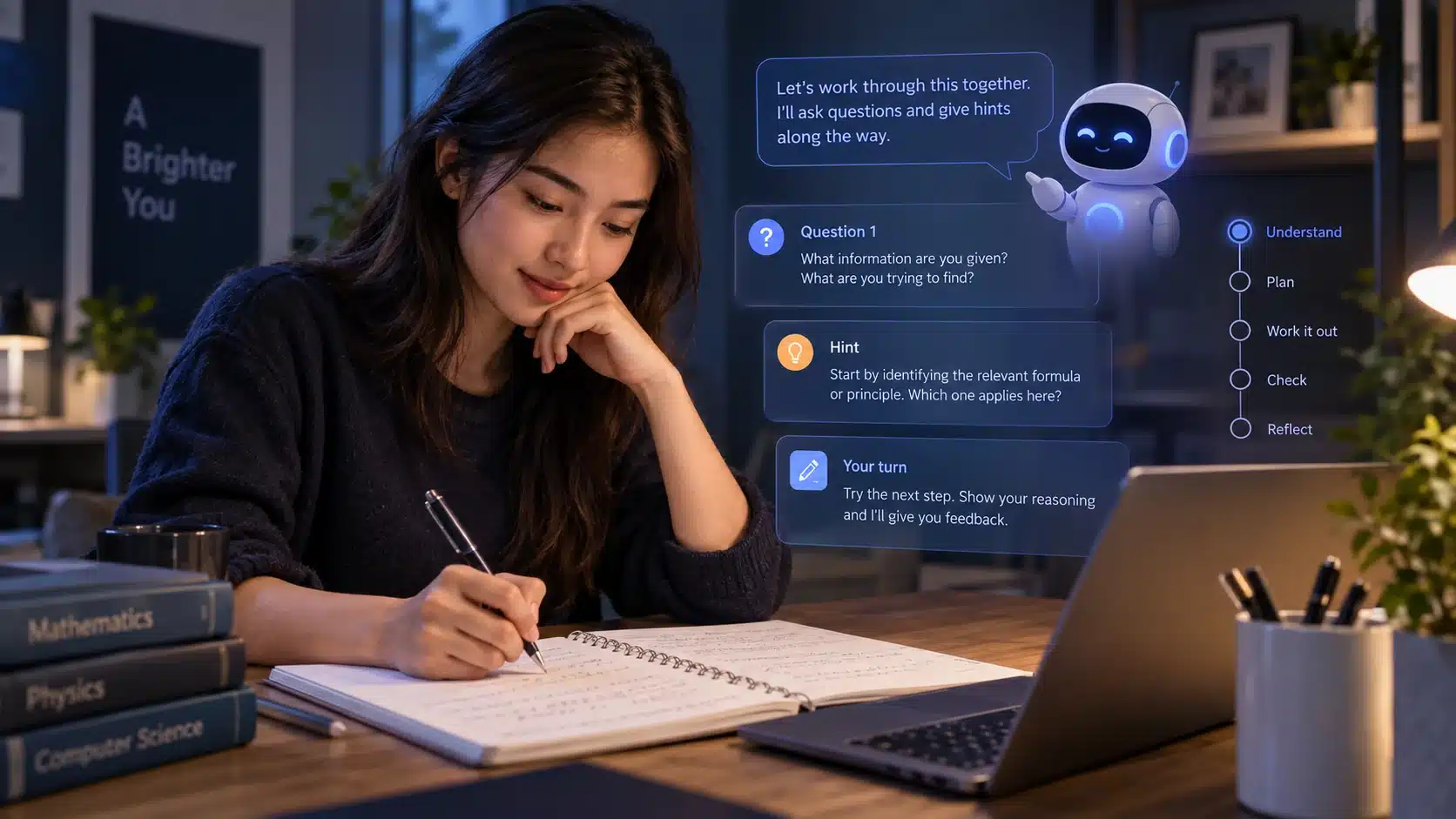
One of the best applications of AI for students is personalized explanation.
Students often avoid asking questions because they worry the question is too simple or because a teacher does not have time to explain the same idea repeatedly.
AI does not have that limitation.
You can ask:
Explain photosynthesis to me as if I have never studied biology.
Then:
I understand the basic process, but I don’t understand why chlorophyll matters. Explain only that part.
Then:
Give me a real-world analogy.
Then:
Now explain where that analogy becomes inaccurate.
This creates an interactive learning process.
Better tutoring prompt
I am a first-year university student studying economics.

Help me understand price elasticity of demand.

Do not give me a long explanation all at once.

First explain the idea using a simple everyday example.

Then ask me one question to check whether I understand it.

Wait for my answer before continuing.

If I make a mistake, explain why and let me try again before giving the correct answer.
This is far better for learning than:
Explain price elasticity.OpenAI’s current Study mode follows a similar philosophy. It is designed to ask guiding questions, adapt explanations and help students reason through material rather than always immediately giving the answer.
2. Ask AI to Quiz You Instead of Summarizing Everything
Students often mistake rereading for learning.
Reading the same notes repeatedly can create a feeling of familiarity without proving that the material can actually be recalled.
AI is extremely useful for turning notes into active-recall practice.
Instead of:
Summarize my biology notes.
try:
Use these notes to test me.

Ask one question at a time.

Start with five factual recall questions.

Then give me five questions that require applying the concepts.

Do not reveal the answer until I respond.

After every answer:
- tell me whether it is correct
- explain what I missed
- track the topics I struggle with

At the end, give me a short review only of my weak areas.

Notes:
[PASTE OR UPLOAD NOTES]
This forces retrieval rather than passive reading.
Good uses for AI quiz generation
AI can create:
Multiple-choice questions
Short-answer questions
Flashcard-style prompts
True/false questions
Scenario questions
Oral examination practice
Increasingly difficult questions
Questions targeted to previous mistakes
The student should still check any generated questions that depend on highly technical or precise facts.
AI can generate an incorrect question just as easily as it can generate an incorrect answer.
3. Use AI to Create a Realistic Study Plan
AI can be particularly helpful when students know what they need to study but do not know how to organize it.
A poor request is:
Make me a study schedule.
A better one gives constraints:
Help me create a study plan.

Exam date:
October 18

Subjects:
Biology – 8 chapters
Chemistry – 6 chapters
Statistics – 5 chapters

My situation:
I can study 2 hours Monday to Friday and 4 hours on Saturday.
Sunday should be mostly free.
Statistics is my weakest subject.
Biology has the most material.

Create a plan from today until the exam.

Include:
- new learning
- practice questions
- spaced review
- one full mock-test period
- buffer time before the exam

Do not schedule every available minute.
AI is useful here because the schedule can be adjusted conversationally.
You can say:
I missed Tuesday. Rebuild the rest of the week without increasing any day beyond three hours.
or:
My chemistry test was moved forward five days. Rebalance the plan.
That is much more practical than generating a fixed schedule once and abandoning it.
4. Use AI for Research — but Make It Find Evidence

Research is one of the most valuable and most dangerous applications of AI for students.
The useful approach is:
AI helps you find and interpret sources.
The dangerous approach is:
AI becomes the source.
For example, avoid:
Write my research section on climate change.
Instead:
Help me research how climate change affects coral reefs.

I am preparing a university assignment.

Prioritize:
- peer-reviewed research
- government scientific agencies
- universities
- major international scientific organizations

For each major claim:
- identify the source
- provide the publication date
- distinguish research findings from interpretation

Show me contradictory or uncertain evidence where relevant.

Do not write my final assignment.
Help me understand the evidence first.
If research is an important part of your coursework, see our full Best AI for Research comparison, which covers ChatGPT Deep Research, Perplexity, Gemini, Claude, Elicit, Consensus and other research tools. Best AI for Research in 2026
5. Always Open the Original Sources
One of the most important AI literacy skills for students is citation verification.
An AI response can contain a citation and still be wrong.
Possible problems include:
The paper exists but says something different
The source supports only part of the claim
The AI misunderstood the result
The study is outdated
The AI cited a news article when the original study is available
Two apparently independent sources may simply repeat the same original report
A better workflow is:
Step 1
Let AI help identify potential sources.
Step 2
Open the source yourself.
Step 3
Check the relevant section.
Step 4
Understand the methodology and context.
Step 5
Cite the original source according to your institution’s required citation style.
Do not cite a chatbot as evidence for something that came from a published study if the original study is available.
6. Use AI to Understand Academic Papers
Research papers can be difficult even when students understand the general subject.
AI can help decode them.
For example:
I am reading the attached research paper.

Do not summarize the entire paper yet.

First explain:

1. What research question are the authors trying to answer?
2. What type of study is this?
3. Who or what was studied?
4. What was the main outcome?
5. What are the major limitations?

For every answer, tell me which section or page supports it.

If you cannot find something in the paper, say so rather than guessing.
Then follow up:
Explain the statistical method in simpler language.
or:
What conclusion would be too strong based on this study?
or:
Identify three questions I should ask when critically evaluating this paper.
This is better than asking the AI to write a literature review while you never read the papers.
7. Use AI to Compare Research, Not Just Summarize It
A literature review is not a collection of summaries.
Students need to understand relationships between sources.
AI can help with that process.
For example:
Compare these four papers.

Do not summarize them one by one.

Create a table containing:
- research question
- participants/sample
- methodology
- major finding
- limitations

Then identify:

- findings they agree on
- findings that conflict
- important methodological differences
- questions none of them answer

Use only the uploaded papers.
The final academic judgment still belongs to the student.
8. Use AI for Writing Feedback — Not Automatic Ghostwriting
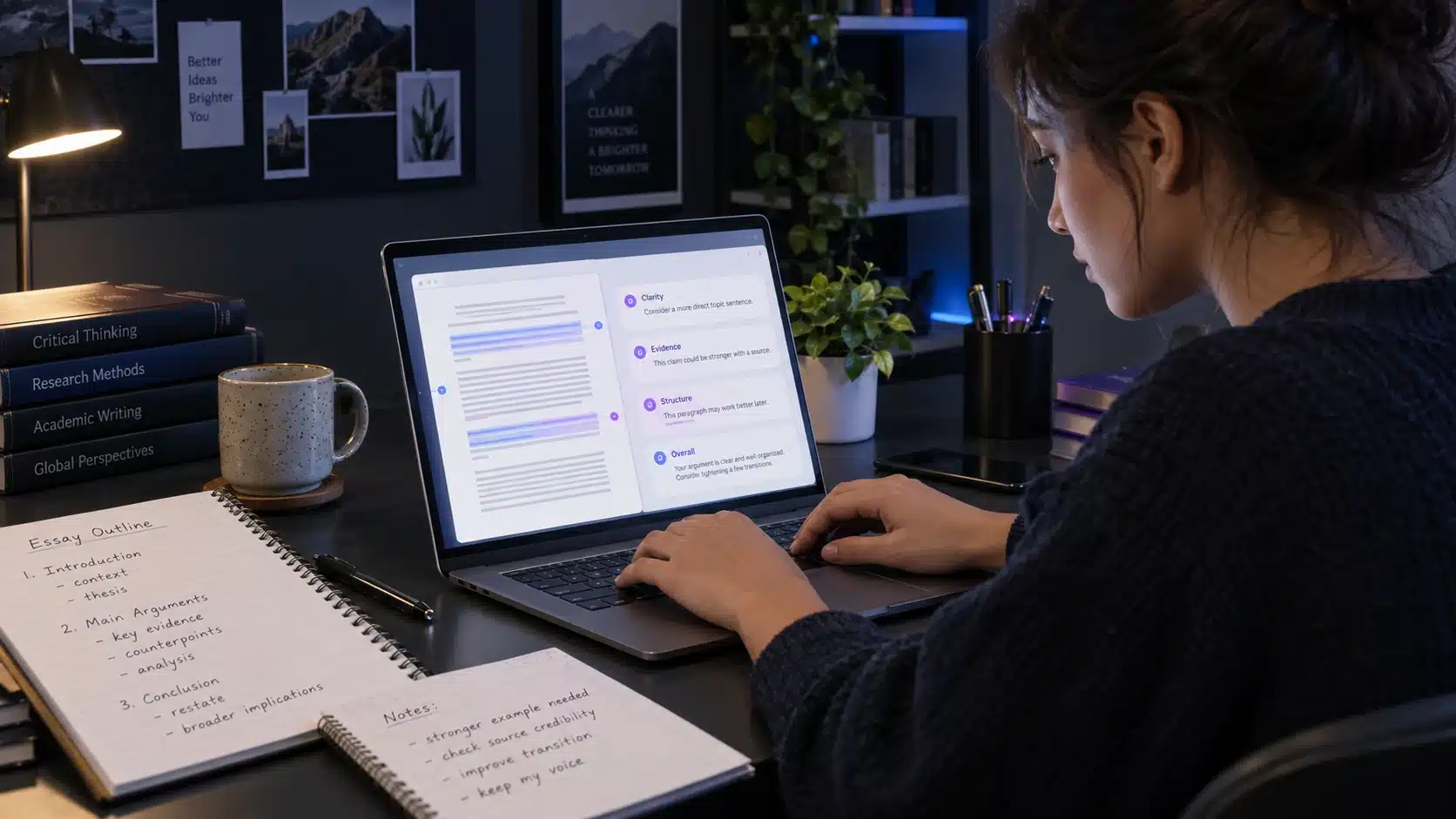
AI can be extremely useful for improving writing without writing the assignment for you.
Instead of:
Write my essay.
try:
Review my essay draft.

Do not rewrite it.

Identify:
- unclear arguments
- unsupported claims
- repeated ideas
- weak transitions
- places where evidence is missing

For each issue:
quote a short part of my draft
explain the problem
suggest what I should improve

Do not provide replacement paragraphs.
This keeps the student responsible for the writing.
Another useful prompt:
Act as a critical reader of this essay.

What are the three strongest arguments?

What are the three weakest?

Where would a skeptical reader challenge me?

Do not rewrite anything yet.
AI becomes an editor or tutor rather than an invisible author.
9. Use AI to Build an Essay Outline
Brainstorming and outlining are often safer educational uses than asking for finished prose.
For example:
I need to write an essay on whether social media has improved political participation.

Do not write the essay.

Help me build an outline.

Start by identifying:
- possible thesis positions
- arguments supporting each position
- counterarguments
- types of evidence I would need

Then ask me which position I want to defend.
Once you choose a position:
Create a five-section outline, but leave the actual argument wording to me.
This can reduce writer’s block without replacing the student’s intellectual contribution.
For more detailed prompting techniques, see our complete How to Write AI Prompts guide. How to Write AI Prompts: Complete Guide With Examples
10. Use AI for Grammar and Clarity Without Losing Your Voice
AI can help students improve language, particularly students writing in a second language.
A useful prompt:
Check this paragraph for grammar and clarity.

Preserve my meaning and writing style.

Do not add new arguments or evidence.

For each change:
show the original phrase
show the corrected phrase
briefly explain the reason

Text:
[PASTE TEXT]
This turns editing into learning.
Simply asking:
Make this perfect.
may produce writing that no longer sounds like the student and could create problems if an institution restricts substantial AI rewriting.
11. Use AI for Mathematics by Asking for Hints
Mathematics is another area where copying an answer creates an illusion of learning.
A better approach is to prevent AI from giving the final result immediately.
I am solving this equation:

[QUESTION]

I want to solve it myself.

Do not give me the final answer.

First check my current step:

[MY WORK]

If it is correct, ask me what I think the next step should be.

If it is wrong, explain the specific mistake and give me one hint.
After completing the problem:
Now show me a different method and explain when it might be preferable.
That allows AI to broaden understanding after the student has done the work.
12. Ask AI to Generate Similar Practice Problems
After learning one problem, ask AI for variations.
For example:
I just solved this quadratic equation correctly:

[PROBLEM]

Create five new problems testing the same concept.

Difficulty:
1 easy
2 moderate
2 difficult

Do not show solutions yet.

After I answer each one, check my work.
This is an excellent way to turn one worked example into a full practice session.
13. Use AI for Coding as a Teacher
For programming students, AI can explain errors much faster than searching dozens of forum posts.
But automatic code generation can also make students dependent on AI before they understand what the program does.
Try:
I am learning Python.

My code produces this error:

[ERROR]

Code:
[CODE]

Do not give me corrected code yet.

Explain:
1. what the error means
2. which line is causing it
3. what concept I am misunderstanding

Then give me one hint so I can fix it myself.
Once you fix it:
Review my solution and tell me whether it is correct and idiomatic.
For more advanced programming workflows, see our Best AI for Coding comparison. Best AI for Coding in 2026
14. Use AI for Language Learning
AI can provide unlimited conversation practice.
For example:
Help me practice conversational English.

My level is intermediate.

Have a conversation with me about travel.

After every message I send:
- respond naturally first
- then identify at most two important mistakes
- explain the correction briefly

Do not correct every tiny mistake because I want the conversation to remain natural.
For vocabulary:
Teach me 10 English words related to university life.

For each word:
- definition
- example sentence
- common mistake

Then quiz me without showing the definitions.
Students can also practice job interviews, presentations or oral examinations.
15. Use AI to Prepare Presentations
AI can help structure information without generating the entire presentation.
For example:
I need a seven-minute university presentation on renewable energy storage.

Help me decide what to include.

Audience:
Students who know basic science but not energy engineering.

Create:
- opening idea
- 4 main sections
- one example for each
- conclusion
- likely audience questions

Do not write a full speech.
Then ask:
Review my slides and tell me which slides contain too much text.
or:
Ask me difficult questions an examiner might ask after this presentation.
The second use is particularly valuable because it simulates pressure before the real presentation.
16. Use AI With Your Own Notes
AI becomes substantially more useful when it has the same material you are studying.
Upload:
Lecture notes
Slides
Worksheets
Syllabus material
Your own summaries
Permitted textbook excerpts
Then specify the source boundary:
Use only the attached lecture notes.

Create a revision guide for chapters 1–4.

If something is not contained in the notes, write:
"Not covered in the supplied material."

Do not fill gaps using outside knowledge.
This helps reduce irrelevant answers.
It does not guarantee perfection, so important details should still be checked against the source.
17. Use AI to Find Gaps in Your Knowledge
One especially powerful prompt is:
I think I understand this topic.

Interview me to test whether I really do.

Topic:
mitosis and meiosis

Ask increasingly difficult questions.

Do not give hints unless I ask.

Keep track of:
- factual mistakes
- concepts I understand only partially
- concepts I explain confidently

At the end, give me a study plan focused only on my weaknesses.
This is much more useful than repeatedly reading the same chapter.
18. Ask AI to Challenge You
AI can become too agreeable.
Students should deliberately request opposition.
For an essay:
Here is my thesis:

[THESIS]

Act as a skeptical academic reader.

Give me the five strongest objections.

For each objection:
explain what evidence would be needed to answer it.

Do not rewrite my thesis.
For research:
Find credible evidence that could contradict my current conclusion.

Do not prioritize sources merely because they agree with me.
For a presentation:
Ask me the hardest questions a lecturer might ask.
This helps reduce confirmation bias.
19. Use AI for Exam Preparation
AI can create realistic study sessions.
Example:
I have a two-hour economics exam in five days.

Topics:
[LIST]

Create a 45-minute practice test.

Use:
- 10 short-answer questions
- 3 calculation questions
- 2 longer application questions

Do not reveal answers until I finish.

When marking:
explain why I lost marks
identify repeated mistakes
create a second shorter test focused only on weak topics.
Do not let AI invent the syllabus
Provide the actual course outline if possible.
Otherwise, the AI might focus on material your course never covered.
20. Use AI to Build Flashcards Carefully
AI can save time creating cards.
But do not automatically trust them.
Prompt:
Create 30 flashcards from these notes.

Rules:
- one concept per card
- questions must require recall, not simple recognition
- keep answers concise
- preserve technical terminology exactly
- do not introduce information not in the notes

After creating them, list any cards you are uncertain about.
Review every card before using it repeatedly.
A wrong flashcard can train a wrong memory very efficiently.
What Students Actually Use AI For

Current student research shows that AI is already deeply embedded in education.
The Stanford AI Index 2026, citing the Chegg Global Student Survey, reports common university-student uses including:
Understanding concepts or subjects: 56%
Research for assignments and projects: 52%
Generating ideas or initial drafts: 46%
Writing and editing assignments: 41%
Presentation preparation: 38%
Exam or quiz preparation: 36%
Checking homework: 33%
Step-by-step homework help: 29%
Those numbers reinforce something important:
Students are not using AI for only one task.
It is becoming a general learning technology.
However, popularity does not establish educational quality.
What Real Students Say About AI
The 2026 HEPI survey of 1,054 UK undergraduates found that AI use was close to universal, but student attitudes remained divided.
Around 49% said AI had improved their student experience, often because it helped them understand material, save time or access immediate support.
At the same time, students raised concerns including:
Loss of skills
Fairness
Social isolation
Future employability
Academic misconduct concerns
Dependence on AI
The survey also found that 68% considered AI skills essential to thriving in today’s world, while fewer than half felt teaching staff were helping them develop those skills.
Another useful source is Jisc’s work with students and learners.
Jisc reports that students use tools such as ChatGPT, Gemini, Claude and Copilot for explanations, writing support, mathematics, planning, career preparation and daily organization. But it also found concerns about privacy, academic integrity and declining quality when some students relied too heavily on AI as their primary way of completing assignments.
Jisc Student Perceptions of AI report
The Best Way to Think About AI for Students
A useful model is:
AI as tutor
Good.
Help me understand this.
AI as practice partner
Good.
Quiz me until I can explain this myself.
AI as critic
Good.
Show me weaknesses in my argument.
AI as research assistant
Useful with verification.
Find potential sources and explain why they are relevant.
AI as editor
Useful if permitted.
Identify grammar problems without changing my argument.
AI as replacement student
Dangerous.
Complete my assignment so I can submit it.
The closer AI moves toward replacing the student’s required intellectual work, the greater the academic and educational risk.
AI for Students and Academic Integrity

There is no universal rule covering every school and university.
One lecturer may permit AI-assisted brainstorming.
Another may allow grammar correction but not rewriting.
Another may prohibit generative AI entirely for a particular assessment.
Another course may explicitly require students to use AI and critique the result.
Therefore:
Always check the rules for the specific assessment.
Do not assume:
AI is generally allowed at my university.
means:
AI is allowed for this assignment.
HEPI’s 2026 survey found that direct inclusion of AI-generated text in assessed work had risen to 12%, while institutions were simultaneously changing assessment practices in response to AI.
The safe approach is to understand the policy before doing the work.
What If Your School’s AI Rules Are Unclear?
Ask.
A useful message to an instructor might be:
I would like to use an AI tool to help me brainstorm possible essay structures and check my grammar after I write the draft.

I will write the argument and final text myself.

Is that use permitted for this assignment, and is any disclosure required?
This is far safer than guessing.
Keep the teacher’s answer if it affects how you complete the assignment.
Should Students Cite AI?
Citation rules depend on the institution and citation style.
In many situations, the better choice is to cite the original source of the information, not merely the AI that helped locate it.
For example:
AI says:
The OECD reports that unguided GenAI can improve performance without producing learning gains.
The student should open the OECD report, verify the statement and cite the OECD report.
Do not cite a chatbot as if it were evidence for an academic claim when the original evidence exists.
However, some assignments or institutions may require disclosure of AI assistance even when the AI itself is not the factual source.
Follow the applicable rules.
AI Detectors Are Not a Perfect Solution
Students sometimes assume an AI detector can definitively prove whether something was AI-generated.
Evidence is more complicated.
Recent reviews of AI detection systems report that performance varies substantially between tools, datasets and settings, and concerns remain about false positives, especially for some groups of writers.
Students should therefore focus on following the rules and retaining evidence of their work process where appropriate:
Notes
Drafts
Sources
Revision history
Research records
Do not attempt to “beat” AI detectors.
The goal should be producing authentic work that follows the assignment rules.
AI Can Hallucinate
An AI hallucination is generated information that appears plausible but is false or unsupported.
Students may encounter invented:
Academic references
Statistics
Historical dates
Quotes
URLs
Book titles
Case law
Scientific findings
Explanations
This is one reason students should never treat confidence as proof.
A response can sound extremely certain and still be wrong.
A useful verification prompt
Review your previous answer.

For every factual claim that could be verified externally:
- identify the source
- distinguish primary from secondary sources
- flag anything you cannot verify

Do not invent citations.

If you are uncertain, say so.
Then open the sources.
Privacy: Do Not Upload Everything to AI

Students should also think about what they are giving an AI system.
Avoid unnecessarily uploading:
Passwords
Account credentials
Private API keys
Personal identification documents
Another student’s private information
Confidential research data
Unpublished participant data
Medical records
Private university records
Confidential placement or employer documents
UNESCO’s guidance on generative AI in education highlights privacy, safety, age appropriateness and human-centered use as important areas that education systems should address.
UNESCO Guidance for Generative AI in Education and Research
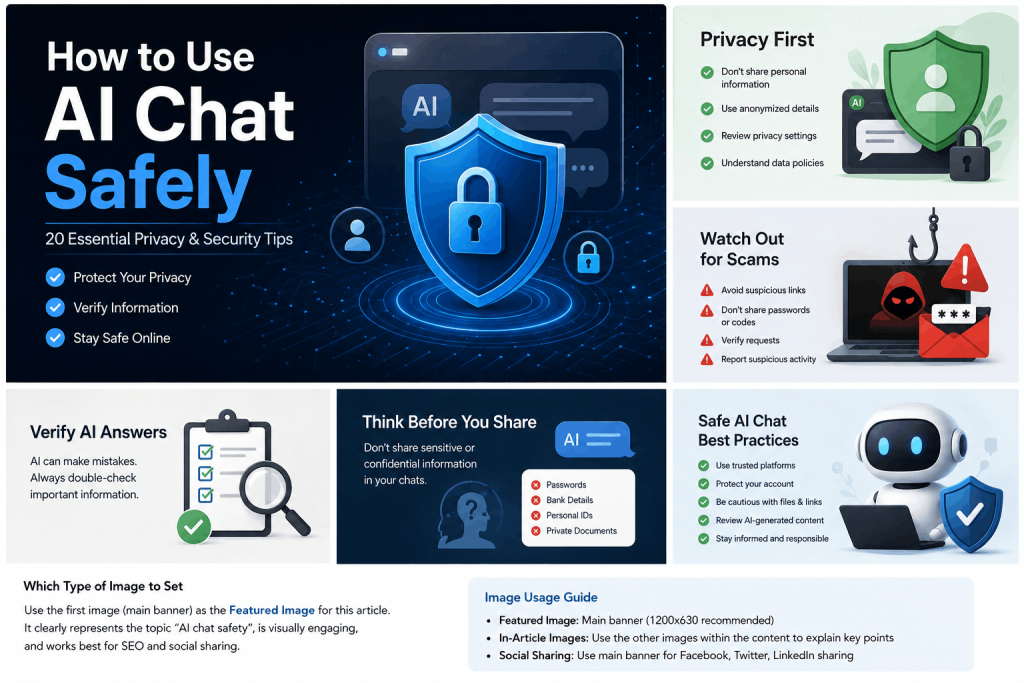
For practical guidance on protecting your information when chatting with AI, read our How to Use AI Chat Safely guide linked from our research and coding resources.
AI for Younger Students Requires Extra Care
The needs of an eight-year-old are different from the needs of a university student.
Schools, parents and educators should consider:
Provider age requirements
Parental or school supervision
Privacy
Appropriate content
Developmental level
Whether AI is doing work the child needs to learn
Whether a qualified teacher should be involved
Stanford’s 2026 AI tutoring review specifically emphasizes privacy safeguards, student-safety guardrails and the risks of extensive unsupervised interaction when AI is used directly with younger students.
AI should not automatically be treated as a replacement for human teachers or high-impact human tutoring.
AI Should Not Replace Teachers
AI has several advantages.
It can:
Be available at any hour
Repeat explanations endlessly
Adapt the level quickly
Generate examples instantly
Provide low-pressure practice
A teacher has capabilities an AI system does not reliably replicate.
Teachers understand:
Curriculum objectives
Student development
Classroom context
Emotional state
Long-term progress
Social dynamics
Assessment requirements
When a learner is misunderstanding something in a deeper way
Stanford’s review concludes that the established evidence base for high-impact tutoring is still centered on live human instruction and that current AI systems are better viewed as supplemental or as tools that can enhance educator capacity.
The strongest future may therefore be:
student + teacher + AI
rather than:
student + AI instead of teacher
Current AI Learning Tools Students Can Use

Several major AI companies now offer education-oriented experiences.
These examples are not a ranking.
ChatGPT Study Mode
OpenAI’s Study mode is designed to guide students through problems rather than simply provide answers.
It can:
Ask questions
Explain concepts at different levels
Work from uploaded notes
Generate practice questions
Quiz students
Help identify misunderstandings
OpenAI explicitly warns that Study mode can still make mistakes and should not replace teachers, course materials or institutional requirements.
Gemini Guided Learning and Study Notebooks
Google offers Guided Learning within Gemini, designed to support interactive tutoring rather than simple answer delivery.
Google also announced expanded study notebooks in 2026, designed to create adaptive learning experiences around students’ learning goals.
Google’s 2026 student learning tools announcement
Claude Learning Mode
Anthropic’s Claude for Education includes a learning mode intended to use guided exploration and Socratic-style questions rather than functioning only as an answer generator.
Again, these are company descriptions of their own products.
Students should judge educational tools by whether they actually help them understand and retain material—not by marketing claims.
Which AI Is Best for Students?
There is no single answer.
A useful general framework is:
For interactive tutoring
Look for a learning mode that encourages explanation, questions and practice rather than simply giving answers.
For web research
Use an AI tool that shows sources and allows you to open them.
Our Best AI for Research article compares dedicated research options. Best AI for Research
For coding
Use AI that can explain code and errors, but make sure you understand the changes.
Our Best AI for Coding guide covers that area in detail. Best AI for Coding
For comparing general assistants
Different assistants can have different strengths for writing, research, coding and multimodal work.
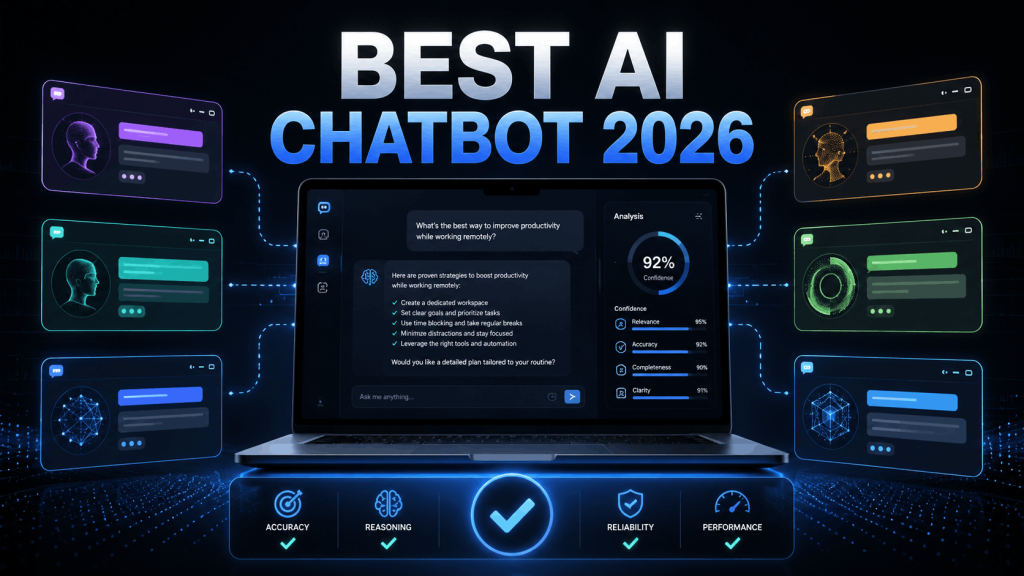
See our Best AI Chatbot comparison for the broader differences. Best AI Chatbot in 2026
Using Unlimited AI for Studying
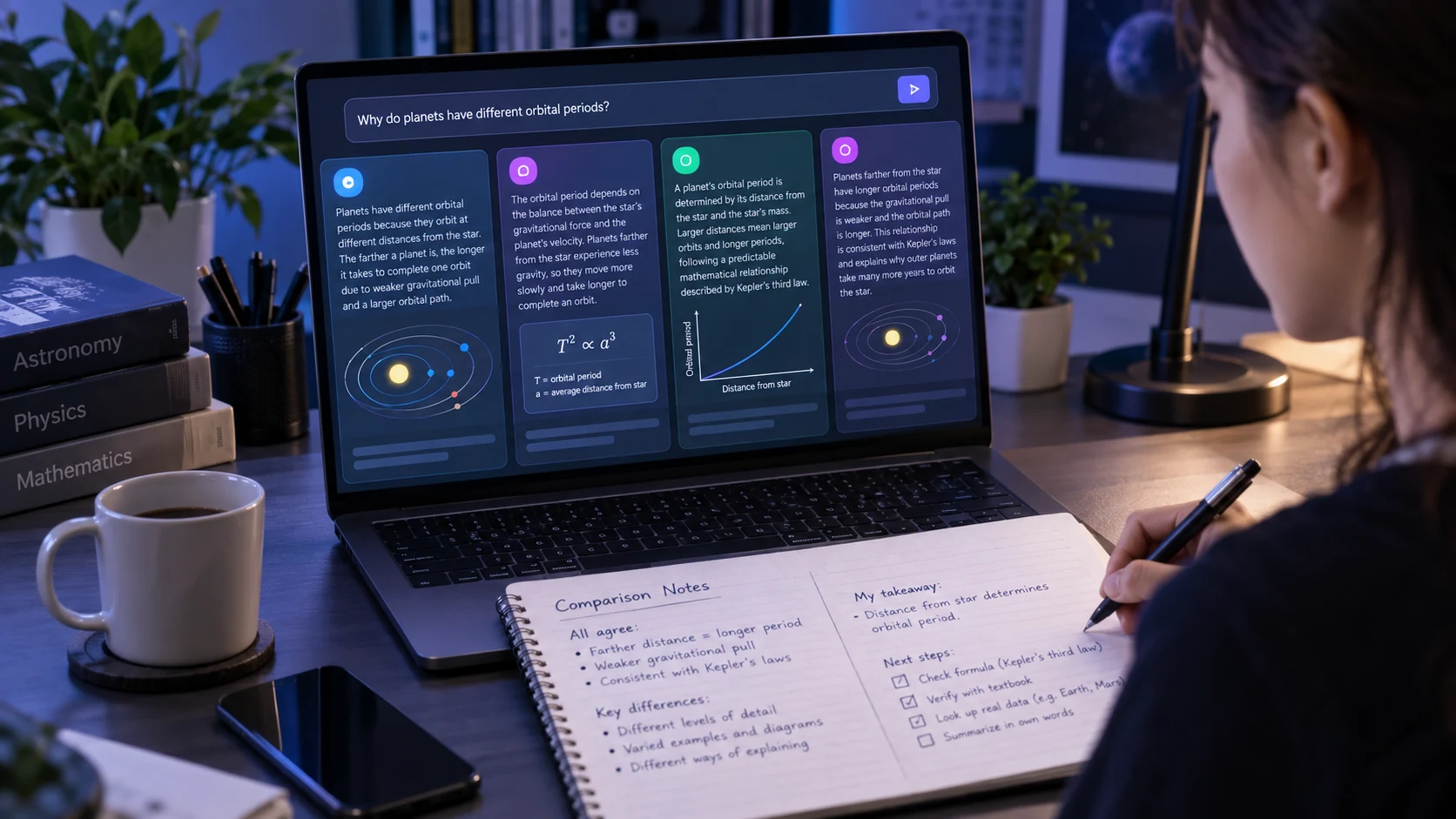
Students can also use Unlimited AI to ask questions, compare different AI assistants and experiment with different explanations from one interface.
One useful study technique is to ask the same educational question to more than one AI.
For example:
Explain opportunity cost to a first-year economics student.

Use one everyday example.

Then give me a situation and ask me to identify the opportunity cost myself.

Do not reveal the answer until I respond.
If two assistants explain it differently, ask:
What is the key difference between these explanations?
or verify the concept against your course materials.
This is preferable to assuming whichever answer sounds more confident must be correct.
Unlimited AI is an independent platform and is not affiliated with the AI providers whose models or services may be referenced on the site.
How Students Can Write Better AI Prompts
Good prompting is especially useful for education because it changes the AI from a generic answer generator into a task-specific study assistant.
A simple framework is:
Goal + Level + Context + Rules + Learning Method
For example:
Goal:
Help me understand Newton's second law.

Level:
High school physics.

What I already know:
I understand force and mass separately but struggle to connect them.

Method:
Explain one concept at a time.

Use one numerical example.

Then give me a similar problem to solve.

Do not give me the answer unless I have tried first.
For many more prompt patterns for studying, research, coding and writing, use our full guide:
How to Write AI Prompts: Complete Guide With Examples
10 Useful AI Prompts for Students
1. Learn a new topic
Teach me [TOPIC].

My level is [LEVEL].

Start with the most important foundational idea.

Explain it simply, then ask me one question before continuing.

Do not move to the next concept until I understand the first.
2. Find a knowledge gap
Test my understanding of [TOPIC].

Ask one question at a time.

Increase the difficulty gradually.

Track every concept I misunderstand and give me a review plan at the end.
3. Study from notes
Use only the notes I uploaded.

Create 15 practice questions covering the most important ideas.

Do not provide answers until I respond.

If the notes do not contain enough information for a question, do not invent it.
4. Improve an essay
Review my essay.

Do not rewrite it.

Identify:
- weak arguments
- unsupported claims
- unclear sentences
- repetition
- structural problems

Explain what I should improve and let me make the changes myself.
5. Research a topic
Help me research [TOPIC].

Prioritize academic, government and authoritative primary sources.

For every important claim, show me the source.

Identify areas where credible sources disagree.

Do not write my assignment.
6. Solve mathematics independently
Help me solve this problem myself.

Do not provide the final answer.

Look at my current work and give me only the next hint I need.

Question:
[QUESTION]

My attempt:
[ATTEMPT]
7. Practice a language
Have a conversation with me in [LANGUAGE].

My level is [LEVEL].

Reply naturally first.

Then correct no more than two important mistakes in each message and explain them briefly.
8. Prepare for an exam
Create a 30-minute practice exam from my syllabus.

Match the difficulty to [LEVEL].

Do not show answers until I finish.

After marking, identify my three weakest topics and create a revision plan.
9. Learn programming
I am learning [LANGUAGE].

My code has this problem:

[CODE]

Do not fix it for me immediately.

Explain the cause and give me one hint.

Let me attempt the correction before showing an example solution.
10. Prepare for a presentation
I will present this topic:

[TOPIC]

Act as the examiner.

Ask one challenging question at a time.

After each answer, tell me what was strong, what was missing and how I could improve the reasoning.
A Safe AI Study Workflow

For most students, this five-stage workflow is a good starting point.
1. Learn from the real course material first
Read:
Lecture notes
Assigned chapters
Teacher instructions
Primary course resources
2. Attempt the task
Try the problem yourself.
Even an imperfect attempt gives the AI something useful to diagnose.
3. Use AI for targeted support
Ask for:
Explanation
Hint
Example
Critique
Quiz
4. Return to the task without AI
Try again independently.
If you cannot reproduce the understanding without the chatbot, you may not have learned it yet.
5. Verify important facts
Check:
Course material
Original research
Official sources
Teacher guidance
This preserves AI’s speed without allowing it to become a substitute for learning.
The “Can I Do It Without AI?” Test
After using an AI tutor, ask yourself:
If this tool disappeared during the exam tomorrow, could I still explain or solve this?
If the answer is no, continue practicing.
A student who can copy a perfect AI solution has not necessarily mastered the problem.
The goal of studying is not merely to produce the correct output.
It is to develop the ability to produce that output yourself when required.
When Students Should Be Especially Careful
Extra caution is necessary when AI is used for:
Medical education
Legal study
Financial calculations
Laboratory procedures
Safety-critical engineering
Academic citations
Statistics
Historical quotations
Current laws or regulations
Formal assessments
The higher the consequence of an error, the stronger the verification standard should be.
Benefits of AI for Students

When used carefully, AI can offer several genuine advantages.
Immediate feedback
A student does not need to wait until the next class to ask a basic question.
Personalized explanations
The same concept can be explained differently until it makes sense.
Low-pressure practice
Students can make mistakes privately and repeatedly.
Accessibility
AI can help simplify difficult language, create alternative explanations or provide interactive assistance.
Organization
Study plans, practice sessions and structured notes can be created quickly.
Research support
AI can help locate evidence and organize complex information.
Skill practice
Students can practice languages, coding, interviews, presentations and critical thinking.
But each benefit becomes weaker when the student delegates the underlying skill entirely to the AI.
Risks of AI for Students

Incorrect information
AI can confidently produce false answers.
False citations
References may be wrong or misrepresented.
Over-reliance
Students can become dependent on AI for work they should be able to perform independently.
Reduced learning
Getting a better assignment output does not necessarily mean the student learned more. OECD highlights this distinction explicitly.
Academic misconduct
AI usage can violate assessment rules even when the student does not consider it cheating.
Privacy
Students may upload information they should not share.
Bias
AI output can reflect biases or incomplete source material.
Inequality
Students with access to more capable paid tools may have different opportunities than students limited to free systems, which students themselves have identified as a fairness concern.
AI Literacy May Matter More Than Any Single Tool
Specific AI products will change.
The skills students develop can last much longer.
Students should learn how to:
Write clear instructions
Evaluate AI answers
Distinguish evidence from assertion
Check citations
Identify uncertainty
Protect private information
Recognize bias
Compare sources
Follow institutional rules
Know when not to use AI
This is why the OECD and European Commission’s 2026 AI literacy framework focuses not simply on tool use but on understanding, critical evaluation, ethics and responsible participation in an AI-shaped society.
OECD and European Commission AI Literacy Framework
Frequently Asked Questions About AI for Students
Is AI good for students?
AI can be useful when it supports active learning, practice, explanation and feedback. Evidence increasingly suggests that pedagogically designed AI tutoring can improve outcomes in some settings, while simply outsourcing tasks to general AI tools may improve immediate performance without equivalent learning gains.
What is the best way for students to use AI?
Use it as a tutor, critic, research assistant and practice partner.
A strong workflow is:
attempt the task yourself → ask AI for targeted help → retry independently → verify important information.
Is using AI for homework cheating?
Not automatically.
It depends on the rules of the specific school, teacher, course and assignment.
Using AI may be allowed for one activity and prohibited for another.
Always check the instructions.
Can students use AI for research?
Yes, but AI should help locate and understand evidence rather than replace the evidence itself.
Open important sources, verify claims and cite original research wherever possible.
Can students use AI to write essays?
AI can help brainstorm, outline, critique and edit when those uses are permitted.
Submitting AI-generated writing as your own may violate academic-integrity rules.
Check your course policy.
Is ChatGPT useful for students?
Yes. ChatGPT includes a Study mode designed to support learning through questions, guided explanations and practice. OpenAI also warns that it can make mistakes and should not replace teachers or course requirements.
Is Gemini useful for students?
Yes. Google offers Guided Learning and newer study-oriented experiences designed around interactive education. Availability can depend on product and account configuration.
Is Claude useful for students?
Anthropic offers a learning mode through Claude for Education that emphasizes guided discovery and Socratic questioning rather than only providing final answers.
Can AI replace a tutor?
Current evidence does not support treating all AI systems as equivalent replacements for skilled human tutoring.
AI can be valuable supplemental support, while high-impact human tutoring retains a much stronger established evidence base.
Should students trust AI citations?
No citation should be trusted automatically.
Open important sources and confirm that they actually support the AI’s statement.
Can AI make students less intelligent?
That claim would be too broad.
However, research and educational reviews do raise concerns that continually outsourcing cognitive work can reduce opportunities to practice and acquire skills. The risk depends heavily on how the AI is used.
Should students use AI before attempting homework?
Usually, a better learning strategy is to attempt the problem first.
Then ask AI to diagnose where you became stuck.
Can younger students use AI safely?
Younger learners require greater attention to age requirements, privacy, supervision, educational design and safety controls. UNESCO and Stanford both emphasize age-appropriate and human-centered implementation.
Final Thoughts
The question is no longer whether students will encounter artificial intelligence.
AI is already part of how many students research, write, study, code, organize their time and prepare for assessments.
The more important question is:
Will AI strengthen the student’s ability, or quietly replace it?
The best use of AI for students is not having a machine do schoolwork faster.
It is using AI to create more opportunities to:
Ask questions
Practice
Receive feedback
Explore evidence
Find mistakes
Test understanding
Improve weak skills
A useful AI tutor should eventually make the student less dependent on the AI, not more.
The ideal outcome is not:
“AI can answer this for me.”
It is:
“AI helped me learn how to answer this myself.”
That distinction may be the most important AI skill students can learn.
Research and Editorial Transparency
This guide draws on current evidence and guidance from the OECD, UNESCO, Stanford University, Scientific Reports, HEPI, Jisc and official educational materials from major AI providers.
The OECD Digital Education Outlook 2026 is used for evidence concerning the difference between short-term AI-assisted performance and genuine learning outcomes.
UNESCO guidance is used for AI literacy, privacy, age appropriateness and responsible educational use.
Student-use statistics are drawn from the 2026 HEPI survey and Stanford AI Index rather than being estimated by the Unlimited AI Editorial Team.
Company pages describing ChatGPT Study mode, Gemini learning features and Claude Learning Mode are treated as provider descriptions of their own products, not independent proof that one commercial product is educationally superior to another.
Individual product features can change after publication.