A florist notices a wilted fern before opening the shop. She waters it, clears a space beside the window and turns the sign to OPEN. That is a simple idea for a short video. It is not yet a plan for what the camera should show.
An AI storyboard helps turn an idea like this into a sequence you can discuss before making the final clips. The most useful board explains the action, framing and order of the shots. Beautiful pictures are optional; a sequence that makes sense is essential.
This guide builds an original six-shot example, then gives you reusable prompts and a continuity checklist. The florist story is a planning exercise, not a claim about a tested generator or a finished film.
Start with a decision, not a grid of images
For the example, set one clear purpose: a 30-second social video that makes a small plant shop feel welcoming. The story should show a person caring for a plant, then inviting customers inside. That gives the sequence a beginning, a small action and a conclusion.
Choose the destination format before composing the panels. A wide scene and a vertical phone video place the same person and plant differently. Use one aspect ratio throughout the planning stage, and leave room for any captions you intend to add later in an editor.
The test for every panel: What does the viewer learn here that they did not know in the previous shot? If two panels answer the same question, combine them or give one a different purpose.
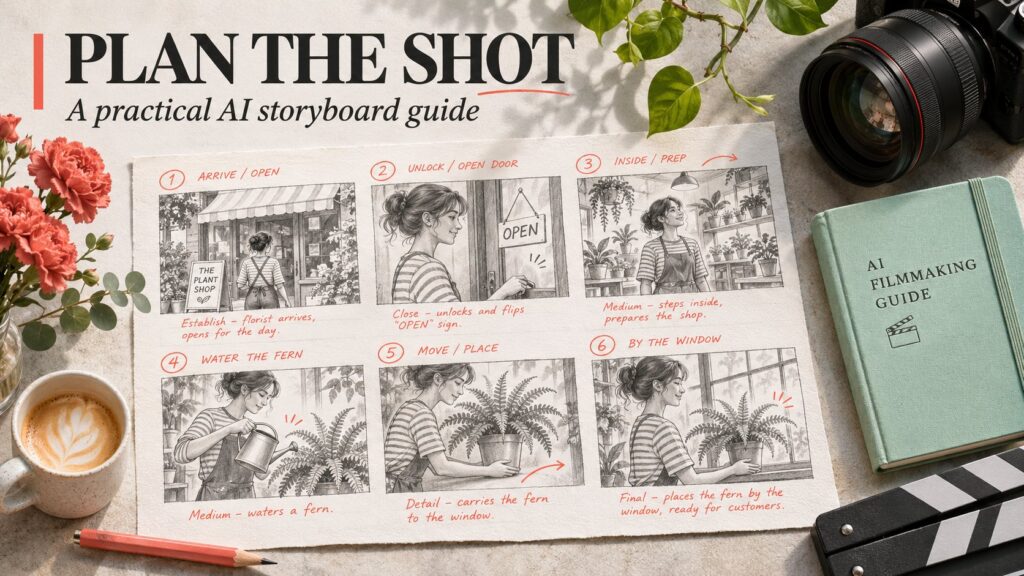
The six-shot storyboard for the plant shop
These timings are editorial estimates for the exercise. They add up to 30 seconds, but they are not instructions that every image or video model will follow exactly. The final timing belongs in the edit.
| Shot | What the viewer sees | Purpose and time |
|---|---|---|
| 01 · Wide | Small plant shop before opening; Mira enters from the left | Establish the place · 5 seconds |
| 02 · Medium | Mira notices a drooping fern on the counter | Introduce the small problem · 4 seconds |
| 03 · Close-up | Her hand lifts the same blue watering can | Show the decision to act · 4 seconds |
| 04 · Detail | Water reaches the soil in the fern’s terracotta pot | Show the care · 6 seconds |
| 05 · Medium | Mira places that pot beside the window | Complete the action · 5 seconds |
| 06 · Wide | Mira opens the door; the fern remains beside the window | Welcome the viewer · 6 seconds |
Notice that the sequence does not require a magical instant recovery of the fern. The action is caring for it, not proving that watering immediately restores every leaf. That small choice makes the plan easier to communicate and less likely to imply an unrealistic result.
The watering can, pot and window are continuity anchors. Write them down before generating images. Otherwise, you may approve six attractive frames only to discover that each one contains a different object or a different shop.
What an AI storyboard generator contributes
In Runway’s storyboarding guide, a storyboard combines visual panels with production notes, while an AI generator can create panels from descriptions and references. The creative choices about the shots remain with the person planning the sequence. That distinction is useful: generating a frame and approving a sequence are separate tasks.
For our florist example, use AI to explore a camera position or make a rough panel easier to discuss. Keep the written shot list alongside the images. If the image and the note disagree, resolve the disagreement before the frame becomes a reference for video generation.
Create a small reference brief
The following details belong to this fictional project. You can replace them with your own characters, locations and objects, but avoid changing them accidentally halfway through a sequence.
- Person: Mira, a fictional adult florist, short dark hair, cream striped shirt, green apron.
- Place: one small plant shop, wooden counter in the center, tall window on the right.
- Objects: a blue metal watering can and one fern in a plain terracotta pot.
- Look: rough graphite storyboard drawings, restrained gray tones, clear silhouettes.
- Time: soft morning light with the same direction across the sequence.
A reference brief is not a promise of perfect consistency. If your chosen tool accepts reference images, use approved images that represent these details. If it does not, repeat the important descriptions and expect more manual correction.
For an actual client project, obtain permission to use reference photographs and keep private material out of a service unless its data handling is suitable for that work. Fictional characters and an invented shop are sufficient for a practice board.
Use one prompt to plan, another to draw
A planning prompt should ask for decisions you can inspect. It does not need to request finished artwork. Start by asking an assistant to expose missing actions, confusing transitions or too many ideas in one shot.
Planning prompt
Plan a 30-second, six-shot video about a fictional florist caring for a fern before opening a small shop. Use the reference brief below. Return a table with shot number, estimated duration, framing, one main action, important continuity details and sound notes. Keep the same person, watering can, pot and window position. Do not add a new character or imply that the wilted plant instantly recovers. Flag any unclear transition for me to decide.
Read the proposed table before using it. If shot three assumes the florist is already holding the can, while shot two leaves it on a distant shelf, the action needs a revision. The goal is a sequence you understand, not simply a table with all its columns filled.
A drawing prompt for shot 02
Panel prompt
One storyboard panel, widescreen 16:9. Medium shot inside the same small plant shop. Mira, the fictional adult florist with short dark hair, cream striped shirt and green apron, looks down at one drooping fern in a plain terracotta pot on the central wooden counter. The tall window is on the right. The blue metal watering can rests beside the pot. Soft morning light. Rough graphite pre-production sketch with clear shapes. No captions, no panel grid and no additional people.
This prompt describes one frame. The image cannot by itself prove that Mira turns, notices the plant or reaches for the can over several seconds. Those actions belong in the accompanying note or in a later motion prompt.
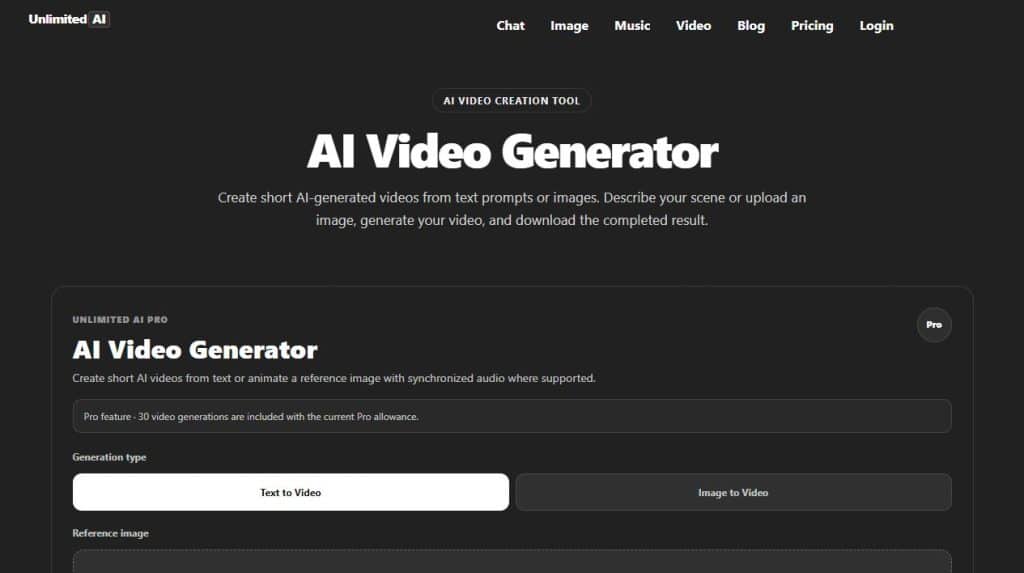
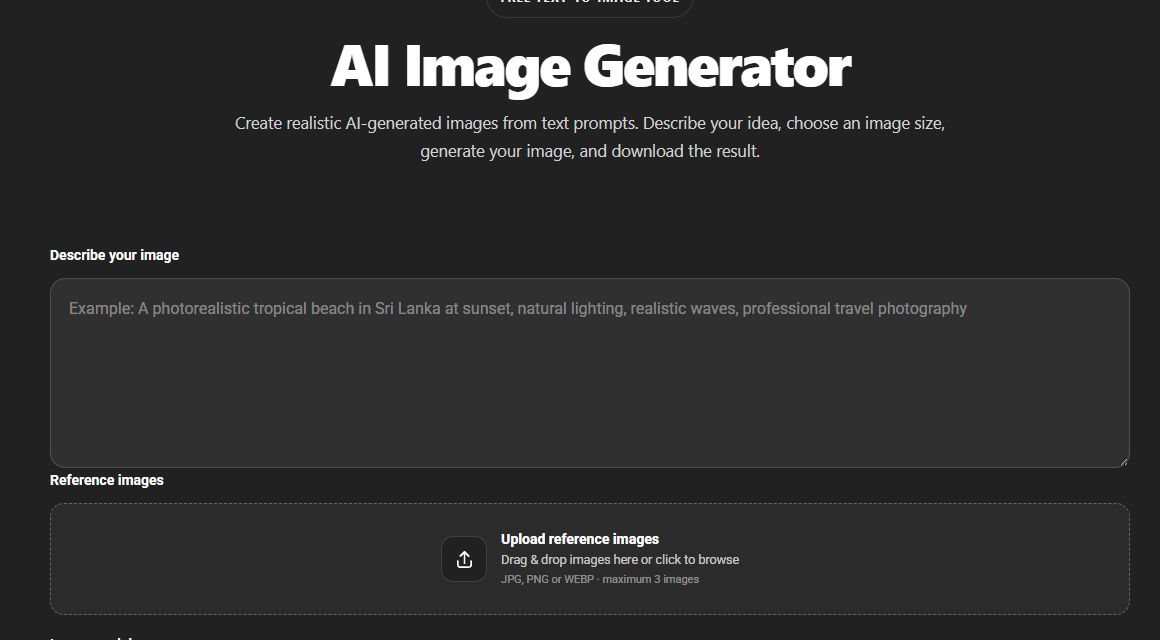
You can try individual panel descriptions in the Unlimited AI image generator. The page offers a prompt field and reference-image controls. Check the options available to you before starting; a general image tool does not automatically organize the results into a storyboard.
Make a rough pass before polishing the pictures
Create a rough version of every panel and read them in order. At this stage, a quick sketch that communicates the action is more useful than spending all your effort refining the first frame. You may discover that the scene needs five shots, or that a missing insert needs a seventh.
Keep a simple naming system: plant-shop-01-v1, plant-shop-02-v1 and so on. When you replace a frame, update the board and its notes together. Otherwise, someone may review a new image against an old action description.
Add arrows, shot numbers and captions in a layout or editing tool after generating the artwork. This keeps annotations readable and editable. It also avoids depending on the image model to render every production note correctly.
Check the cut between each pair of panels
Look from shot 01 to 02, then 02 to 03, rather than evaluating every frame in isolation. Ask where the person is standing, which way they are looking and where the important object was last seen. If you cannot explain the transition, the viewer may struggle too.
In our example, the pot should not jump from the middle of the counter to the window before shot 05. If it does, correct the frame or revise the action. A note saying “same pot” cannot repair an image that plainly shows a different one.
Review these practical details with the sequence visible:
- Does Mira’s clothing and appearance remain recognizable?
- Do the pot, watering can and shop layout remain consistent?
- Can a viewer identify the main action without reading a long explanation?
- Is there enough time for the action and any narration?
- Does each shot add information rather than repeat the previous frame?
- Are any actions impossible or misleading in the intended story?
Turn the board into an editing decision
Once the rough sequence makes sense, place the panels on a timeline at their estimated durations. A basic slideshow with temporary sound can reveal that a six-second detail feels too long or that the ending arrives before the viewer understands the action. This timed draft is often called an animatic.
You do not need finished music or a final voiceover to answer those questions. Use simple placeholders and label them clearly. The purpose is to review pacing before spending more time on animation or a shoot.
When you are ready to describe motion, use the board as a reference and write a separate instruction for each clip. Our AI video prompts guide explains how to describe a subject, action and camera movement. A storyboard frame gives visual direction; it does not guarantee that a video model will preserve every detail.
Choose tools by the job you need done
A general image generator may be enough for a small personal board. A dedicated storyboard workspace becomes more useful when you need to reorder shots, keep revisions attached to notes or collect feedback from several people. Check those workflow features before choosing based on a polished demo.
For a larger production, ask who needs to approve the work and what they need to see. A cinematographer may need camera and blocking notes. A client may need the overall story and message. An editor may need timing and sound cues. One board can serve them, but the notes should make those needs explicit.
Quick answers about AI storyboards
Can I create a storyboard without drawing skills?
Yes. Simple sketches, photographs or generated images can communicate the plan. You still need to decide what each shot shows and check that the sequence is understandable. Clarity matters more than an expensive-looking illustration.
Should I generate the whole grid in one image?
A grid can be useful for a quick overview, but individual panels are easier to replace, label and reorder. For this six-shot exercise, keeping separate files makes revisions easier. If you use a grid, inspect each panel and make sure the reading order is clear.
How many shots should a short video have?
There is no universal count. Six shots are a convenient size for this exercise, not a rule for every 30-second video. Use enough shots to communicate the story, then adjust the count and duration when you review the timed draft.
Does an AI storyboard create the final video?
A storyboard is a plan. Some products connect planning and generation, but that is a tool-specific workflow. Expect to review the resulting video separately for continuity, motion, timing and sound.
For the plant-shop example, success is a sequence someone else can understand: a place, a small problem, an act of care and a clear ending. Build that sequence first. Let the images make your decisions visible rather than make the decisions for you.