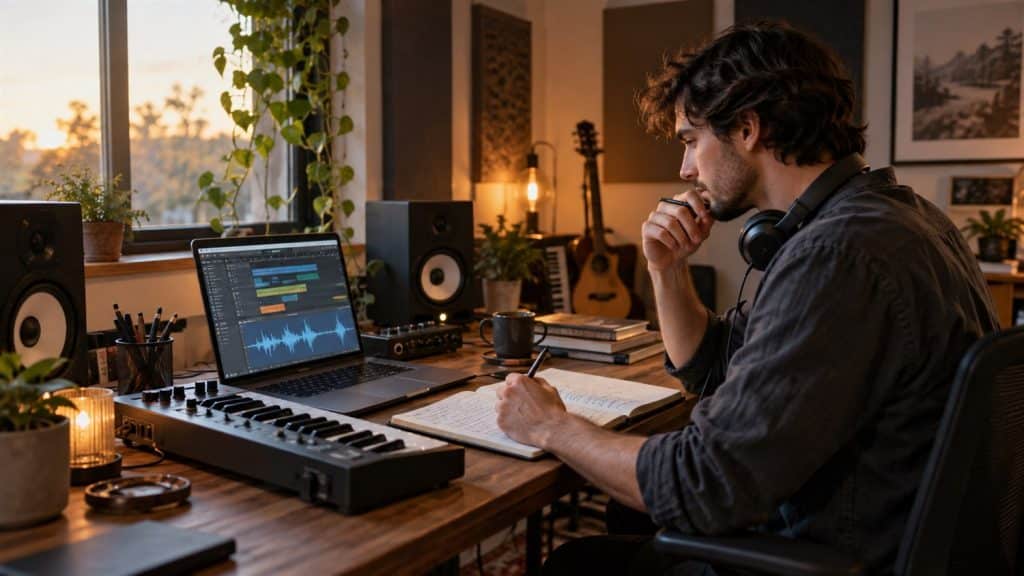
Good AI music prompts describe the sound you want, not only the feeling. A clear prompt names the genre, mood, tempo, instruments, vocal direction, song structure and intended use so the generator has fewer important details to guess.
This guide gives you a repeatable formula, useful music vocabulary and 15 copy-ready AI music prompt examples. Use them as starting points in the Unlimited AI Music Generator, then change one musical element at a time.
Editorial note: AI music features, model behavior and plan limits change frequently. A detailed prompt improves direction but does not guarantee an exact composition. Review every track carefully and confirm that you have the rights needed for your intended use.
A simple formula for better AI music prompts
Strong AI music prompts usually combine eight useful elements. You do not need every element in every prompt, but this checklist helps you control the parts listeners notice first.
Create a [duration] [genre or style] track for [purpose]. The mood is [mood] at [tempo or BPM]. Lead with [main instruments], supported by [secondary sounds]. Use [vocal direction or instrumental]. Structure it with [intro, build, chorus, breakdown or ending]. Production should feel [texture, era or mix direction].Here is that formula as a complete prompt:
Create a 45-second upbeat electronic track for a product launch video. Confident and optimistic, around 118 BPM. Lead with bright synth plucks and a warm bass line, supported by crisp drums and light hand claps. Instrumental only. Start with a short hook, build steadily, reach a clear peak at 30 seconds and end with a clean final hit. Polished modern production with space for a voice-over.Put the most important direction first
If the track must be instrumental, short, calm or suitable for narration, say that near the beginning. Long prompts can contain competing ideas, so place the essential purpose, genre and mood before optional production details.
Use compatible musical choices
A prompt can blend styles, but the combination should still make musical sense. “Warm acoustic folk with subtle ambient electronics” gives a clearer direction than asking for acoustic folk, aggressive metal, orchestral film music and nightclub EDM in one short track.
Music words that improve AI prompts
You do not need formal music training to write a useful prompt. Specific everyday words are enough when each word describes something a listener can hear.
| Prompt element | Useful words | What it changes |
|---|---|---|
| Mood | hopeful, tense, peaceful, playful, bittersweet, triumphant | The emotional character of the track |
| Tempo | slow, relaxed, mid-tempo, driving, fast, 90 BPM, 128 BPM | The pace and energy |
| Rhythm | steady four-on-the-floor, syncopated, swinging, sparse, pulsing | How the beat moves |
| Instruments | felt piano, acoustic guitar, analog synth, strings, brass, hand percussion | The sound palette |
| Vocals | instrumental, intimate lead, airy harmonies, spoken word, choir | Whether and how a voice appears |
| Production | clean studio mix, raw live-room feel, warm tape texture, wide cinematic mix | The finished sonic character |
| Structure | short intro, gradual build, memorable chorus, brief breakdown, clean ending | How the music develops over time |
Search-intent insight: Current prompt guides from major music-generation tools emphasize many of the same controls: style, mood, instrumentation, vocals, tempo and structure. Google’s official Lyria prompt guide is a useful reference for understanding this descriptive approach.
Tempo words versus BPM
Use a general tempo word when flexibility is acceptable. Use BPM when timing matters, such as an exercise track, dance cue or edit synchronized to a fixed rhythm. The result may still vary, so measure the generated audio before relying on an exact tempo.
Describe traits instead of naming a living artist
If you want a recognizable musical direction, describe the traits that create it: the era, instrumentation, vocal texture, rhythmic feel and production style. “Late-1980s synth-pop with gated drums, bright analog pads and an energetic chorus” is more useful and more original than requesting a copy of a specific performer.
Instrumental prompts versus vocal song prompts
An instrumental prompt focuses on pacing, instruments, dynamics and room for other audio. A vocal prompt must also define the singer, lyrical theme, language and song sections.
| Workflow | Include in the prompt | Common use |
|---|---|---|
| Instrumental music | Purpose, genre, mood, tempo, instruments, dynamics, ending and whether narration needs space | Videos, podcasts, games, study music and advertisements |
| Vocal song | All instrumental details plus vocal character, lyrical subject, point of view, language and chorus direction | Original songs, jingles, celebrations and storytelling |
Write lyric directions separately
Keep the style prompt and lyric instructions easy to distinguish. State whether the generator should create lyrics from a theme or perform exact lyrics you provide. If exact wording matters, review pronunciation, repeated phrases and missing lines before using the result.
Style: Warm indie-pop at 105 BPM with acoustic guitar, soft drums, rounded bass and gentle piano. Intimate lead vocal with light harmonies. Hopeful but reflective mood. Verse, pre-chorus, memorable chorus and a short instrumental ending.

Lyrics theme: Starting again after a difficult year, written in first person with simple conversational language. Avoid clichés and keep the chorus easy to remember.
Copy-ready AI music prompt templates
Background music for a video
Create a [duration] instrumental [genre] track for a [type of video]. [Mood] at [tempo]. Feature [lead instruments] with [supporting sounds]. Keep the arrangement light enough for narration. Add [build or transition] and finish with [clean ending or natural fade].Original vocal song
Create a [genre] song about [theme] from [point of view]. [Tempo and mood]. Use [instruments]. The lead vocal is [tone and delivery], supported by [harmonies or backing vocals]. Structure: [verse, pre-chorus, chorus, bridge, ending]. The chorus should feel [quality] and repeat the central idea clearly.Podcast intro
Create a [duration]-second instrumental intro for a podcast about [topic]. [Genre and mood], around [tempo]. Start with an immediate recognizable hook using [instruments]. Keep the middle clear for a spoken title and end with one confident final note. No vocals.Seamless ambient loop
Create a seamless [duration] ambient loop for [use]. [Mood] with [sound palette]. Very light rhythm or no drums. Slow changes, no sudden peaks, no vocals. The final texture should connect naturally back to the opening.15 AI music prompt examples
Copy an example and replace the purpose, instruments or mood with your own details. Generate a few versions, compare them, and refine the one closest to your goal.
1. Technology explainer
Create a 60-second modern electronic instrumental for a technology explainer. Curious and optimistic at 112 BPM. Bright synth plucks, soft bass and crisp minimal drums. Leave space for narration, add a gentle lift halfway through and finish with a clean final hit.2. Lo-fi focus track
Create a relaxed lo-fi instrumental for studying. Around 78 BPM with dusty drums, mellow electric piano, soft vinyl texture and a simple warm bass line. No vocals, no dramatic changes, calm repetitive groove and a smooth natural ending.3. Business intro
Create a 12-second instrumental intro for a practical business podcast. Confident and friendly, mid-tempo. Muted guitar, clean bass, light claps and one bright synth accent. Immediate hook, space for the spoken show title and one precise ending note.4. Launch video
Create a polished 45-second electronic track for a product launch. Energetic but professional at 120 BPM. Pulsing synth bass, sharp percussion and wide uplifting chords. Build from a minimal opening to a strong peak, then end cleanly for a logo reveal.5. Adventure trailer
Create a 75-second cinematic adventure cue. Begin with low strings and distant percussion, then add brass, larger drums and a rising choir texture. Determined and heroic, with two clear builds, a brief pause before the final impact and no lead vocal.6. Meditation background
Create a calm 3-minute ambient instrumental for guided meditation. Very slow movement with soft pads, gentle singing bowls and occasional warm piano notes. No drums, no vocals, no sudden volume changes. Spacious mix and a long peaceful fade.7. Synthwave drive
Create an instrumental late-1980s-inspired synthwave track at 110 BPM. Driving analog bass, gated drums, shimmering pads and a simple melodic lead. Nostalgic night-drive mood, strong verse groove, wider chorus and a short cinematic ending.8. Travel story
Create a 90-second acoustic folk instrumental for a personal travel story. Warm, open and hopeful at a relaxed mid-tempo. Fingerpicked guitar, light hand percussion, soft upright bass and subtle violin. Gentle build with room for voice-over.9. Fantasy village loop
Create a seamless fantasy village loop for a cozy role-playing game. Light woodwinds, plucked strings, hand drum and soft room ambience. Playful and welcoming at a moderate tempo. No large climax, no vocals and a smooth return to the opening phrase.10. Training montage
Create a 60-second high-energy instrumental for a sports training montage. Fast tempo with punchy electronic drums, distorted bass and short brass accents. Start immediately, add a stronger rhythm every 16 bars and end on a powerful final impact.11. Human story
Create a restrained cinematic instrumental for a thoughtful documentary interview. Slow felt piano, soft strings and subtle low ambience. Reflective and compassionate without becoming sentimental. Minimal arrangement, no percussion and ample space for speech.12. Evening lounge
Create a relaxed small-club jazz instrumental at 92 BPM. Upright bass, brushed drums, warm piano and occasional muted trumpet phrases. Sophisticated late-evening atmosphere, natural live-room feel, gentle improvisation and a tidy ending.13. Educational song
Create a cheerful 45-second educational song about the planets for young children. Bouncy ukulele, hand claps and light percussion at a medium tempo. Clear friendly vocal, simple rhymes, a memorable repeating chorus and an upbeat final line.14. Reception entrance
Create a joyful pop-soul instrumental for a wedding reception entrance. Upbeat at 118 BPM with bright piano, warm bass, live drums, hand claps and a short brass section. Immediate celebratory hook, strong chorus energy and a clean finish.15. Fashion reel
Create a 30-second stylish electronic instrumental for a fashion reel. Minimal house groove at 124 BPM with deep bass, crisp percussion and a cool chopped synth motif. Start with the hook, add one short drop and finish sharply for an edit point.Match the prompt to the content format
| Format | Prompt priority | Useful instruction |
|---|---|---|
| Short social clip | An immediate hook and clear edit points | “Start with the main motif in the first second and finish sharply.” |
| Narrated video | Space in the middle frequencies | “Keep the arrangement light and avoid a lead melody under narration.” |
| Podcast intro | Recognizable identity in a few seconds | “Use one short hook and one clean ending note.” |
| Game or app loop | Stable energy and a seamless transition | “No large climax; make the ending connect naturally to the opening.” |
| Full song | Vocal direction, lyrics and section contrast | “Build from intimate verses to a wider memorable chorus.” |
Common AI music prompt mistakes and fixes
1. Writing only a mood
Weak: “Make happy music.”
Better: “Create an upbeat acoustic-pop instrumental at 110 BPM with bright guitar, hand claps and a warm bass line for a short celebration video.”
2. Combining too many unrelated genres
Two compatible styles can create a useful blend. A long list of unrelated genres makes the musical priority unclear. Choose one main genre and one supporting influence.
3. Forgetting the intended use
A podcast intro, meditation track and trailer cue need different structures. State the destination and duration so the generator can shape the opening, build and ending appropriately.
4. Asking for narration space without changing the arrangement
For voice-over, request fewer competing melodies, controlled dynamics and a lighter midrange. A busy lead instrument can fight with spoken words even when the mood is correct.
5. Treating BPM as a guarantee
A number gives useful direction, but generated timing may not be exact. If precise synchronization matters, measure the exported track and edit it in audio software.
6. Changing every detail after one weak result
Keep the closest version and revise one variable: tempo, lead instrument, vocal style, structure or production texture. Small controlled changes make it easier to learn what improves the output.
How to use AI music prompts in Unlimited AI
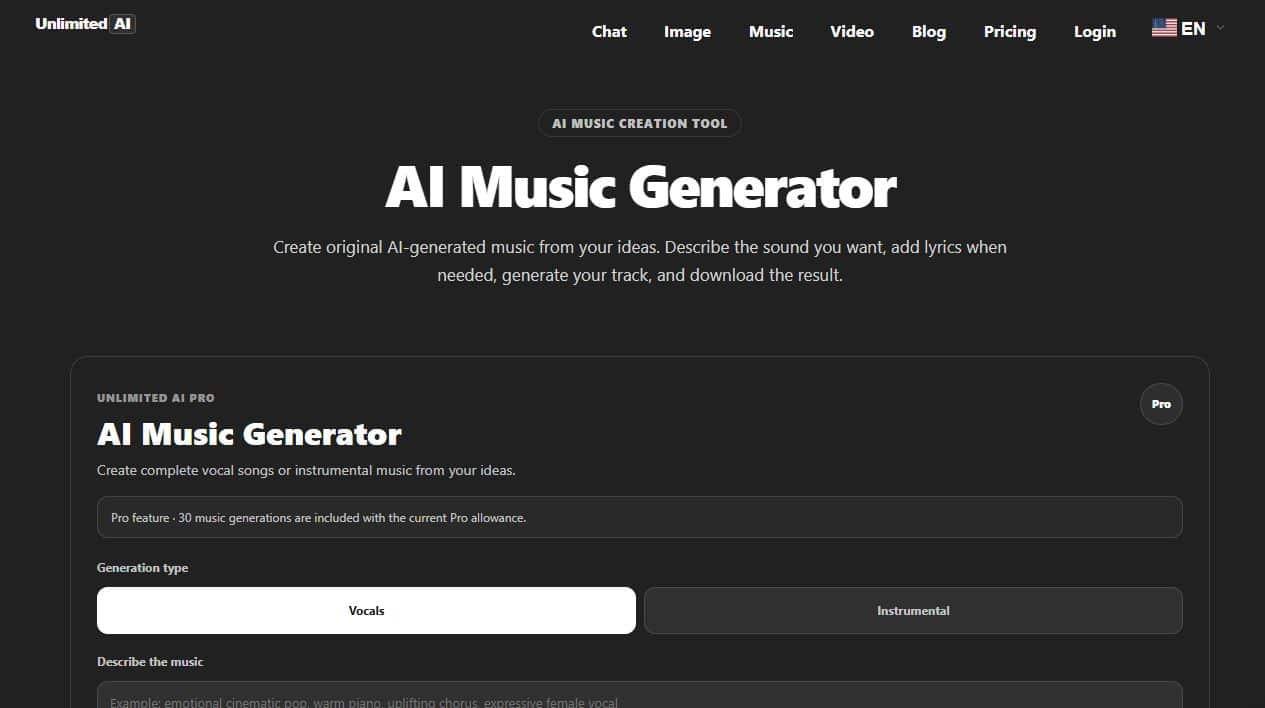
Open the Unlimited AI Music Generator. At the time of review, the page included a prompt field for describing the track and controls for generating AI music within the available plan.
- Decide how the track will be used.Choose the destination, target duration and whether speech or video edits need space.
- Build the musical brief.Write the main genre, mood, tempo, instruments, vocals and structure.
- Generate a first version.Treat the result as a draft and listen from beginning to end.
- Identify the closest part.Note what works, such as the groove, sound palette, chorus or opening.
- Revise one direction.Change one musical variable and compare the new version with the previous result.
Availability and generation allowances can change. Check the current Unlimited AI pricing page before planning a larger project.
Rights, originality and review checklist
- Use original lyrics or material you have permission to use.
- Describe musical traits instead of asking for an exact copy of a specific living artist or protected recording.
- Check lyrics for unwanted claims, names, repeated lines and pronunciation problems.
- Listen for clipping, abrupt transitions, distorted vocals and unwanted background sounds.
- Confirm the terms that apply to downloads, sharing and commercial use before publishing.
Review the site’s Terms & Conditions, Privacy Policy and Disclaimer. For general prompting principles, read How to Write AI Prompts. If the music will accompany generated visuals, the AI Video Prompts guide can help you plan the matching scene.
Frequently asked questions
How long should an AI music prompt be?
One focused paragraph is often enough. Include the purpose, main style, mood, tempo, instruments, vocal direction and structure, then remove details that compete with the core idea.
What should I include in an AI music prompt?
Start with the intended use, genre, mood and tempo. Add lead instruments, vocals or instrumental direction, the desired structure and a short production description.
Can I request an exact BPM?
You can request one, and it may guide the result, but verify the exported audio if timing must be precise. Generation systems may interpret tempo instructions approximately.
How do I ask for music without vocals?
Write “instrumental only” near the beginning and repeat “no vocals or spoken words” when it is essential. Describe which instruments should carry the melody instead.
How do I make AI music fit under a voice-over?
Request a restrained arrangement, controlled dynamics, no dominant lead melody and space for narration. State where the track should build so the strongest section does not cover important speech.
Can the same prompt work in every AI music generator?
The core description transfers well, but generators support different durations, lyric controls, structures and output options. Adapt the prompt to the controls visible in the tool you use.
Turn a clear musical idea into a track
Choose the purpose, genre, mood and sound palette, then refine one detail at a time.
Open Unlimited AI Music GeneratorThis guide reflects the Unlimited AI interface visible on September 23, 2026. Features, limits and plan availability may change.