Good AI video prompts describe motion, not just appearance. A useful prompt tells the generator what is in the scene, what moves, how the camera behaves, how the scene is lit and what mood the finished clip should create.
This guide gives you a repeatable formula, practical camera language and copy-ready examples for text-to-video and image-to-video generation. You can use the prompts as starting points in the Unlimited AI Video Generator, then adjust one detail at a time.
Editorial note: AI video tools and plan details change frequently. Prompts improve direction, but they cannot guarantee an exact result. Review generated clips for visual errors, misleading content and rights issues before publishing them.
A simple formula for better AI video prompts
Strong AI video prompts usually combine seven elements. You do not have to write them as separate labels, but thinking through each one makes the intended clip easier to understand.
Put the subject and action first. Those are the two ideas the model must preserve. Add the environment and camera direction next, then finish with lighting, mood and style.
[Shot type] of [subject] [action] in [setting]. [Camera movement]. [Lighting]. [Mood and visual style]. [Optional sound or timing detail].Here is the same formula as a complete prompt:
Medium tracking shot of a cyclist riding through a quiet futuristic city at dusk. The camera moves beside the bicycle at a smooth, steady speed. Blue and amber lights reflect on wet streets, with soft mist in the distance. Realistic cinematic style, calm but energetic mood.Keep each short clip focused on one scene
A short generation is easier to control when it contains one location, one main subject and one clear action. A prompt that asks for a beach, a city, a spaceship and three camera cuts in the same few seconds creates competing instructions. Break a larger story into separate shots and generate each shot independently.
Describe visible behavior
Words such as “beautiful,” “epic” and “interesting” express taste, but they do not explain what should move. Replace vague language with visible instructions: hair moving in a light breeze, steam rising from a cup, headlights reflecting on rain or a camera slowly orbiting a product.
Text-to-video vs image-to-video prompts
Both workflows use a text prompt, but the prompt has a different job.
| Workflow | What the prompt controls | What to emphasize |
|---|---|---|
| Text-to-video | The subject, scene, look and motion begin from text. | Appearance, setting, action, composition, camera and lighting. |
| Image-to-video | The uploaded image already defines much of the visual composition. | Subject motion, environmental motion, camera movement and what should remain stable. |
For image-to-video, do not waste the whole prompt redescribing details that are already obvious in the picture. Tell the model how to animate the frame.
The woman turns her head slightly toward the window and blinks naturally. Curtains move gently in the breeze. Slow camera push-in, stable facial features, soft morning light remains consistent.AI video camera movements explained
Camera language changes how a scene feels. Start with one primary movement. Add a second only when it clearly supports the first.
| Camera term | What it does | Useful for |
|---|---|---|
| Static or locked shot | The camera stays still while the scene moves. | Interviews, product shots, calm compositions |
| Pan left or right | The camera rotates horizontally from one area to another. | Reveals, landscapes, following lateral movement |
| Tilt up or down | The camera rotates vertically. | Tall buildings, full-body reveals, dramatic scale |
| Dolly in | The camera physically moves closer. | Emphasis, emotion, product detail |
| Dolly out | The camera moves away to reveal context. | Location reveals, endings, isolation |
| Tracking shot | The camera travels with a moving subject. | Walking, driving, sports and action |
| Orbit shot | The camera circles around the subject. | Products, vehicles and dramatic portraits |
| Crane or aerial move | The viewpoint rises, falls or travels above the scene. | Architecture, nature and establishing shots |
| Handheld | Small natural camera shake adds immediacy. | Documentary, action and street scenes |
Control the speed too: “slow dolly-in,” “gentle pan,” “fast tracking shot” and “subtle handheld movement” are clearer than naming the movement alone.
Copy-ready AI video prompt templates
Cinematic text-to-video template
[Wide/medium/close-up] shot of [subject] [clear action] in [environment and time]. [Primary camera movement] at [speed]. [Main light source and color]. [Atmosphere or weather]. [Realistic/cinematic/animated] style with [mood].Product video template
A [product description] placed on [surface/background]. [Small product or environmental motion]. Slow [orbit/dolly/pan] camera movement. [Studio lighting description], controlled reflections, clean premium commercial style, sharp product detail.Image-to-video template
Animate the reference image with [subject motion]. Add [environmental motion]. The camera [movement and speed]. Keep [important identity, shape or composition] stable. Maintain [lighting and visual style].Vertical social video template
9:16 vertical [shot type] of [subject] [action]. [Background activity]. [Camera movement] designed for a short mobile clip. [Lighting], [color palette], clear central composition, energetic opening moment.15 AI video prompt examples
Copy an example, then change the subject, action and visual details to match your project. Simpler prompts are often easier to troubleshoot than very long ones.
1. Rainforest waterfall
Wide shot of a tropical waterfall flowing through a lush rainforest at sunrise. Mist drifts above the water and leaves move in a light breeze. Slow cinematic dolly forward, warm sun rays through the trees, peaceful realistic travel-film style.2. Luxury perfume
A premium black perfume bottle on polished dark marble. Fine mist moves around the base while golden reflections travel across the glass. Slow clockwise orbit, dramatic side lighting, elegant high-end product commercial.3. Cozy café
Medium shot of a person reading beside a café window on a rainy evening. Steam rises from a coffee cup and raindrops slide down the glass. Gentle handheld movement, warm interior light, soft city bokeh, intimate documentary mood.4. Pasta close-up
Macro close-up of fresh pasta being lifted from a ceramic bowl. Sauce glistens, herbs fall slowly and steam rises. Subtle dolly-in, warm restaurant lighting, shallow depth of field, realistic food commercial style.5. Modern living room
Wide interior shot of a modern living room with floor-to-ceiling windows at golden hour. Curtains move gently and sunlight shifts across the wooden floor. Slow stabilized pan from left to right, natural architectural-film style.6. Mountain road
A small red car drives along a winding mountain road above the clouds. The camera follows from a high rear angle, then slowly pulls back to reveal the valley. Crisp morning light, realistic cinematic travel footage.7. Vertical creator intro
9:16 medium portrait of a young creator speaking confidently in a clean studio. Subtle hand gestures and natural blinking, slow camera push-in, soft key light with a blue background accent, polished social-video style.8. Street-fashion walk
Full-body tracking shot of a model walking through a minimalist city plaza. Fabric and hair move naturally in the wind. Camera travels beside the model at walking speed, overcast soft light, modern editorial fashion film.9. Night drive
A matte-black sports car drives slowly through a modern city at night. Wheels rotate naturally and neon lights reflect on wet asphalt. Low-angle tracking shot, smooth stabilized motion, blue and magenta lighting, realistic automotive commercial.10. Cat in a garden
A realistic Bengal cat walks carefully through a green tropical garden. Leaves move in a light breeze and the cat looks toward the camera. Low tracking shot, warm sunset light, detailed fur, calm wildlife-documentary style.11. Floating glass forms
Transparent glass shapes float slowly in a dark studio and rotate at different speeds. Colored light refracts across their surfaces. Smooth orbiting camera, deep blue background, precise reflections, elegant abstract motion design.12. Water-cycle visual
Clean animated landscape showing sunlight warming the ocean, water vapor rising, clouds forming and rain falling over mountains. Slow left-to-right camera move, clear visual sequence, bright educational illustration style, no labels.13. Animate a landscape
Animate the reference landscape with clouds drifting slowly, grass moving in the wind and light changing gently across the hills. Slow forward camera movement. Keep the horizon, terrain shapes and overall color palette stable.14. Animate a product photo
Animate the reference product image with a slow clockwise camera orbit and subtle moving highlights across the surface. Keep the logo, shape and proportions stable. Clean studio background, controlled premium lighting.15. Ambient desk loop
Static close shot of a tidy desk beside a window at night. Rain runs down the glass, a candle flame flickers and steam curls from a mug. Seamless gentle motion, warm and cool color contrast, calm lo-fi atmosphere.Choose duration and aspect ratio before generating
Duration changes how much action fits naturally. A short clip works best with one simple movement. If the selected duration is only a few seconds, avoid asking for a complete story with a beginning, middle and end.
| Format | Good use | Composition tip |
|---|---|---|
| 16:9 landscape | Web video, presentations, standard widescreen | Use horizontal movement and leave room around the subject. |
| 9:16 portrait | Short-form mobile video | Keep the main subject near the center and readable on a phone. |
| 1:1 square | Flexible social posts | Avoid important action at the far edges. |
| 21:9 cinema | Wide establishing shots | Use scenery, vehicles or groups that benefit from width. |
Common AI video prompt mistakes and fixes
1. Too many actions in one short prompt
Problem: “A runner enters a stadium, wins a race, celebrates, gives an interview and watches fireworks.”
Fix: Generate each moment as a separate shot. Start with the runner crossing the finish line and raising both arms while the camera tracks from the side.
2. Conflicting camera instructions
Problem: “Static camera, fast handheld orbit, slow zoom out and aerial tracking shot.”
Fix: Choose one main move: “Slow orbit around the subject with smooth stabilized motion.”
3. Describing a still image instead of motion
Problem: The prompt gives colors and clothing but never says what moves.
Fix: Add subject motion, environmental motion and camera motion. For example: “The person turns toward the window, curtains move in the breeze and the camera slowly pushes in.”
4. Using vague pronouns
When several people or objects appear, “it,” “they” and “them” can create confusion. Repeat the subject: “The cyclist turns left while the camera follows the cyclist from behind.”
5. Expecting perfect text inside the video
Generated lettering can be inconsistent. Create the visual clip first, then add titles, captions and logos in a video editor when exact wording and brand consistency matter.
6. Changing everything after a weak result
If a clip is close, change one variable at a time: camera speed, action, lighting or duration. This makes it easier to identify which instruction improved the result.
How to use these prompts in Unlimited AI
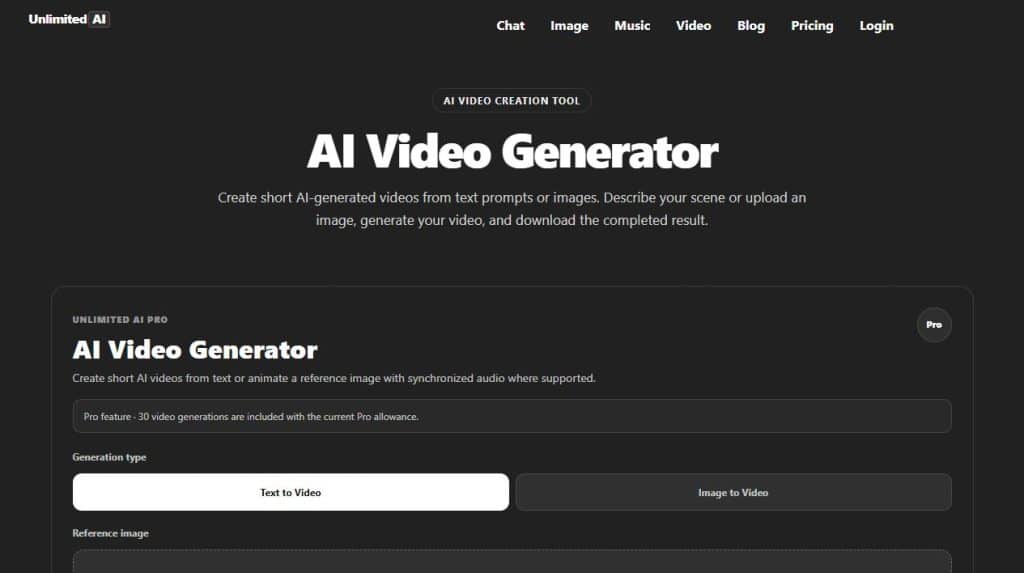
Open the Unlimited AI Video Generator. At the time of review, the page offered text-to-video and image-to-video choices, supported duration and aspect-ratio controls, a prompt-enhancement option and a reference-image upload for the image workflow.
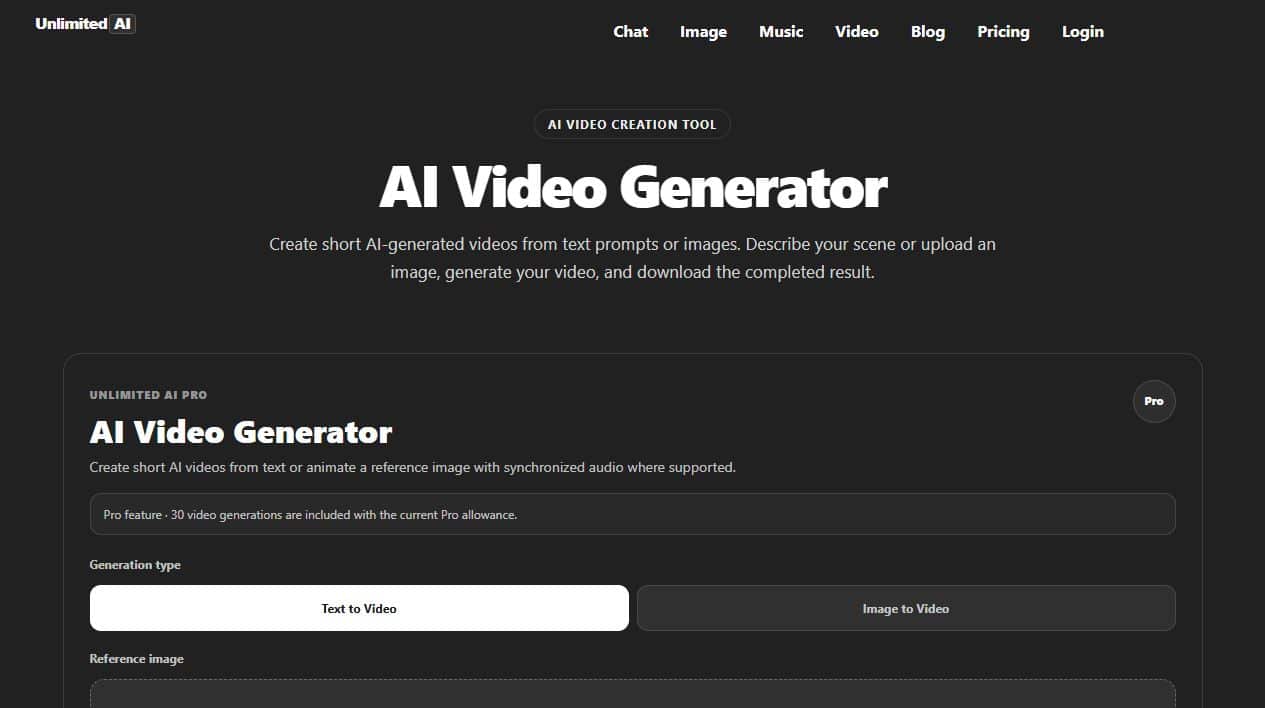
- Choose the generation type.Select text-to-video for a new scene or image-to-video to animate an uploaded reference.
- Paste and personalize a prompt.Replace the sample subject, action, setting and style with your own details.
- Select duration and aspect ratio.Match the format to the destination before generating.
- Decide whether to enhance the prompt.Automatic enhancement can add detail, but review the expanded direction when consistency matters.
- Generate and inspect the full clip.Check motion, faces, hands, objects, text, sound and the beginning and ending frames.
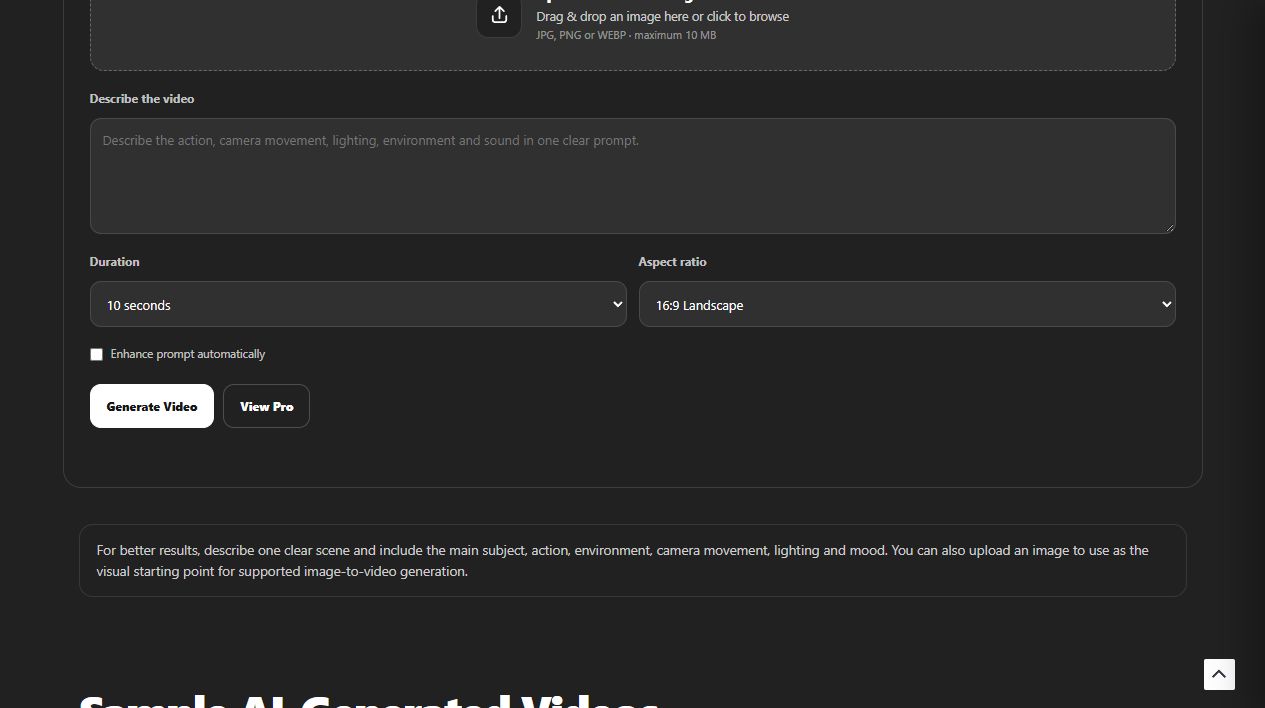
The video tool was marked as a Pro feature when this guide was reviewed. Check the current Unlimited AI pricing page for launch status, plan access and generation allowances.
Responsible use and review checklist
- Use reference images, logos, music and characters only when you have the necessary rights.
- Get appropriate permission before animating an identifiable person.
- Do not present a fabricated event as real footage.
- Check faces, hands, physics, reflections, labels and scene continuity.
- Add clear context when a realistic synthetic clip could mislead viewers.
Review the site’s Terms & Conditions, Privacy Policy and Disclaimer. For broader prompt-writing principles that also apply to chat and images, see How to Write AI Prompts.
Frequently asked questions
How long should an AI video prompt be?
Use enough detail to define the subject, motion, setting, camera and lighting. One focused paragraph is usually easier to control than a long page of competing instructions.
Should I put the camera movement first?
You can, but clarity matters more than a fixed order. A reliable structure is shot type, subject and action first, followed by the camera movement, lighting and style.
What is the best camera movement for an AI product video?
A slow orbit or gentle dolly-in often gives the product clear visual emphasis. Keep reflections and product proportions stable in the prompt.
How do I keep a person consistent in image-to-video?
Start with a clear reference image, request small natural movements and tell the model to keep facial features, clothing and composition stable. Large pose changes are harder to preserve.
Why does my AI video ignore part of the prompt?
The prompt may contain too many subjects, actions or camera directions for one short clip. Remove secondary ideas, keep one action and try again.
Can I use the same prompt in every AI video generator?
The core structure transfers well, but models interpret terms differently and support different durations, aspect ratios, audio features and controls. Adapt the prompt to the options shown in the tool you use.
Turn a clear scene into a video
Choose one subject, one action and one camera move, then build the rest of the prompt around them.
Open Unlimited AI Video GeneratorThis guide reflects the Unlimited AI interface visible on September 23, 2026. Features, limits and plan availability may change.