Ask an AI system to find minimalist product photos, and an awkward question appears almost immediately: what counts as minimalist? One object on an empty background sounds simple. Add a large shadow, patterned packaging or a small caption, and the rule becomes less obvious.
That uncertainty matters because a model can follow a rule consistently while following the wrong interpretation. Sometimes the next improvement is not a more powerful model or a longer prompt. It is a clearer decision about the cases sitting on the boundary.
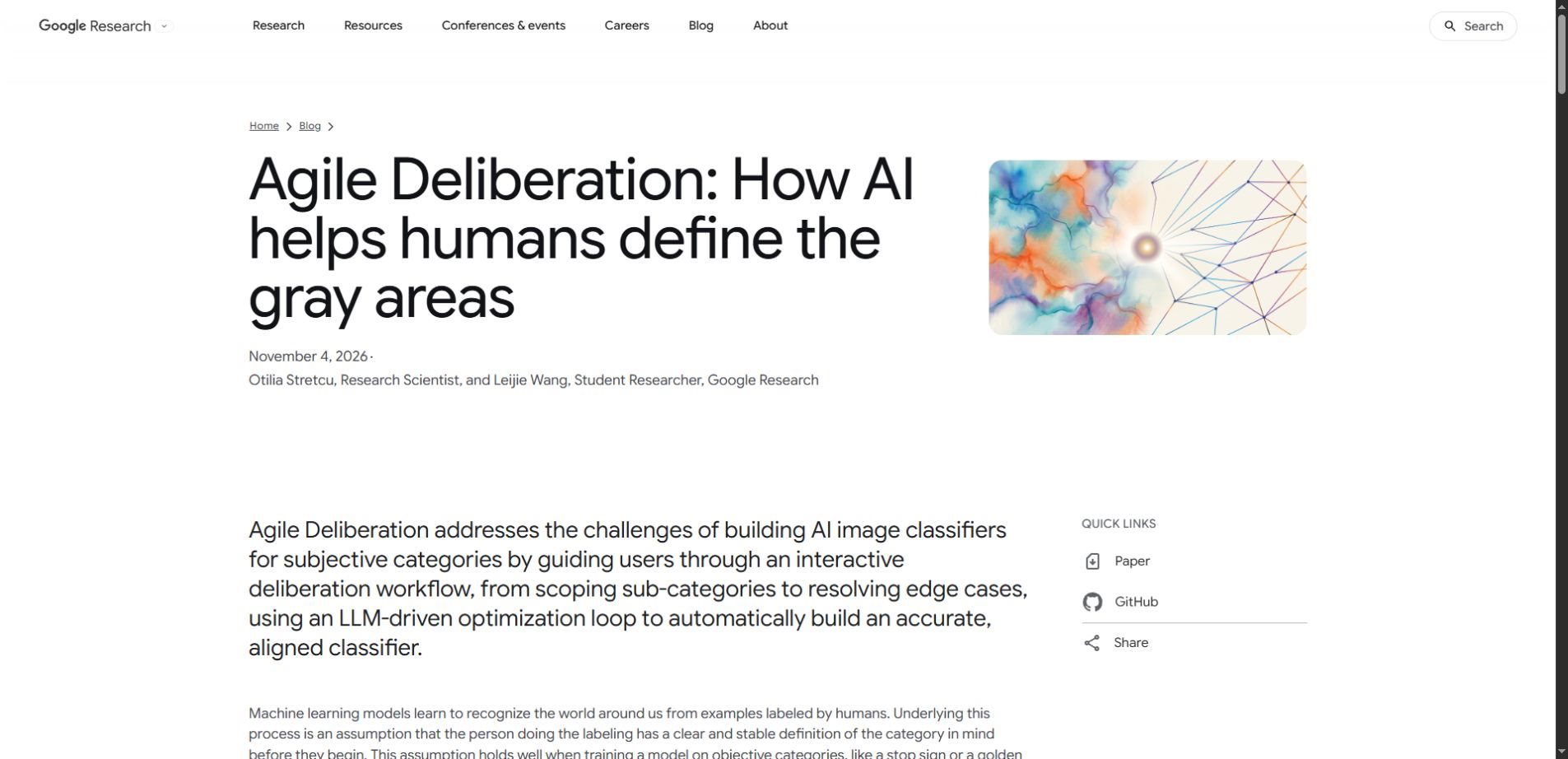
Google Research’s November 4, 2026 update on Agile Deliberation explores that problem. This guide separates the research announcement from an original, practical example of how teams can make subjective image-selection rules easier to explain and test.
The useful idea: Treat disagreement as a clue about the rule. Collect borderline examples, decide why they belong or do not belong, and check whether the revised rule still handles earlier examples.
The news: a workflow for clarifying intent
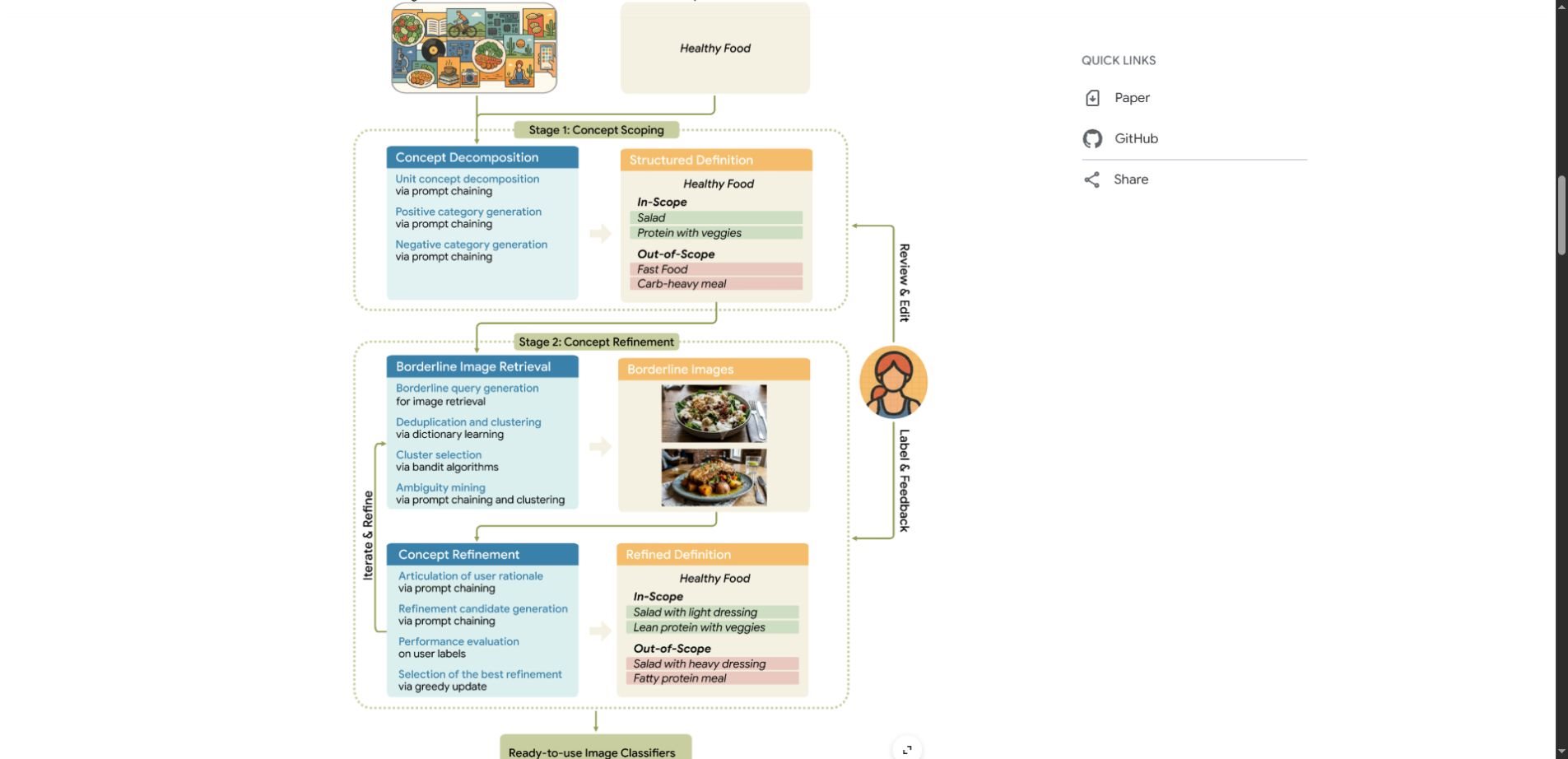
In its Agile Deliberation report, Google describes a framework for subjective visual classification. It starts with concept scoping: identifying what belongs in a category and what should be excluded. Concept iteration then surfaces borderline images through vision-language models, gathers human feedback and uses an automatic prompt-optimization loop to refine the classifier.
The framework treats a person’s definition as something that can develop during the task, rather than a complete specification supplied at the beginning. This is research about aligning a visual classifier with human intent; it is not evidence that subjective judgments have become objectively correct.
A small image-selection brief exposes the problem
Imagine an online shop preparing a collection of minimalist product photographs. An editor gives a basic instruction: “Include simple photos with one main product and a clean background.” The first batch looks reasonable, but the team disagrees on several images.
A bottle with a dramatic shadow feels elegant to one reviewer and visually busy to another. A white shoe on a white background has a bright promotional slogan across the top. Three matching ceramic cups look restrained, although the brief says one product. A photograph may satisfy one part of the request while violating another.
These are different kinds of uncertainty. The cups raise a counting rule. The slogan raises a typography rule. The shadow raises a question about visual complexity. Calling all three “bad examples” hides the actual decisions the team needs to make.
Write the first rule as a boundary, not a mood
For this hypothetical collection, the team could define the category as: one clearly identifiable product, a plain background, no promotional text and no unrelated props. Shadows are allowed when they do not obscure the product. Multiple copies of an item are excluded for this particular campaign.
That definition is deliberately local. A different campaign might welcome repeated objects or bold typography. The point is to record the intended choice, not present personal taste as a universal design standard.
Turn ambiguous examples into explicit decisions
A compact decision log makes the feedback useful. Instead of saying “make it cleaner,” record the visible feature, the decision and the rule it changes. This preserves the reasoning when a new reviewer joins the project.
| Borderline image | Decision for this brief | Rule to record |
|---|---|---|
| One bottle with a large shadow | Include if the product remains clear | A shadow alone is not clutter |
| Plain shoe photo with a sale slogan | Exclude | No promotional overlays |
| Three identical cups on a plain surface | Exclude | Exactly one physical product |
| One lamp beside a decorative plant | Exclude | No unrelated styling props |
This table is an original illustration, not a reported result from Google’s experiments. It shows how one broad preference can become several separate conditions that a person can inspect and challenge.
Use a review loop you can explain
1. Start with a small, varied reference set
Choose clear matches, clear exclusions and genuinely uncertain cases. Avoid collecting only attractive examples that confirm the first definition. A varied set helps reveal whether the instruction covers the real differences that matter to the project.
If you use customer or client material, check what you are allowed to upload before sharing it with an external AI service. A review process can often start with licensed stock photographs or an approved internal sample instead.
2. Ask what changed your mind
For each disputed image, write one sentence explaining the reason for the decision. “The lettering competes with the product” is more useful than “I dislike it.” If two reviewers disagree, preserve both explanations until the person responsible for the brief makes the call.
This is where the discussion can improve the instruction itself. A surprising example may show that the team wants “one focal point” rather than literally “one object.” That is a meaningful policy change and should be recorded explicitly.
3. Revise one decision rule at a time
Changing several conditions together makes it difficult to tell which edit helped. Update the typography rule first, for example, then review the affected examples. Keep a short version history so the team can recover an earlier definition if the new one creates confusion.
The broader habit is similar to context engineering: give the system the relevant conditions and examples, while keeping the instructions understandable to the people who must maintain them.
4. Recheck the old examples
A fix for one boundary can damage another. After allowing shadows, recheck whether the system now accepts busy backgrounds. After banning text, check whether a small printed product label is accidentally treated like a promotional overlay. A useful revision should survive these earlier cases.
A prompt for organizing the discussion
You can use an ordinary multimodal assistant to organize a small review, but that does not reproduce the research system. The following prompt is a discussion aid. It should not be described as an implementation or a benchmark of Agile Deliberation.
Example prompt
Help me clarify a subjective image-selection rule. The collection is for minimalist product photographs. First ask me to define the purpose, clear inclusions and clear exclusions. For each image I provide, identify the feature that could make the decision ambiguous. Ask one focused question rather than assuming my preference. Keep a decision log with the image identifier, my decision, my reason and the resulting rule. After every rule change, list earlier examples that need to be checked again. Leave unresolved cases marked for human review.
Add a few labeled examples and explain the intended audience before starting. Ask the assistant to distinguish a visible observation from an interpretation. “The image contains lettering” is an observation; “the lettering makes it unsuitable” depends on your brief.
What the evidence does—and does not—show
Google reports 18 live user sessions, each lasting 1.5 hours, with randomized comparisons against alternative workflows. The researchers describe improved classifier performance and consistency, alongside lower reported effort and stress. That is encouraging evidence from a limited study, not a guarantee for every team or domain.
For a new project, judge success against your own held-out examples and reviewer agreement. Keep some images outside the rule-development process so that the final check is not merely a replay of the examples used to shape the instructions.
A convincing demonstration is also different from a reliable production workflow. Before using a classifier at scale, decide who handles appeals, what happens to uncertain cases and how rule changes are reviewed. In consequential settings, an automated label should not silently become the final decision.
When this approach is worth trying
- Creative curation: selecting photographs or illustrations to match a specific publication brief.
- Catalog organization: clarifying ambiguous visual categories before applying them across a collection.
- Editorial review: identifying which visible features make an image unsuitable for a particular context.
- Team calibration: exposing differences between reviewers before turning their judgments into model instructions.
Keep the human role explicit. A fluent explanation can make a model’s interpretation sound more settled than it is. Our guide to AI overreliance and critical thinking explains why independent review remains useful even when an assistant sounds confident.
How to explore the actual research
Developers can examine the official Agile Deliberation code and its demonstration notebook. Read the dependencies and execution requirements before running it; a research notebook is different from a ready-made consumer application.
For methodology and experimental details, consult the CVPR research paper. The practical image-selection workflow in this article is our explanatory example, not an independent reproduction of the study.
Questions readers may have
Is Agile Deliberation a new image generator?
No. The framework concerns how people define and refine subjective categories for image classification. Generating an attractive image and deciding whether an existing image fits a specific brief are different tasks.
Does a clearer rule remove subjectivity?
No. It makes a particular judgment easier to inspect. Different teams can still choose different boundaries, and a rule may need revision when the audience, campaign or purpose changes.
Can I try the idea without building a classifier?
Yes. A shared document, a small image set and a decision log can help a team clarify its own brief. That manual exercise borrows the general habit of examining ambiguous cases; it does not deliver the research system’s automated workflow.
What should I measure first?
Begin with reviewer agreement, the number of unresolved cases and performance on examples that were not used to develop the rule. Also record how much review time the process requires. A more complicated workflow is useful only if its benefits justify that extra work.
A better brief is a practical outcome
The most useful result may arrive before any classifier is deployed: a team finally understands what it means by its own category. Clear inclusions, explicit exclusions and a record of difficult decisions give both people and AI a more stable starting point.
Start small. Collect a few borderline examples, make the reasons visible and recheck the decisions after each change. When the rule is fuzzy, finding the right question can be more valuable than writing another paragraph of instructions.