Finding the best AI for coding is no longer as simple as choosing the chatbot that writes the cleanest Python function.
Modern AI coding tools can inspect entire repositories, edit multiple files, run terminal commands, execute tests, debug failures, review pull requests, work from screenshots, and continue complex development tasks for hours.
If you need AI for more than programming, see our Best AI Chatbot comparison to compare leading assistants for research, writing, coding and everyday tasks.
At the same time, developers have more choices than ever: OpenAI GPT-5.6 with Codex, Claude with Claude Code, Cursor, GitHub Copilot, Grok, Gemini, DeepSeek, Qwen and many others.
So which one is actually the best AI for coding in 2026?
Our current overall choice is GPT-5.6 Sol running in Codex for difficult agentic coding work. Independent testing from Artificial Analysis currently places GPT-5.6 Sol at the top of its Coding Agent Index. However, Claude Fable 5 remains exceptionally strong for long-running, large-codebase engineering, Cursor provides one of the best multi-model IDE experiences, GitHub Copilot offers excellent mainstream integration, and DeepSeek V4 Flash stands out for extremely low-cost coding workloads.
There is no single winner for every developer. The best choice depends on your project, budget, programming language, IDE, codebase size and how much autonomy you want to give the AI.
Last reviewed: August 8, 2026
Editorial note: AI models, prices and usage limits can change quickly. This comparison uses official provider documentation, independent benchmark data and publicly available developer feedback current at the time of review. Community comments are anecdotal experiences, not controlled scientific studies.
Best AI for Coding: Quick Comparison
| AI coding tool/model | Best for | Main advantage | Main limitation |
|---|---|---|---|
| GPT-5.6 Sol + Codex | Best overall | Excellent agentic coding and reasoning | Powerful modes can consume significant resources |
| Claude Fable 5 + Claude Code | Large, complex projects | Strong long-horizon coding and codebase understanding | Expensive for sustained usage |
| Cursor | Best AI coding IDE | Multiple frontier models in one development environment | Usage depends on model and plan |
| GitHub Copilot | Everyday professional coding | Deep GitHub and IDE integration | Agent/model usage uses AI credits |
| Grok 4.5 | Price-to-performance | Frontier coding performance at comparatively low API cost | Experience can vary by coding harness |
| Gemini 3.6 Flash | Fast agentic coding | Speed, multimodal capability and efficiency | Hardest architecture tasks may favor larger frontier models |
| DeepSeek V4 Flash | Budget coding | Extremely inexpensive API usage | Can require more supervision on complex projects |
| Qwen3.7 Max + Qwen Code | Long-context alternative | 1M context and strong agentic capabilities | Smaller Western developer ecosystem |
This table is a practical recommendation rather than a universal benchmark ranking.
How We Compared the Best AI Coding Tools
There is an important distinction between an AI model and an AI coding tool.
For example:
- GPT-5.6 Sol is a model.
- Codex is a coding environment/agent that can use that model.
- Claude Fable 5 is a model.
- Claude Code is Anthropic’s coding agent.
- Cursor is a development environment that can provide access to multiple models.
- GitHub Copilot is a coding platform that also offers multiple models.
Comparing only the language models can therefore be misleading.
A strong model running inside a weak coding harness may perform worse than the same model inside an environment that provides better repository search, tools, context management and terminal access.
We considered:
- Code generation
- Debugging
- Repository understanding
- Complex multi-file changes
- Tool and terminal use
- Following specifications
- Long-running tasks
- Speed
- Cost
- Context capacity
- IDE integration
- Testing and self-correction
- Developer feedback
- Independent benchmark results
We gave greater weight to real software-engineering workflows than to simple one-shot code-generation questions.
1. GPT-5.6 Sol + Codex — Best AI for Coding Overall
Best for: Complex development, debugging, repository-wide changes, agentic coding and professional engineering
OpenAI released the GPT-5.6 family on July 9, 2026. The family consists of Sol, Terra and Luna, with Sol positioned as the flagship model.
OpenAI describes GPT-5.6 Sol as its strongest coding model yet. It is available through ChatGPT, Codex and the API, and the API model provides a 1.05-million-token context window.
Read OpenAI’s official GPT-5.6 information
Why GPT-5.6 Sol ranks first
The strongest evidence comes from an external evaluation rather than OpenAI’s marketing alone.
Artificial Analysis reports that GPT-5.6 Sol with maximum reasoning scored 80 on its Coding Agent Index, currently leading the index in the Codex harness. Artificial Analysis also found that Sol approached Claude Fable 5’s overall intelligence while costing substantially less per evaluated task.
See the Artificial Analysis GPT-5.6 evaluation
OpenAI’s own launch evaluations also report strong results on coding-agent and terminal benchmarks and emphasize Sol’s ability to coordinate tools, process intermediate results and continue complex tasks with less manual guidance. Because these results appear on an OpenAI launch page, they should be interpreted as vendor-reported results even when the underlying benchmark is independent.
Where GPT-5.6 Sol performs particularly well
It is especially suitable for:
- Debugging complex problems
- Multi-file refactoring
- Repository exploration
- Implementing features
- Reviewing code
- Running tests
- Planning changes
- Terminal-based workflows
- Frontend development
- Long agentic tasks
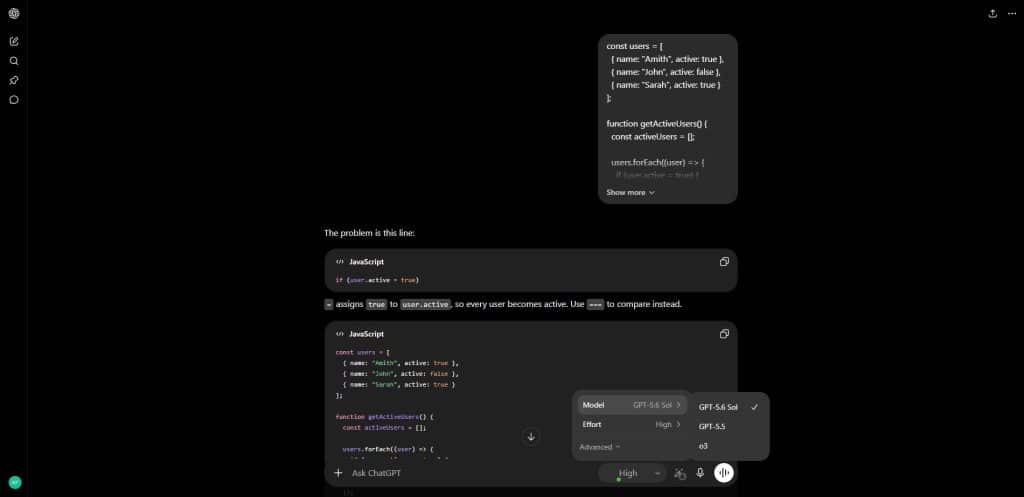
Codex makes a major difference because the AI can work with the development environment instead of simply returning a block of code in chat.
GPT-5.6 developer feedback
Developer feedback is not universally positive.
One early Codex user reported that GPT-5.6 felt like a substantial improvement and was better at anticipating edge cases. Another developer discussion contained opposing views about frontend performance, with some considering it much better than GPT-5.5 and others remaining unconvinced.
There are also meaningful complaints. Some developers report that Sol can overthink relatively simple tasks, consume large amounts of tokens or continue working longer than necessary. One heavy Codex user described simple jobs taking much longer after switching to Sol.
These reports are anecdotal, but they demonstrate why the most powerful model is not automatically the most efficient model for every task.
Best way to use it
Use Sol for:
- Architecture
- Difficult debugging
- Complex refactors
- Important code reviews
- Large features
For simple edits, consider a smaller model such as GPT-5.6 Terra or Luna instead of spending frontier-model resources on every task.
Verdict
GPT-5.6 Sol in Codex is our current choice for the best AI for coding overall, especially for developers who want a powerful agent capable of working across an entire project.
2. Claude Fable 5 + Claude Code — Best for Large and Long-Running Coding Projects
Best for: Complex codebases, migrations, architectural work and long autonomous development sessions
Claude has become one of the most important AI systems for professional software development.
Anthropic describes Claude Fable 5 as its most capable generally available model for its hardest coding and knowledge-work tasks. It is explicitly designed for large migrations, complex implementations and long-running development projects.
Read about Claude Fable 5 at Anthropic
The model becomes particularly powerful when combined with Claude Code.
Claude Code can:
- Read a codebase
- Search project files
- Edit files
- Run commands
- Build features
- Fix bugs
- Work through terminal tools
- Integrate with IDEs and other development systems
Anthropic describes Claude Code as an agentic coding tool that understands an entire codebase and can perform work across multiple files and tools.
Read the official Claude Code documentation
Why Claude is excellent for serious software projects
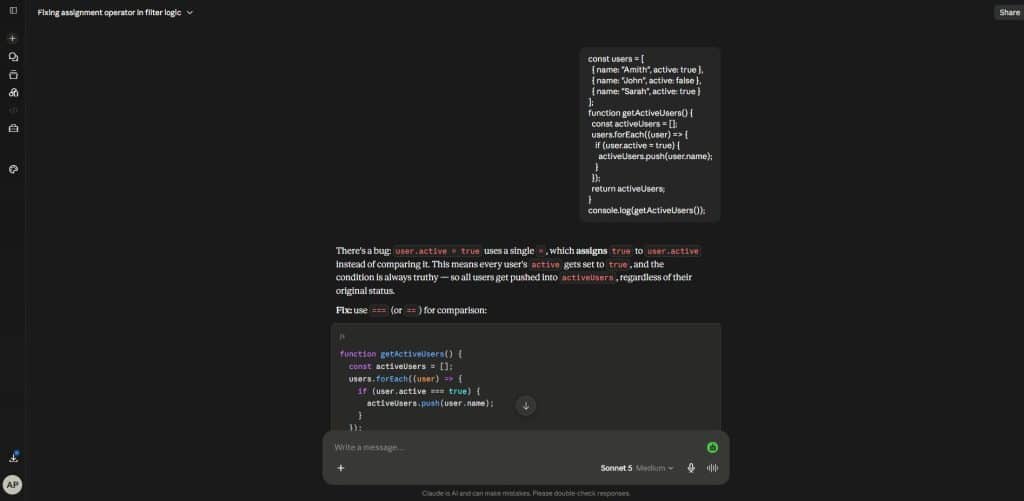
Fable 5’s main strength is not generating a single function.
It is maintaining coherence while working through complicated engineering tasks.
Anthropic specifically highlights:
- Large migrations
- Multi-day autonomous coding
- Complex implementations
- Generating tests
- Checking its own work
- Using visual information to verify results
That makes Claude particularly compelling when a developer says:
Understand this repository, identify the cause of the problem, make the necessary changes, update the tests and verify that nothing else broke.
What developers say about Claude Code
Claude’s coding reputation remains very strong, but price and usage limits are recurring community concerns.
A July Claude Code discussion focused on developers using Fable 5 for repository audits and code reviews while access was temporarily included in plans. Other discussions show developers considering a mixed workflow—using Fable only for important tasks while relying on cheaper models for normal implementation—to conserve usage.
This aligns with Fable 5’s pricing. Anthropic currently lists API pricing at $10 per million input tokens and $50 per million output tokens, substantially above cheaper coding-oriented alternatives.
Claude Sonnet 5 is also important
Not every developer needs Fable.
Anthropic’s newer Claude Sonnet 5 is positioned as a highly capable agentic coding model with better economics for regular use.
For many developers, an efficient workflow may therefore be:
Sonnet for everyday coding → Fable for the hardest architecture/debugging jobs.
Verdict
Claude Fable 5 with Claude Code is our top recommendation for extremely large, difficult and long-running coding projects.
GPT-5.6 Sol currently has the stronger independent coding-agent result in the benchmark cited above, but Claude remains one of the strongest real-world engineering environments available.
3. Cursor — Best AI Coding IDE
Best for: Developers who want several leading AI models inside one coding environment
Cursor is different from GPT-5.6 or Claude.
It is an AI-focused development environment rather than a single model.
This is valuable because a developer can choose different models depending on the task instead of building an entire workflow around one provider.
Cursor’s current Pro plan starts at $20 per month and includes extended Agent limits, frontier-model access, MCPs, skills, hooks and cloud agents. Cursor also offers larger individual and team plans for heavier usage.
View Cursor’s current plans and features
Why Cursor is useful
Within one environment, a developer can potentially use:
- A powerful model for architecture
- A fast model for implementation
- Another model for debugging
- A different model to review the final result
That is becoming an important AI coding strategy.
Instead of asking:
Which AI is best?
developers are increasingly asking:
Which AI is best for this stage of the task?
Cursor Composer 2.5
Cursor’s own Composer models also receive considerable developer attention.
One recent developer described Composer 2.5 as particularly effective for debugging because it remained focused when working through logs, traces and multiple services. Another discussion described Composer as a strong everyday model while reserving more expensive frontier models for the hardest jobs.
Other users remain more cautious. Some developers report that Composer is excellent for simpler and moderately difficult work but prefer frontier models when a task requires deep architectural reasoning.
Again, these are individual user reports rather than controlled testing.
Verdict
Cursor is our best AI coding IDE for developers who want model flexibility.
Its biggest advantage is not necessarily that one Cursor model defeats every competitor. It is that the environment lets developers build a workflow around multiple models.
4. GitHub Copilot — Best Mainstream AI Coding Assistant
Best for: VS Code, GitHub workflows, everyday coding, teams and developers who want easy integration
GitHub Copilot remains one of the easiest AI coding tools to adopt.
It integrates into:
- VS Code
- Visual Studio
- JetBrains IDEs
- GitHub
- Terminal/CLI workflows
- Other supported editors
The important change is that modern Copilot is no longer just autocomplete.
It now includes agent mode, code review, cloud coding agents and model selection.
GitHub’s current supported-model list includes models such as:
- GPT-5.6 Sol
- GPT-5.6 Terra
- GPT-5.6 Luna
- Claude Fable 5
- Claude Sonnet 5
- Claude Opus models
- Gemini models
- Kimi coding models
Availability depends on the plan and client.
See GitHub Copilot’s supported AI models
GitHub Copilot pricing
At the time of review:
- Free: $0
- Pro: $10/month
- Pro+: $39/month
- Max: $100/month
The Pro plan includes unlimited code completions, model selection, agent features and a monthly allocation of AI credits. Higher-end model usage can consume credits more rapidly.
See current GitHub Copilot plans
Why Copilot remains attractive
Its greatest advantage is convenience.
If your code already lives on GitHub and you work primarily in VS Code, introducing Copilot requires less workflow change than moving to an entirely new development environment.
Developer feedback
One GitHub Copilot user reported being very satisfied with Ask mode but found agent mode unnecessarily slow for small tasks. A reply suggested using planning first and then implementation for more substantial work.
That feedback highlights a general lesson:
Agent mode is not automatically better for every coding request.
For changing one CSS property, normal autocomplete or chat may be quicker.
For implementing a feature across 15 files, an agent becomes much more useful.
Verdict
GitHub Copilot is the best mainstream coding assistant for developers who value convenience, GitHub integration and access to multiple leading models.
5. Grok 4.5 — Best Frontier AI for Price-to-Performance
Best for: Agentic coding, developers who care about API economics and fast implementation
Grok 4.5 was released in July 2026 and was developed with a strong emphasis on coding and agentic engineering.
SpaceXAI says the model was trained alongside Cursor and specifically optimized for coding, engineering and knowledge-work tasks.
Read the official Grok 4.5 announcement
Why Grok 4.5 is interesting
Its pricing is unusually competitive for a frontier model:
- Input: $2 per million tokens
- Output: $6 per million tokens
at the time of review.
Independent evaluation from Artificial Analysis found Grok 4.5 scoring 76 on its Coding Agent Index using Grok Build, placing it close to leading coding systems while operating at significantly lower cost.
See the independent Artificial Analysis evaluation of Grok 4.5
Developer feedback
Cursor users have reported impressive speed and coding quality from Grok 4.5, with some using it for planning and then handing implementation to Composer.
However, another developer reported that Grok behaved noticeably better in a terminal environment than inside Cursor for a particular task. Other participants in that discussion did not observe the same difference.
This reinforces why coding harness matters.
The same underlying model can behave differently depending on:
- Available tools
- Repository indexing
- Prompt structure
- Context management
- Agent instructions
Verdict
Grok 4.5 is one of the strongest price-to-performance choices among current frontier coding models.
6. Gemini 3.6 Flash — Best for Fast Agentic Coding
Best for: Fast coding iterations, agent workflows, large context and multimodal development
Google released Gemini 3.6 Flash on July 21, 2026.
Google describes it as a workhorse model designed to improve coding, knowledge work and multimodal performance while maintaining the speed and efficiency associated with the Flash family.
Read Google’s Gemini 3.6 Flash announcement
Google’s current Gemini API documentation describes 3.6 Flash as its latest stable model balancing speed and intelligence for agentic and multimodal tasks.
See Google’s current Gemini models
Where Gemini is particularly useful
Gemini can be attractive for projects involving:
- Code
- Screenshots
- Documents
- Large amounts of context
- Agentic workflows
- Rapid implementation
- Google’s developer ecosystem
Google has also made Gemini 3.6 Flash the default model for its Managed Agents environment, where agents can coordinate reasoning, code execution, package installation, file management and web retrieval inside an isolated sandbox.
The speed-versus-depth trade-off
Flash models are especially interesting when development involves repeated cycles:
edit → run → inspect → fix → test
In that workflow, a slightly less expensive or faster model may produce more developer value than using the largest reasoning model for every iteration.
For extremely difficult architectural decisions, however, it can still make sense to use a stronger reasoning model to create the plan and then use Flash for execution.
Verdict
Gemini 3.6 Flash is one of the best AI coding choices when speed, agentic execution and multimodal context matter more than using the absolute largest reasoning model.
7. DeepSeek V4 Flash — Best Budget AI for Coding
Best for: Developers who need large amounts of inexpensive AI coding assistance
DeepSeek deserves special attention because the economics are dramatically different from many frontier competitors.
DeepSeek V4 Flash currently provides:
- 1-million-token context
- Tool calling
- Thinking and non-thinking modes
- JSON output
- Large output capacity
- OpenAI-compatible API access
At the time of review, DeepSeek lists V4 Flash pricing at $0.14 per million uncached input tokens and $0.28 per million output tokens, with cache hits priced even lower. Prices can change, so check the official page before budgeting production workloads.
See current DeepSeek V4 pricing and specifications
That makes it extraordinarily inexpensive compared with most frontier coding models.
Does cheap mean bad?
Not necessarily.
Community feedback around V4 Flash is surprisingly positive for the price.
One developer who said they used V4 Flash for seven days of coding reported spending under $2 through the API while completing substantial development work. The same user still identified limitations, including missing vision support in the API environment they were using.
Another discussion praised its value for everyday coding while warning that it can hallucinate or struggle with agentic edits on large codebases.
These reports are anecdotal and the claimed costs depend heavily on caching, context and workflow.
Where DeepSeek makes the most sense
A particularly interesting workflow is:
Expensive frontier model → planning
then:
DeepSeek V4 Flash → implementation
then:
Frontier model → final review
Several developer communities independently describe workflows resembling this approach.
Verdict
DeepSeek V4 Flash is our best budget AI for coding.
It is difficult to ignore when API cost matters, although high-stakes or complex changes still require careful review.
8. Qwen3.7 Max + Qwen Code — Best Flexible Alternative
Best for: Agentic development, large context, terminal workflows and developers looking beyond the largest US providers
Alibaba’s Qwen3.7 Max is positioned as the most capable model in the Qwen3.7 family.
The current documentation describes it as designed for agent-centric tasks and specifically identifies programming, productivity and long-running autonomous execution among its strengths. It supports a 1-million-token context window.
See Qwen3.7 Max specifications
Qwen Code
Qwen also provides Qwen Code, a terminal-based coding agent.
It can be used to:
- Understand a project
- Edit code
- Fix bugs
- Add features
- Work with Git
- Execute development tasks
- Integrate with VS Code
- Work with JetBrains environments
Read the official Qwen Code documentation
Developer feedback
One community-run experiment reported that Qwen3.7 Max performed strongly during a repeated agentic Tetris-programming task and did so at comparatively low cost. This was a user-created experiment—not an independent standardized benchmark—so it should not be treated as proof that Qwen universally outperforms Claude or GPT.
Other developers describe Qwen3.7 Max as capable but sometimes prone to overthinking, again illustrating the variation between projects and prompts.
Verdict
Qwen3.7 Max and Qwen Code form one of the strongest alternative coding ecosystems for developers who want long context and terminal-based agentic development.
Best AI for Coding by Use Case
Best AI for coding overall
GPT-5.6 Sol + Codex
It currently combines strong model intelligence with a capable coding harness and leads the independent Artificial Analysis Coding Agent Index cited in this comparison.
Best AI for large codebases
Claude Fable 5 + Claude Code
Claude is particularly compelling for projects involving extensive repository understanding, multi-stage migrations and long-running work.
Best AI coding IDE
Cursor
Its strongest advantage is being able to switch between multiple frontier and efficient models without leaving the development environment.
Best AI for everyday coding
GitHub Copilot
It offers a particularly easy path for developers already working with GitHub and mainstream IDEs.
Best AI for coding on a budget
DeepSeek V4 Flash
Its API pricing makes large coding workloads possible for a fraction of the cost of many frontier alternatives.
Best frontier AI for value
Grok 4.5
It provides strong agentic coding performance with comparatively low frontier-model API pricing.
Best fast AI for coding
Gemini 3.6 Flash
It is built specifically around a balance of speed, intelligence and agentic performance.
Best alternative terminal coding agent
Qwen Code
Qwen provides a capable terminal-first coding workflow with extensive context and model flexibility.
What Developers Actually Think About AI Coding
Marketing pages and benchmarks tell only part of the story.
The Stack Overflow 2025 Developer Survey collected more than 49,000 responses from 177 countries, providing a much broader view than individual online reviews.
Explore the Stack Overflow Developer Survey AI results
The results are revealing.
84% of respondents were using or planning to use AI tools in their development workflow, and 51% of professional developers reported daily use.
But trust remains low.
46% actively distrusted the accuracy of AI coding tools, compared with 33% who trusted them.
The biggest frustration, reported by 66% of developers answering that question, was receiving AI solutions that were almost correct but not completely correct. Another 45% reported frustration with spending extra time debugging AI-generated code.
At the same time, developers using agents reported meaningful productivity benefits: about 70% said agents reduced time spent on specific tasks, while 69% reported increased productivity.
The message is not:
AI coding doesn’t work.
Nor is it:
AI can replace software engineering.

The evidence suggests something more useful:
AI can substantially accelerate developers, but verification remains essential.
Benchmarks Do Not Tell the Whole Story
Benchmark scores are useful, but they should not be treated like permanent league tables.
Coding-agent performance can depend on:
- The model
- Reasoning level
- Agent harness
- Tools available
- Context window
- Repository indexing
- Prompt structure
- Token budget
- Time limit
- Test environment
A model tested inside Codex cannot automatically be compared perfectly with another model running inside Claude Code or Grok Build.
This is why this article does not claim:
Model X is 17.3% better at programming than Model Y.
Real software engineering is too varied for such a simple conclusion.
A model that excels at repository migration may not be the fastest choice for writing a CSS media query.
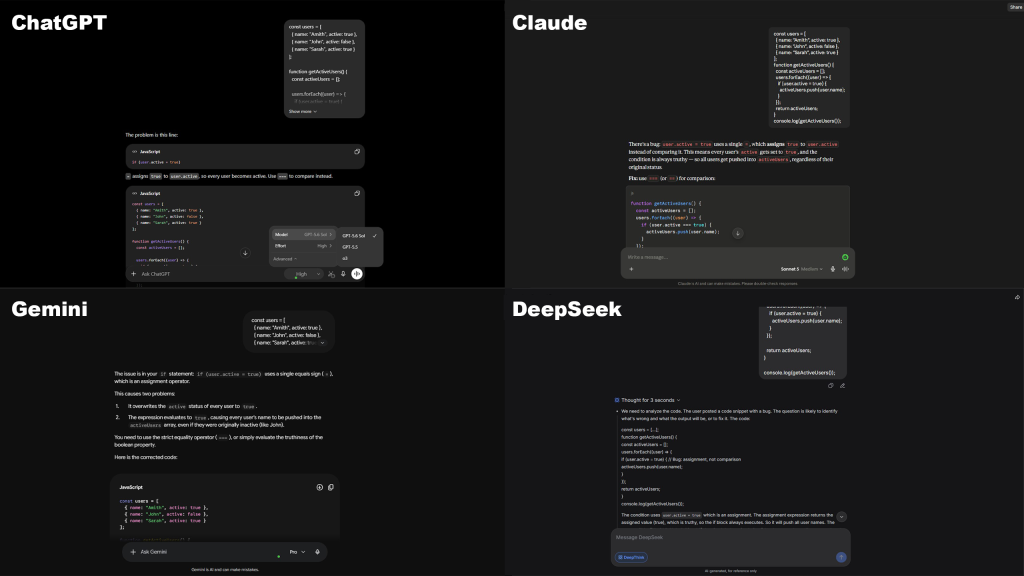
Best AI for Python Coding
For difficult Python projects, our first choices are:
- GPT-5.6 Sol + Codex
- Claude Fable 5 / Sonnet 5 + Claude Code
- Cursor with an appropriate frontier model
- Grok 4.5
- DeepSeek V4 Flash for budget-sensitive development
Python works particularly well with AI coding tools because the language is widely represented in programming resources and its readable syntax makes generated code comparatively easy to inspect.
However, always test generated code.
Best AI for JavaScript, React and Web Development
For frontend and full-stack web development, consider:
GPT-5.6 Sol for complex implementations and frontend reasoning.
Claude for larger application changes and structured codebase work.
Cursor for iterative IDE-based development.
Gemini 3.6 Flash when rapid iterations and visual/multimodal context matter.
DeepSeek V4 Flash for inexpensive implementation work.
For frontend work, the ability to see the rendered result can matter almost as much as raw code intelligence.
An agent that can create the interface, open it, inspect the result and correct visual problems has an advantage over a chatbot that only generates source code.
Best AI for WordPress Coding
AI coding tools can also help with:
- PHP
- WordPress hooks
- CSS
- JavaScript
- Plugin debugging
- WooCommerce customization
- REST API integration
- Theme development
For a small WordPress snippet, you probably do not need a long-running coding agent.
A normal AI chat interface can be enough for questions such as:
Write CSS that changes this header only on screens below 767px.
For debugging an entire plugin, however, a repository-aware coding agent such as Codex, Claude Code, Cursor or Copilot is considerably more useful.
If you are considering AI for customer support, marketing, productivity or other company workflows in addition to development, read our guide to using an AI chatbot for business.
Should Beginners Use AI for Coding?
Yes—but beginners need to use it differently from experienced developers.
AI can be an excellent teacher when you ask:
Explain why this function works.
or:
Show me the difference between these two approaches.
It becomes risky when a beginner asks:
Build everything for me.
and deploys the result without understanding it.
A better workflow is:
- Ask AI to explain the approach.
- Generate a small section.
- Read the code.
- Run it.
- Check errors.
- Ask why any error occurred.
- Test the final behavior.
The objective should be to use AI to increase your understanding, not eliminate it.
How to Use AI Coding Tools Safely
AI-generated code should be treated like code submitted by an unfamiliar contributor.
Review it before deployment.
Check for:
- Authentication problems
- Missing authorization checks
- SQL injection
- Cross-site scripting
- Exposed API keys
- Hard-coded passwords
- Unsafe file operations
- Dependency problems
- Incorrect error handling
- Destructive database commands
- Privacy issues
- Race conditions
- Unexpected network requests

Do not paste passwords, production API keys or private credentials into an AI prompt.
For additional privacy and security practices, read our guide on how to use AI chat safely.
For production software, run:
- Automated tests
- Linters
- Type checking
- Security scanning
- Dependency scanning
- Human code review
An AI telling you:
Everything looks correct.
is not a substitute for testing.
How to Get Better Coding Results From AI
The quality of your instructions has a large effect on coding output.
Instead of:
Fix my website.
Use:
The mobile navigation stops responding below 767px in Safari. Review the attached HTML, CSS and JavaScript. Identify the root cause before making changes. Preserve desktop behavior. Explain the change, then provide the smallest safe patch.
For a repository-level agent:
First inspect the relevant files and existing architecture. Do not modify anything until you have identified the likely cause. Create a short implementation plan, make the minimum necessary changes, run the existing tests and report any remaining uncertainty.
Useful context includes:
- Programming language
- Framework version
- Relevant files
- Error messages
- Expected behavior
- Current behavior
- Environment
- Constraints
- Tests that must continue passing
A Better AI Coding Workflow: Use More Than One Model
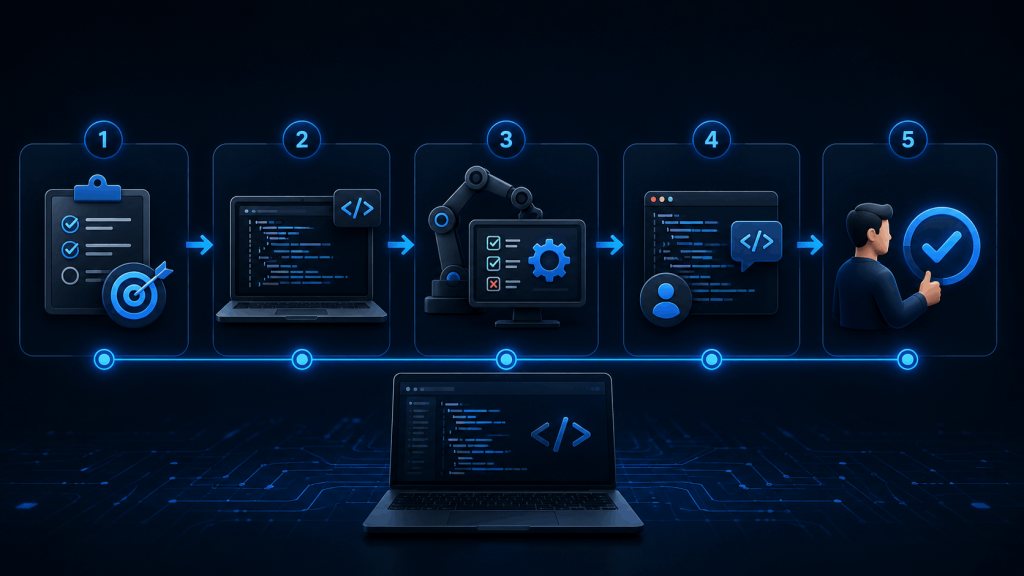
There is no rule that says one AI must perform every part of development.
A powerful workflow can be:
1. Planning
Use GPT-5.6 Sol or Claude Fable 5 to understand the architecture and create a detailed implementation plan.
2. Implementation
Use a faster or cheaper model such as Gemini 3.6 Flash, DeepSeek V4 Flash or Cursor Composer for straightforward changes.
3. Review
Give the completed diff to another strong model and ask it to look specifically for:
- Bugs
- Security problems
- Edge cases
- Unnecessary complexity
- Missing tests
4. Human verification
The developer remains responsible for deciding whether the change should be merged.
This approach can reduce costs while providing a second perspective on important code.
Using Unlimited AI for Coding Assistance
Unlimited AI provides access to several AI chat options from a single interface, making it easy to ask programming questions, explain errors and compare different approaches.
This makes Unlimited AI useful for tasks such as:
- Asking coding questions
- Explaining errors
- Generating code examples
- Understanding unfamiliar code
- Brainstorming implementation approaches
- Comparing answers from different AI assistants
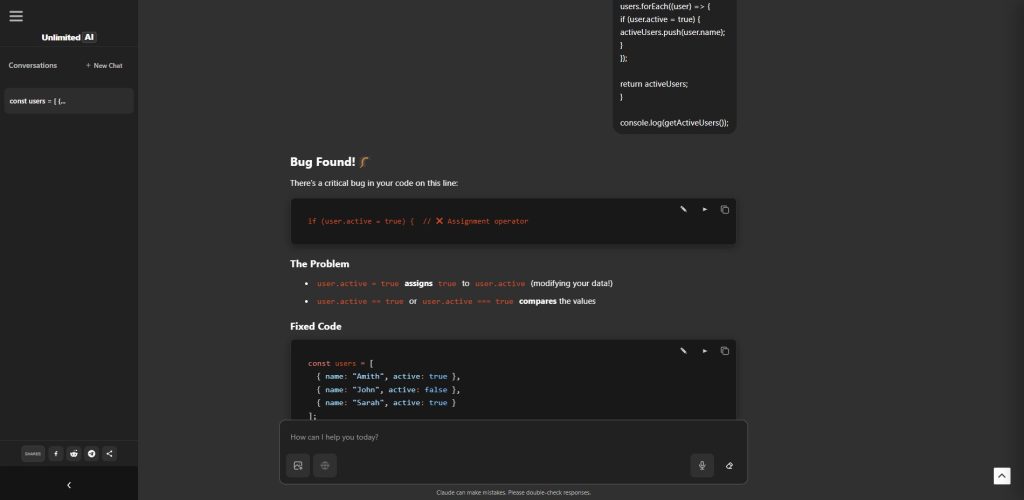
For example, you could give the same problem to two AI assistants:
Why is this JavaScript event listener firing twice?
Then compare their explanations.
However, there is an important distinction.
A normal chat interface is not the same as a repository-connected autonomous coding agent.
Tools such as Codex and Claude Code can directly inspect files, execute commands and work across a project environment. A chatbot is better suited to conversational assistance unless it has been explicitly given those additional tools.
This distinction should be clear to users rather than implying that every AI chat product provides identical development capabilities.
Want to test an AI with your own programming question? You can try AI coding assistance with Unlimited AI and compare responses for debugging, code explanations and implementation ideas.
Best AI for Coding: Final Ranking
For August 2026, our overall recommendations are:
1. GPT-5.6 Sol + Codex — Best overall AI for coding
2. Claude Fable 5 + Claude Code — Best for large, complex and long-running projects
3. Cursor — Best multi-model AI coding IDE
4. GitHub Copilot — Best mainstream IDE and GitHub integration
5. Grok 4.5 — Best frontier-model price-to-performance
6. Gemini 3.6 Flash — Best for fast agentic coding
7. DeepSeek V4 Flash — Best budget coding model
8. Qwen3.7 Max + Qwen Code — Best alternative long-context coding ecosystem
These rankings can change quickly as new models are released.
More importantly, the order can change depending on the task.
Frequently Asked Questions
What is the best AI for coding in 2026?
Our current overall choice is GPT-5.6 Sol running through Codex, based on its strong coding-agent capabilities and its current lead in the Artificial Analysis Coding Agent Index. Claude Fable 5 with Claude Code is another excellent option for complex and long-running software projects.
Is ChatGPT good for coding?
Yes. ChatGPT can explain code, generate examples, debug errors and help plan software. For repository-level development, OpenAI’s dedicated Codex environment provides additional coding-agent capabilities.
Is Claude better than ChatGPT for coding?
Neither is always better. Claude is particularly strong for large codebases and long-running engineering work, while GPT-5.6 Sol currently leads the independent Coding Agent Index cited in this article. Your results can vary by language, project and coding environment.
Is Cursor better than GitHub Copilot?
Cursor is attractive to developers who want a coding-first IDE with access to multiple models. GitHub Copilot may be more convenient for developers already deeply integrated with GitHub and existing IDE workflows.
What is the best free AI for coding?
Free availability changes frequently. GitHub currently offers a limited free Copilot plan, and several AI providers offer some level of free chatbot or coding access. Check each provider’s current limits rather than assuming that a free plan will remain unchanged.
What is the cheapest AI for coding?
Among the models compared here, DeepSeek V4 Flash has exceptionally low API pricing at the time of review. Actual costs depend on token usage, caching and provider pricing changes.
Which AI is best for debugging?
GPT-5.6 Sol, Claude, Cursor and Grok are all strong options. Debugging performance depends heavily on how much access the AI has to logs, source files, tests and the execution environment.
Can AI build a complete application?
Yes, modern coding agents can build surprisingly substantial applications. That does not guarantee the resulting application is secure, maintainable or production-ready. Human review, testing and security validation remain necessary.
Can AI replace programmers?
Current evidence does not support treating AI as a complete replacement for professional software engineering. The 2025 Stack Overflow survey found widespread AI adoption but also substantial distrust of AI accuracy. Human developers remain responsible for architecture, verification, security and consequential decisions.
Final Verdict
The question “What is the best AI for coding?” now has a more complicated answer than it did even one year ago.
If you want the strongest overall agentic coding option, start with GPT-5.6 Sol and Codex.
If you are working on an extremely complicated codebase or a long-running engineering project, Claude Fable 5 with Claude Code deserves serious consideration.
If you want to move between multiple models inside one development environment, choose Cursor.
If you live inside GitHub and VS Code, GitHub Copilot remains one of the most practical options.
If cost matters, DeepSeek V4 Flash changes the economics dramatically.
And if you value fast iteration, Gemini 3.6 Flash, Grok 4.5 and Qwen provide increasingly strong alternatives.
The best developers will probably not rely on one AI for every job.
They will know which AI to use, when to use it, and when not to trust it.
Research & Transparency
This article uses official documentation from OpenAI, Anthropic, GitHub, Cursor, Google, SpaceXAI, DeepSeek and Alibaba Cloud, along with independent Artificial Analysis benchmark data and the Stack Overflow Developer Survey.
Developer comments from Reddit are included only as anecdotal user feedback. They are not presented as representative customer surveys or scientific evidence.
Model capabilities, prices, access and usage restrictions change frequently. Readers should verify current information with the relevant provider before purchasing or deploying a service.
Unlimited AI is an independent platform and is not affiliated with, endorsed by or sponsored by OpenAI, Anthropic, Google, GitHub, Cursor, SpaceXAI, DeepSeek, Alibaba or the other providers mentioned in this article.