
An AI assistant can produce an impressive answer and still leave you doing the actual work. Remembering a project, recovering from a failed step and knowing when to ask permission are different challenges. Meta Muse Wonder puts those challenges at the center of its latest model announcement.
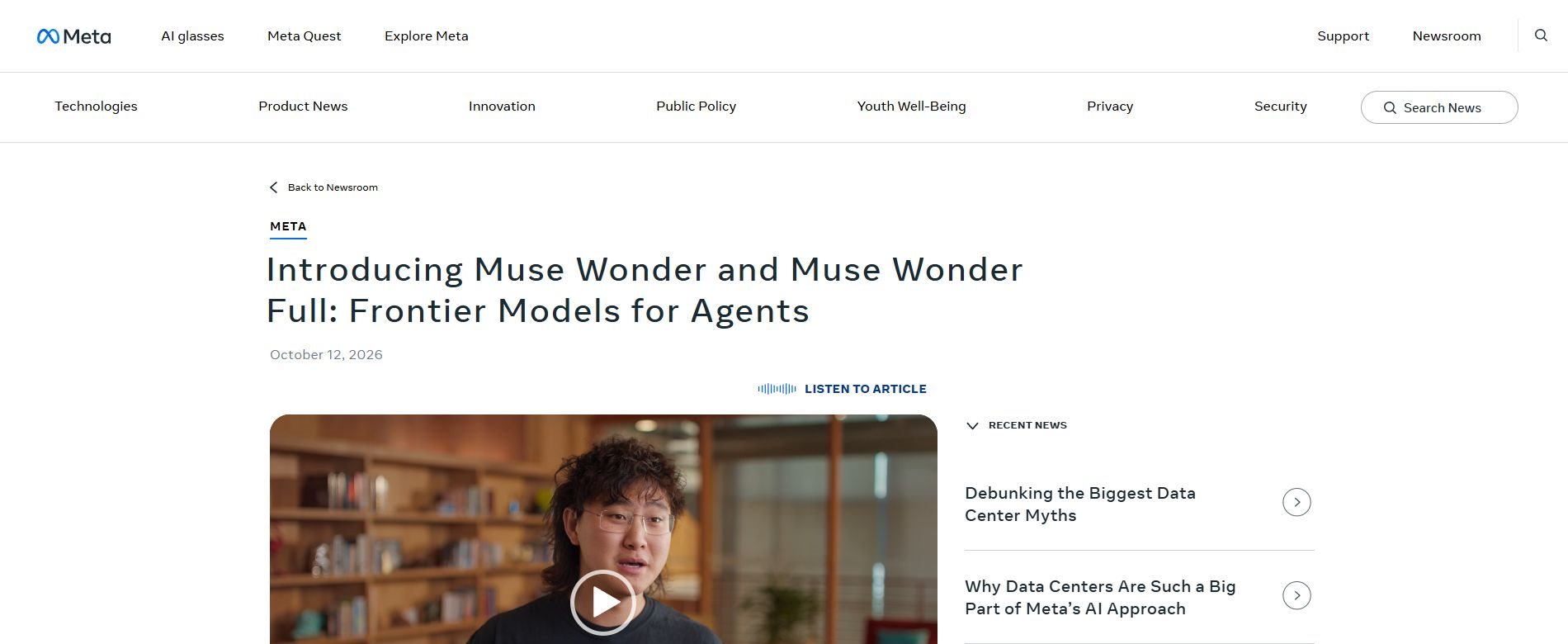
Meta introduced Muse Wonder and Muse Wonder Full on October 12, 2026. Its official announcement describes models aimed at personal and professional agents, with access through developer and coding products before a broader Muse rollout. Here is what the announcement means, what remains unconfirmed and how to evaluate the tools without relying on a headline.
Reviewed October 13, 2026: This is an explanation of Meta’s published announcement, not a hands-on review. Product access and rollout details can change. Meta’s capability and safety statements should be read as company claims.
Start with the access question
A model announcement and a consumer app update are not necessarily the same event. Before comparing features, identify which product you can actually use and which model it provides. Otherwise, a demonstration of one system can create expectations about a different experience.
At launch, Meta says Muse Wonder is available through the Meta Model API and Muse Code. It says Muse Wonder Full is available to Muse Code subscribers. Muse Wonder is also planned for Muse experiences, beginning with subscribers; that broader rollout is described as coming soon.
| Offering | Access described at launch |
|---|---|
| Muse Wonder | Meta Model API and Muse Code |
| Muse Wonder Full | Muse Code subscribers |
| Muse experiences | Coming rollout, beginning with subscribers |
The launch posts do not establish a universal free-access offer or one price that applies to every product. Check the current plan, account eligibility and usage conditions before paying for access. An API offering also should not be confused with a downloadable model that you can run locally.
What Muse Wonder is trying to change
The interesting shift is from generating a response to maintaining progress toward a goal. A chatbot might explain how to organize a project. An agent workflow may also inspect relevant information, propose a sequence of steps, use authorized tools and return with a result that you can review.
That adds more points of failure. The system can misunderstand the goal, choose the wrong source, retain outdated context or take an action before the user has approved it. A stronger model can help, but the surrounding application needs clear permissions and reliable checks.
Think of the model as one part of the workflow. Connected tools, retrieval, account settings and the user’s instructions also shape what happens. A model name alone does not tell you which apps are connected or which actions your account allows.
Active Memory: continuity with a need for correction
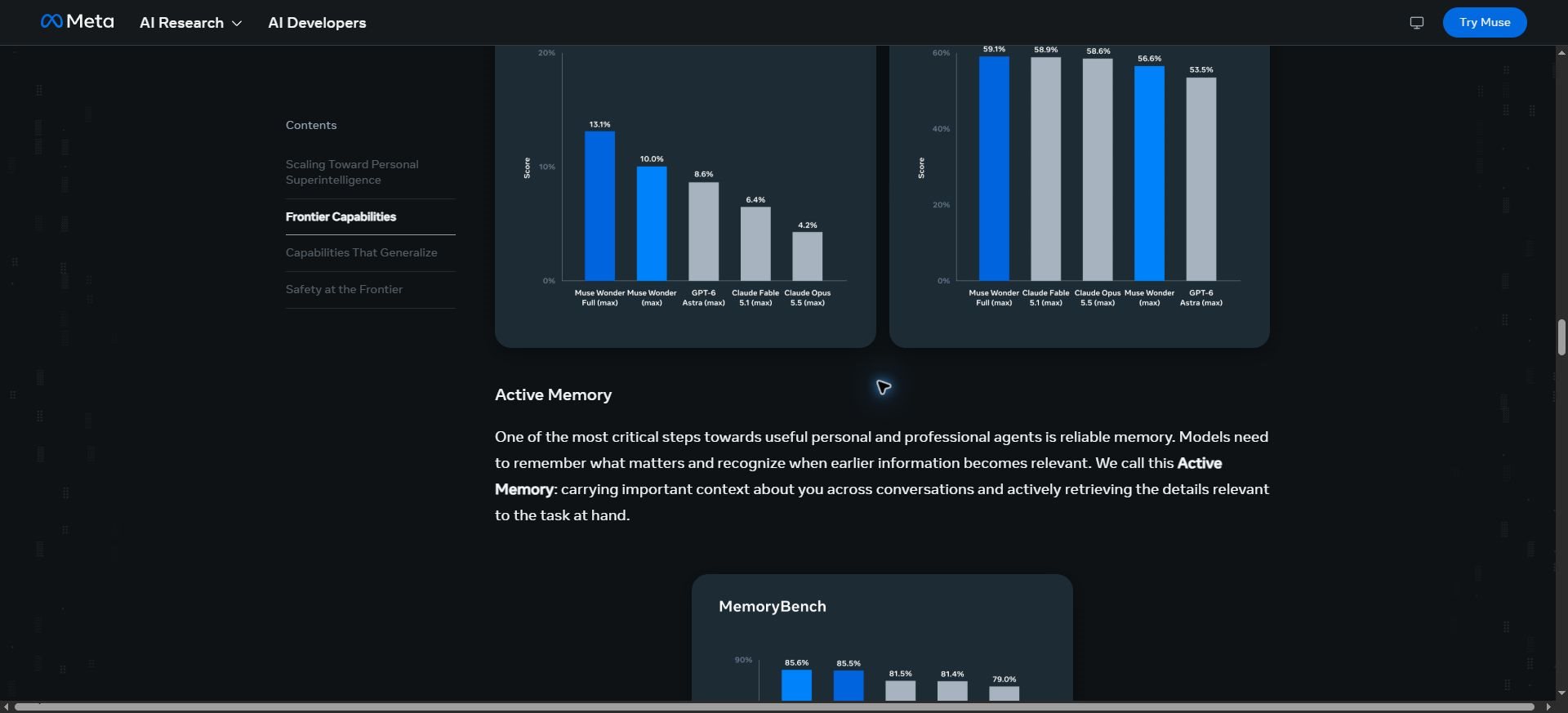
In its research explanation, Meta describes Active Memory as carrying useful context across conversations and retrieving relevant details later. The goal is to reduce the need to rebuild context whenever a task continues.
Consider a small business preparing a product launch. A useful assistant might retain the approved audience, tone and launch constraints, then bring them back when drafting a later checklist. The benefit is continuity, rather than simply storing a large quantity of chat history.
However, yesterday’s correct information can become today’s mistake. A launch date may move, a budget may change or a preference may apply only to one project. Good memory use should allow correction and should not treat a past instruction as permanent authority for unrelated work.
Our AI memory guide explains why users should distinguish helpful preferences from sensitive information. When trying any persistent assistant, inspect the available memory controls and confirm what can be reviewed, removed or excluded.
Active Focus: keeping progress useful
Meta uses Active Focus to describe sustained work through difficult tasks: trying other approaches, handling blockers and asking for clarification or checking before important actions. This is a capability claim about how the model works toward goals, not a guarantee that every task will finish correctly.
Persistence is useful when a coding task needs several rounds of testing. It is less useful when an assistant keeps making changes without revisiting a mistaken assumption. The desired behavior is progress with feedback, not activity for its own sake.
For example, a failing test could mean the new code is wrong, the requirement is unclear or the test environment is incomplete. A careful workflow distinguishes those possibilities. Repeating the same fix or weakening a test can hide the problem instead of solving it.
A practical way to test the new models
Start with a limited task whose result you can judge. Avoid making your first experiment a high-stakes decision or an unrestricted connection to all of your business tools. A smaller test reveals whether the workflow fits your needs without creating unnecessary exposure.
1. Give the assistant a clear finish line
“Help with my website” leaves too much open. “Draft an accessible contact page with these five fields, preserve the existing navigation and show a preview before saving” gives the system a concrete target. The narrower request also makes mistakes easier to identify.
2. Separate preparation from consequential actions
Let the assistant prepare a proposed change, document or plan before authorizing publication, sending or purchasing. Specify which steps require approval. This is useful even when the provider says the model has been trained to check with users before important actions.
Example task instruction: Build a draft project checklist from the attached brief. Identify missing information, keep assumptions separate from confirmed facts and show the proposed checklist before making changes in any connected app. Ask before sending anything or sharing a file.
3. Check the output against the original evidence
An organized answer can still contain a wrong date, missing requirement or invented detail. Compare the result with the source material. For code, run appropriate tests and inspect the change. For planning, check that owners, deadlines and dependencies match what you provided.
4. Test continuity on a second session
A single successful interaction does not demonstrate reliable memory. Continue a small project later, change one important detail and see whether the assistant uses the updated information. Also check whether it brings in context that does not belong to the task.
Keep a short record of completion quality, corrections needed and time spent reviewing. This gives you a more useful basis for choosing a tool than one striking demonstration. The relevant question is whether the assistant reduces your total effort while preserving control.
Where the announcement could matter
- Coding: Projects that require repeated edits, tests and requirement tracking are a natural setting for agent evaluation. Review the code and results rather than assuming completion means correctness.
- Project planning: Continuing work across sessions could reduce repeated explanations, provided the assistant handles updated constraints correctly.
- Document preparation: An agent could help organize information and draft questions or summaries. Important claims still need checking against the original documents.
- Small-business workflows: Preparing a checklist or draft is a sensible initial experiment. Connecting customer data or enabling external actions requires more careful boundaries.
These are possible evaluation scenarios, not claims that every feature is already available in every Muse product. The exact tools and permissions exposed by the application determine which tasks you can attempt.
If you are evaluating longer-running assistants more broadly, our guide to always-on AI agents explains the difference between a one-off request and work that continues over time. Keeping an agent active also makes stopping rules and review points more important.
How much should you trust benchmark claims?
Meta presents the Wonder series as its most capable models and publishes evaluations in its research post. Those results can help describe the intended strengths, but a company’s evaluation is not the same as an independent review of your workflow.
Look for the task definition, tool access, reasoning settings and scoring method before interpreting a chart. An agent with different tools or more attempts may face a different test. A higher aggregate score also does not establish that every individual task is handled better.
For a practical comparison, use the same brief and success criteria across the tools you are considering. Count failures, required corrections and review time alongside successful completions. If the job involves sensitive material, use an appropriate test example rather than real private records.
Privacy and safety need product-level checks
Meta says the models are trained to handle private information carefully and resist misuse. Its launch materials also say an additional safety evaluation report will follow. These statements are relevant, but they do not remove the need to inspect the actual application’s data and permission controls.
Before connecting an account, check what the app can read, what it can change and how access can be revoked. Review the applicable data-use and retention terms for the product you are using. Do not assume that a consumer app and a developer API have identical conditions.
For tasks involving health, law or finance, use AI output to prepare questions or organize material rather than treating it as a final professional judgment. A fluent explanation is not evidence that the system has understood every relevant fact or rule.
Quick answers about Meta Muse Wonder
What is the difference between Muse Wonder and Muse Wonder Full?
They are two models in Meta’s new Wonder series. The launch announcement provides different access paths, including Full for Muse Code subscribers. Do not assume that the names alone establish a universal quality, price or feature difference for every task.
Is Muse Wonder available in the Muse app now?
Meta describes a coming rollout to Muse experiences, starting with subscribers. The announcement does not establish access for every account. Check the model and features shown in your own product before relying on them.
Is Muse Wonder free?
The sources reviewed do not establish a universal free plan for the new model. Check the current product pricing and eligibility rather than assuming that an announcement makes all access free.
Does Active Memory mean the AI remembers everything?
No such guarantee is established by the announcement. Relevant context, storage controls and retrieval behavior are separate issues. Review the product’s memory settings and correct information that becomes outdated.
Can Muse Wonder complete work without supervision?
An agent may handle several steps, but important outputs and actions still need appropriate review. Set boundaries, use limited permissions and define when it should ask before proceeding.
What to watch after launch
The next useful evidence is how the models perform in repeatable tasks, what the broader Muse rollout includes and what the additional safety documentation shows. Those details will matter more than a general claim that a model is the most advanced.
If you try Muse Wonder, start with one reversible task, one clear finish line and a review step. That will tell you whether improved memory and persistence translate into useful work for you—and whether the experience preserves the control you need.