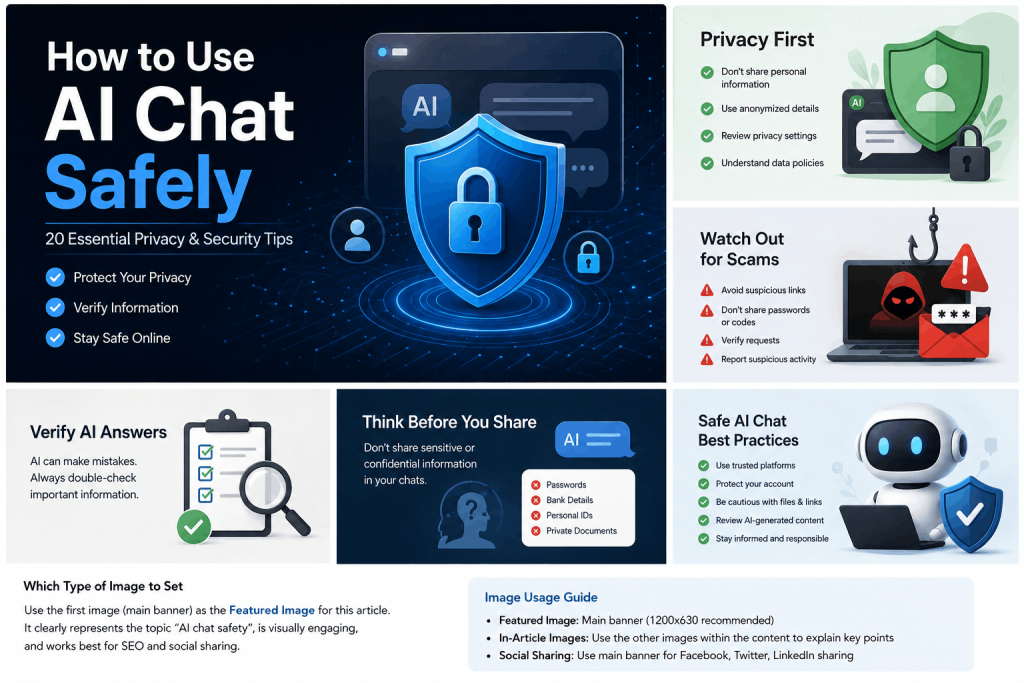
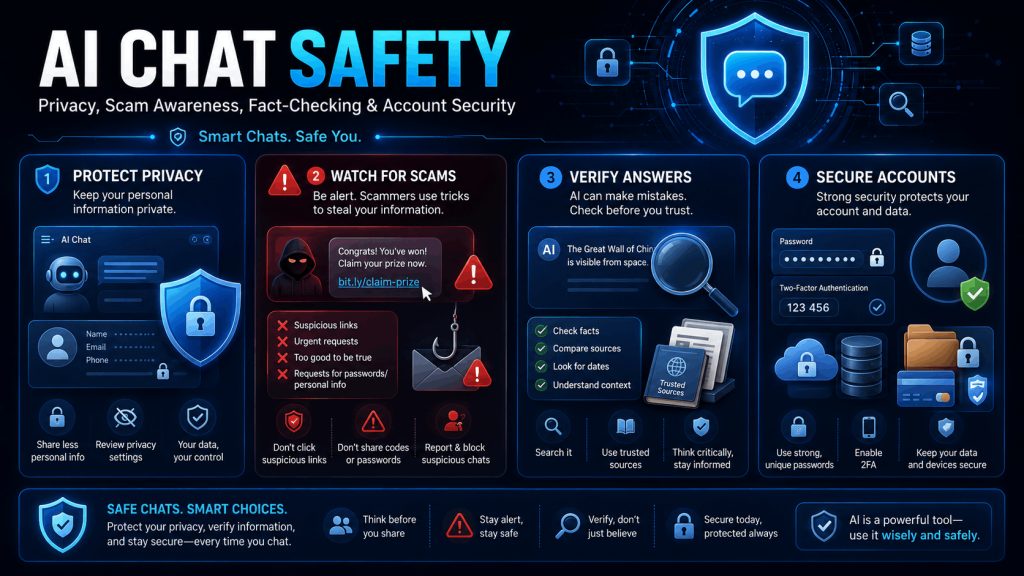
AI chat tools can help you answer questions, write content, learn new subjects, brainstorm ideas, understand documents and solve everyday problems. However, using an AI chatbot safely requires more than simply entering a prompt and accepting the response.
Information entered into an AI service may be processed, stored or reviewed according to that service’s policies. AI-generated answers can also contain mistakes, invented facts or unsafe recommendations. For these reasons, users should protect their personal information, verify important answers and maintain control over any action suggested by an AI system.
This guide explains how to use AI chat safely, protect your privacy, recognize risks and obtain more reliable answers.
Important: This guide provides general educational information. AI-generated content should not replace qualified medical, legal, financial, cybersecurity or other professional advice.
Quick AI Chat Safety Checklist
Before using an AI chatbot:
- Use the official website or application.
- Never share passwords, verification codes or payment credentials.
- Remove personal and confidential information from prompts.
- Review files before uploading them.
- Verify important facts using reliable sources.
- Do not blindly open links, download files or run code.
- Use a strong, unique password and multifactor authentication.
- Consult a qualified professional for high-stakes decisions.
- Review the service’s privacy policy and account settings.
- Report suspicious, harmful or inappropriate results.
What Does It Mean to Use AI Chat Safely?

Using AI chat safely means protecting your information, checking the accuracy of responses and avoiding actions that could harm you, another person, your organization or your device.
Safe AI use involves four main areas:
Privacy
Avoid entering information that could identify you, expose another person or reveal confidential business data.
Security
Protect your account and device from fake websites, phishing attempts, malicious links, unsafe downloads and harmful code.
Accuracy
Treat AI-generated responses as assistance rather than guaranteed facts. Verify important claims before relying on them.
Responsible Use
Do not use an AI chatbot to deceive people, violate privacy, plagiarize work, impersonate others or perform harmful activities.
Why AI Chat Safety Matters

AI chatbots generate responses by identifying patterns and predicting useful outputs. They do not automatically know whether every statement they produce is true.
The United States National Institute of Standards and Technology uses the term confabulation for situations in which generative AI confidently produces incorrect or false information. This problem is also commonly called an AI hallucination.
AI safety is also important because:
- Prompts may contain personal or confidential information.
- A response may be outdated, incomplete or misleading.
- Generated citations, quotations or statistics may not exist.
- Malicious websites may imitate legitimate AI services.
- AI-generated code may contain security vulnerabilities.
- Scammers can use convincing AI-generated messages or impersonations.
- Users may rely too heavily on advice that requires professional judgment.
The safest approach is to treat AI chat as a helpful assistant—not as an unquestionable authority.
1. Use a Trusted AI Chat Service
Open the AI tool through its official website or application. Avoid unknown websites that copy the name, logo or design of a recognized platform.
Before signing in, check:
- The domain name is spelled correctly.
- The connection uses HTTPS.
- The website has a privacy policy and terms of service.
- Contact information or support options are available.
- The page is not asking for unusual permissions or payments.
- The service does not require unrelated browser extensions or downloads.
A padlock and HTTPS protect the connection, but they do not prove that every website is trustworthy. Always inspect the complete domain name.
2. Review the Privacy Policy
Different AI services may handle conversations differently. Before submitting important information, review the service’s privacy policy and available data controls.
Look for information about:
- What information is collected
- Why the information is processed
- How long conversations are retained
- Whether prompts may be used to improve services
- Whether information is shared with service providers
- How users can delete data or accounts
- Whether public sharing features are available
- Which privacy rights users may exercise
Data-protection authorities emphasize that organizations using generative AI must consider privacy and explain the purposes for which personal information is processed.
Do not assume that every AI chat is completely private simply because it appears to be a one-to-one conversation.
3. Never Share Passwords or Verification Codes
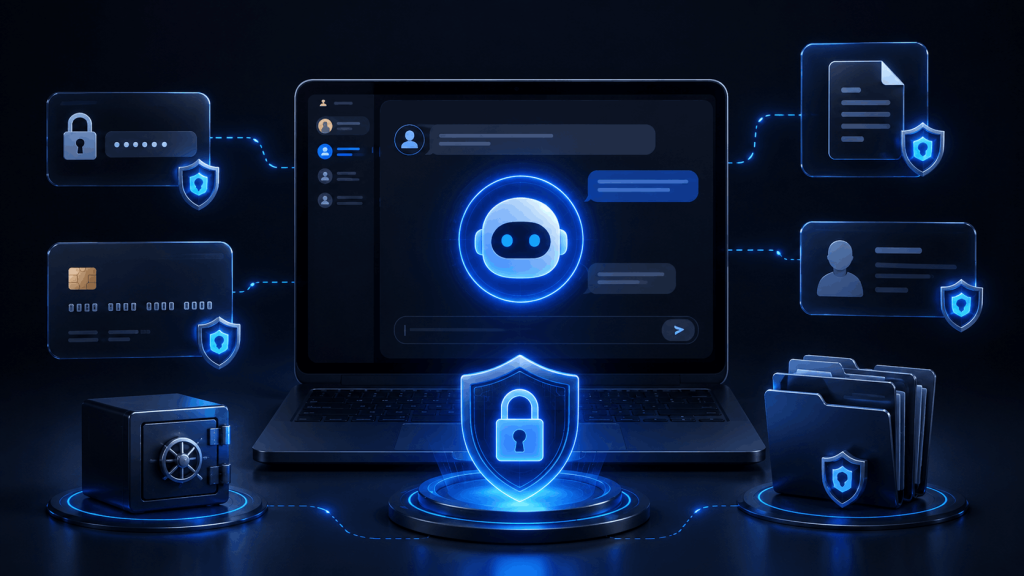
An AI assistant does not need your real password, one-time verification code or account recovery information to answer a general question.
Never enter:
- Passwords
- One-time passwords or OTPs
- Two-factor authentication codes
- Recovery codes
- Credit card security codes
- Bank login credentials
- Cryptocurrency wallet seed phrases
- Private encryption keys
- API keys or access tokens
- Session cookies
- Secret security questions
For example, instead of sharing a real password and asking whether it is secure, describe its general structure without revealing the actual characters.
4. Protect Personal Information
Avoid placing unnecessary personally identifiable information in a prompt.
Examples include:
- Full legal name
- Home address
- Personal phone number
- Private email address
- Exact date of birth
- Government identification number
- Passport or driving licence number
- Bank account information
- Precise live location
- Personal signatures
- School identification
- Employee identification numbers
Ask yourself:
Would I be comfortable sending this information to an unfamiliar online service?
When the answer is no, remove or replace it before submitting the prompt.
5. Avoid Sharing Sensitive Information
Some information can cause significant harm if disclosed or misused.
Be especially careful with:
- Medical records
- Mental-health information
- Legal documents
- Tax information
- Financial statements
- Employment records
- Private photographs
- Biometric information
- Information about children
- Private conversations
- Customer databases
- Unreleased business plans
- Confidential source code
- Security configurations
You can often ask a useful question without providing the real information.
Instead of:
Review this medical record belonging to John Smith and tell me his diagnosis.
Use:
Explain the meaning of these medical terms using fictional details. I will discuss the actual results with a qualified healthcare professional.
6. Anonymize Information Before Submitting It
Replace real identities and confidential values with neutral labels.
For example:
- Replace a customer’s name with Customer A.
- Replace an employee’s name with Employee 1.
- Replace an email address with [email protected].
- Replace a company name with Example Company.
- Replace an API key with YOUR_API_KEY.
- Replace financial values with approximate or fictional amounts.
Also remove hidden identifiers from documents, filenames and screenshots.
A document may contain personal information in:
- Headers and footers
- Comments
- Tracked changes
- Document properties
- File names
- Image backgrounds
- Browser tabs
- Notification panels
- QR codes
- Metadata
Review the complete file—not only its main text.
7. Be Careful When Uploading Files and Images
AI tools may allow you to upload PDFs, photographs, spreadsheets, source-code files and other documents. Upload only what is necessary for the task.
Before uploading:
- Open the file and inspect every page.
- Remove personal or confidential details.
- Delete comments and tracked changes.
- Crop screenshots to remove unrelated information.
- Check whether faces, addresses or identification cards are visible.
- Rename the file if its name contains private information.
- Confirm that you have permission to upload the content.
Do not upload someone else’s private information without a valid reason and appropriate permission.
8. Verify Important AI-Generated Answers
AI responses can sound professional even when they are incorrect. A clear writing style is not proof of accuracy.
Verify important information by:
- Checking an official government or organizational website
- Reading the original documentation
- Comparing multiple reliable sources
- Confirming the publication date
- Checking whether a quoted source exists
- Asking a qualified expert
- Recalculating important numbers independently
Verification is particularly important for:
- Laws and regulations
- Medical information
- Financial decisions
- Taxes
- Visa and immigration requirements
- Product pricing
- Software instructions
- Security configurations
- News and current events
- Academic research
9. Check Citations Instead of Trusting Them Automatically
An AI chatbot may provide a convincing book title, research paper, quotation, case number or web address that is inaccurate or completely invented.
Before using a citation:
- Open the original source.
- Confirm that the title and author are correct.
- Check that the source supports the specific claim.
- Confirm the publication date.
- Read the surrounding context.
- Avoid citing a search-result summary as though it were the complete source.
Do not include an AI-generated citation in an article, assignment or report until you have personally verified it.
10. Do Not Use AI as the Only Source for High-Stakes Decisions
AI can help you understand terminology, prepare questions or organize information. It should not be the sole decision-maker for matters that could seriously affect your health, safety, money, legal rights or employment.
Medical questions
Use AI to understand general health information or prepare questions for a doctor. Do not rely on it alone to diagnose a condition, select medication or respond to an emergency.
Legal questions
AI may explain general legal concepts, but laws depend on jurisdiction and individual circumstances. Consult a qualified legal professional for specific advice.
Financial questions
Do not invest, borrow money, submit taxes or change insurance solely because an AI chatbot recommended it.
Cybersecurity questions
Test security-related instructions in a controlled environment and have critical changes reviewed by an experienced administrator or security professional.
11. Be Cautious With Links and Downloads
Do not assume a link is safe because it appears in an AI-generated answer.
Before opening a link:
- Inspect the destination domain.
- Look for misspellings or unusual characters.
- Avoid shortened links when the destination is unclear.
- Do not enter credentials after following an unexpected link.
- Scan downloaded files with appropriate security tools.
- Obtain software from the official developer or trusted repository.
A chatbot may produce an outdated, incorrect or unsafe destination. Navigate to important websites manually when possible.
12. Review AI-Generated Code Before Running It
AI-generated code may contain:
- Security vulnerabilities
- Outdated functions
- Incorrect dependencies
- Destructive commands
- Hard-coded credentials
- Insecure database queries
- Missing permission checks
- Unexpected data collection
- Licensing problems
- Commands that delete or overwrite files
Before running code:
- Read and understand what it does.
- Remove secrets and credentials.
- Test it in a local or isolated environment.
- Back up important data.
- Use the least possible permissions.
- Review package names before installation.
- Check commands that modify databases, servers or file systems.
- Ask for a second technical review when the change is important.
Never paste an unknown command into a production server with administrator privileges simply because an AI assistant generated it.
13. Limit AI Access to Other Accounts and Tools
Some AI assistants can connect to email, cloud storage, calendars, websites, code repositories or business software.
Grant only the permissions required for the current task.
Before connecting an account:
- Review the requested permissions.
- Avoid giving full access when read-only access is sufficient.
- Confirm which files, folders or messages the tool can access.
- Disconnect integrations that are no longer needed.
- Review actions before allowing the AI to send, delete, publish or purchase anything.
- Require human approval for important actions.
The more access an AI system receives, the greater the possible impact of a mistake or compromised account.
14. Watch for Prompt-Injection Risks
Prompt injection occurs when text inside a website, document, email or other source attempts to manipulate an AI system into ignoring its original instructions.
For example, a document could contain hidden or misleading instructions telling an AI assistant to reveal information, follow an external link or perform an unrelated action.
To reduce this risk:
- Treat instructions found inside uploaded or retrieved content as untrusted.
- Do not allow an AI tool to perform sensitive actions automatically.
- Review tool calls, emails, purchases and file changes before approval.
- Separate trusted instructions from untrusted content.
- Limit access to confidential information.
- Use human confirmation for important actions.
This is particularly important when using AI agents that can interact with external applications.
15. Secure Your AI Account
Protect your AI account as you would protect your email or cloud-storage account.
Use:
- A long, unique password
- A trusted password manager
- Multifactor authentication when available
- Updated recovery information
- Device screen locks
- Current browser and operating-system updates
CISA recommends strong passwords, phishing awareness, software updates and multifactor authentication as core account-security practices. MFA adds another identity check beyond the password.
Never reuse the same password across several websites.
16. Avoid AI Chat on Untrusted or Shared Devices
When using a public, borrowed or shared computer:
- Avoid entering sensitive information.
- Do not save your password in the browser.
- Sign out when finished.
- Close all open tabs.
- Do not leave shared conversation links open.
- Remove downloaded files.
- Avoid copying confidential information to the clipboard.
- Use a private device for important work whenever possible.
Private-browsing mode may reduce locally saved history, but it does not make activity invisible to the website, network provider or device administrator.
17. Recognize AI-Related Scams and Impersonation
Scammers can use AI-generated text, images, audio or video to create convincing messages and impersonate people or organizations.
Be suspicious when a message:
- Creates extreme urgency
- Requests passwords or verification codes
- Demands unusual payment methods
- Claims that a relative is in immediate trouble
- Requests cryptocurrency or gift cards
- Asks you to install remote-access software
- Pressures you to keep the request secret
- Uses a familiar voice but makes an unusual demand
Verify urgent requests through a separate, trusted communication method. Call the person or organization using a number you already know rather than one provided in the suspicious message.
NIST identifies impersonation, fraudulent content and misinformation among the risks associated with generative AI.
18. Follow Workplace and School Policies
Do not paste internal company information into an AI service unless your organization has approved that use.
Workplace information that may require protection includes:
- Customer records
- Employee information
- Contracts
- Financial results
- Internal emails
- Meeting notes
- Unreleased products
- Proprietary source code
- Security incidents
- Access credentials
- Confidential strategies
Students should also follow their institution’s rules regarding AI assistance, citations and original work.
When submitting AI-assisted work, disclose the use of AI when required. Review and rewrite the final content so that you understand and take responsibility for it.
19. Respect Copyright, Privacy and Other People
Do not use AI chat to:
- Copy protected content without permission
- Present another person’s work as your own
- Create false statements about real people
- Reveal someone’s personal information
- Impersonate a person or organization
- Harass, threaten or deceive others
- Produce fake evidence
- Circumvent legitimate access controls
Ask for summaries, explanations and original assistance rather than requesting substantial reproduction of protected material.
You remain responsible for how you use the output.
20. Protect Children and Maintain Healthy Boundaries
Children and teenagers may not fully understand privacy, manipulation, inaccurate advice or data-sharing risks.
Parents, guardians and educators should:
- Review the service’s minimum-age requirements.
- Supervise younger users.
- Teach children not to share their identity, school or location.
- Explain that AI responses may be wrong.
- Encourage children to speak with a trusted adult about disturbing content.
- Disable public sharing where appropriate.
- Set reasonable usage limits.
Users of any age should avoid treating a chatbot as a replacement for real-world support, human relationships or emergency assistance. An AI assistant may provide general information, but it cannot fully understand a person’s circumstances or provide the accountability of a qualified professional.
Safer and Unsafe Prompt Examples
Personal information
Unsafe prompt:
My full name is John Smith, I live at 15 Example Road, and here is my passport. Complete this form for me.
Safer prompt:
Explain how to complete each section of a typical passport application form. I will enter my private information myself on the official website.
Workplace document
Unsafe prompt:
Here is our complete customer database. Analyze which customers are most profitable.
Safer prompt:
Explain how to analyze customer profitability using fictional or anonymized data.
Password security
Unsafe prompt:
My password is ExamplePassword123. Is it secure?
Safer prompt:
What characteristics make a password strong? Do not ask me to provide my real password.
Medical question
Unsafe prompt:
Diagnose my condition and tell me exactly which medicine to take.
Safer prompt:
Provide general information about these symptoms and suggest questions I should discuss with a qualified healthcare professional.
Server command
Unsafe approach:
Copying an AI-generated command directly into a production server as the root user.
Safer approach:
Ask the AI to explain every part of the command, review the official documentation, create a backup and test the command in a non-production environment.
How Businesses Can Use AI Chat Safely
Organizations need stronger controls because employees may handle customer data, intellectual property and regulated information.
A basic workplace AI policy should define:
- Which AI services are approved
- What information employees may submit
- Which data classifications are prohibited
- Whether uploaded data may be retained
- When human review is required
- How AI-generated work should be disclosed
- Which integrations may be connected
- How incidents should be reported
- Who is responsible for final decisions
- How accounts and permissions are removed
Organizations should also use data minimization, access controls, staff training and regular reviews. NIST recommends managing AI risks alongside existing cybersecurity, privacy and organizational risk-management processes rather than treating them as isolated issues.
How to Use Unlimited AI Chat Safely
When using Unlimited AI or another online AI assistant:
- Access the service through its official website.
- Enter only the information required for your question.
- Remove names, credentials and confidential data.
- Do not upload private files without reviewing them.
- Verify important answers using authoritative sources.
- Review generated code before using it.
- Do not follow dangerous or suspicious instructions.
- Read the website’s Privacy Policy and Terms.
- Report problematic content or technical issues.
- Maintain control over every important decision or action.
You can use AI effectively without revealing private information. In most situations, a well-written, anonymized prompt provides enough context to receive a useful answer.
Frequently Asked Questions
Is AI chat completely private?
Not necessarily. Privacy practices differ between services and account settings. Review the provider’s privacy policy, retention information and data controls. Avoid entering information that could cause harm if exposed.
Can I trust answers generated by AI?
AI-generated answers can be useful, but they are not guaranteed to be accurate. Verify important facts, sources, calculations and recommendations independently.
What information should I never share with an AI chatbot?
Do not share passwords, one-time verification codes, API keys, private encryption keys, banking credentials, identification documents or confidential personal and business information.
Is it safe to upload documents to an AI chatbot?
Upload a document only after checking its contents, removing unnecessary personal information and confirming that you have permission to share it. Review the service’s privacy and retention policies first.
Can I use AI chat for medical or legal advice?
AI can provide general educational information and help you prepare questions. It should not replace a qualified medical or legal professional who understands your specific situation.
Is AI chat safe for children?
Safety depends on the service, the child’s age and how the tool is used. Parents and guardians should check age requirements, supervise use and teach children not to share personal information.
Is AI-generated code safe?
Not automatically. Review, understand and test generated code in a controlled environment before using it on a live website, application, database or server.
Can I paste confidential work documents into AI chat?
Only when your organization has authorized the service and the information. Otherwise, remove confidential details or use fictional data.
What should I do when an AI answer seems suspicious?
Do not act on it immediately. Check authoritative sources, ask for evidence, consult a qualified person and report harmful or suspicious responses through the service’s available reporting method.
Final Thoughts
Learning how to use AI chat safely allows you to benefit from artificial intelligence while reducing privacy, security and accuracy risks.
The most important rules are simple: use a trusted service, protect sensitive information, anonymize prompts, verify important answers, secure your account and maintain human control over consequential decisions.
AI chat should support your judgment—not replace it.