Voxtral 3 is Mistral’s latest speech-model family and voice-agent toolkit. Its October 20, 2026 release brings together audio transcription, speech generation and a software pipeline for conversations that can involve tools. The useful question is not simply whether an AI voice sounds convincing. It is whether the complete system hears correctly, waits appropriately and performs the intended task.
This guide breaks down the components, published prices and practical trade-offs. For a shorter news summary, read AI News’s coverage of the Voxtral 3 launch. Here, we focus on how to evaluate a voice workflow rather than treating every model in the family as the same product.
Reviewed October 22, 2026. Specifications and prices below come from Mistral’s published material. We have not independently benchmarked these models. Confirm the current model status, access and charges before deploying a paid service.
What changed with Voxtral 3?
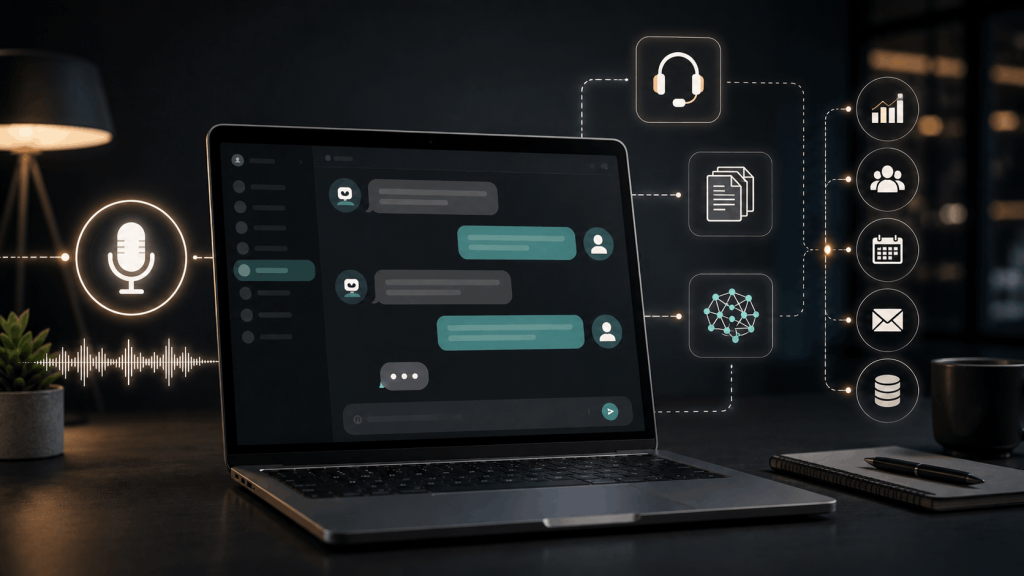
Mistral’s official announcement introduces speech-to-text and text-to-speech models alongside a voice-agent SDK. The SDK connects listening, reasoning, tool use and spoken replies in a streaming workflow. Those are separate stages with different responsibilities.
The release is aimed at uses such as service desks, contact centers and hands-free assistants. That positioning is useful context, but it does not prove a particular application is ready for production. A real deployment still needs relevant integrations, realistic testing and a clear response when something goes wrong.
Choose the component before choosing the model
A transcription workflow takes recorded or live audio and produces text. A speech-generation workflow takes text and produces audio. A conversational agent adds decisions about what to say or do, and may connect to external systems. Buying access to one stage does not automatically provide the others.
Our voice AI guide explains the broader process. Voxtral 3 is a specific implementation within that landscape. Compare it against the job you need done: a searchable recording, a live transcript, spoken narration or an interactive assistant.
Published Voxtral 3 pricing at a glance
| Component | Listed price | What to budget for |
|---|---|---|
| Mini Transcribe 3, batch | $0.0035 per minute | Recorded-audio transcription |
| Small Transcribe 3 | $0.004 per minute | A separate transcription option |
| Mini Transcribe Realtime 3 | $0.008 per minute | Streaming audio transcription |
| Mini TTS 3 | $13 per million characters | Generated speech, billed by text volume |
These rates are listed in the launch announcement as of this review. They use different units: minutes of audio and characters of text are not interchangeable. Do not compare them as though a dollar buys the same amount of work from every component.
For illustration, 1,000 minutes at $0.0035 per minute equals $3.50 in the listed batch-transcription charge. The same number of minutes at the realtime rate equals $8. These calculations do not include any separate reasoning, speech generation, telephony, storage or connected-service charges.
The announcement also lists voice-agent API rates of $0.04 per minute with Mistral Small 4 for reasoning and $0.08 per minute with a larger model. Treat these as separately described offerings; confirm the included components and billing rules rather than adding or substituting rates by assumption.
Recorded audio versus a live conversation
With a recording, the system can process audio after the conversation has ended. The user generally cares about the accuracy and usefulness of the completed transcript. With a live conversation, timing becomes part of the experience: people notice awkward waits and premature interruptions.
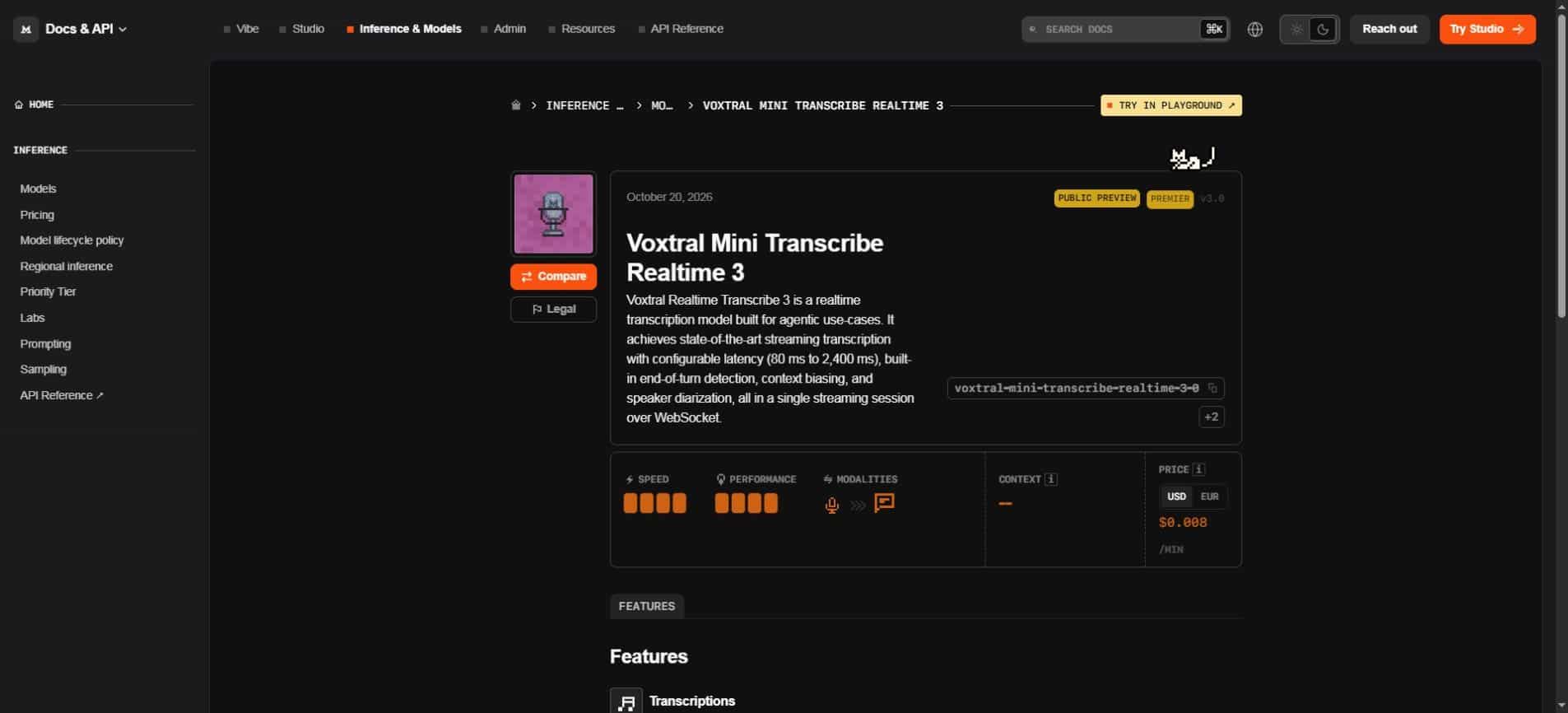
The Mini Transcribe Realtime 3 model page labels that model a public preview. It describes a WebSocket streaming session with configurable latency from 80 to 2,400 milliseconds, speaker diarization, context biasing and end-of-turn detection. A configurable model setting is not a guarantee of the complete application’s response time.
A full response can also depend on network conditions, application processing, the reasoning model and the connected service being called. Measure the time a person experiences, not only one stage inside the pipeline. Otherwise a fast transcription number can hide a slow or unreliable overall interaction.
Three speech features worth understanding
Speaker diarization: who said what
Diarization separates speech by speaker. It can make a meeting transcript easier to follow, especially when an action item or question must be attributed correctly. It should not be treated as proof of a person’s identity; assigning a speaker label and authenticating a caller are different tasks.
Test with overlapping voices, short interjections and changes in microphone position. A transcript may recognize the words but attach them to the wrong speaker. That kind of error can matter even when the text appears fluent.
Context biasing: helping with vocabulary
Context biasing supplies relevant words or background that may be difficult to recognize, such as a product name or specialist term. It can be useful when ordinary vocabulary is not enough. The supplied context should be relevant and limited to the task.
Check that a vocabulary hint improves recognition without causing the system to insert the hinted term where it was never spoken. Review names, numbers and other consequential details against the audio rather than assuming the prompt fixed every difficult phrase.
End-of-turn detection: deciding when to respond
A short pause may mean “I am finished” or “I am thinking.” End-of-turn detection helps an assistant decide when to take its turn. A setting that feels responsive to one speaker may interrupt another person who pauses more often.
Evaluate natural pauses, corrections and interruptions. A useful test includes unfinished sentences and a user changing their mind. The goal is not merely the shortest possible delay; it is a conversation in which the system responds at the right moment.
A voice agent needs a sensible boundary around actions
Consider a hypothetical appointment assistant. It hears a request, checks available times and offers a slot. Looking up availability and committing a booking are different actions. The application should make clear which information has been checked and which action is about to happen.
For an evaluation, start with a test calendar or simulated service. Include a correction such as “Tuesday, not Thursday,” and check whether the final action reflects it. A pleasant spoken confirmation is weaker evidence than the correct result in the connected system.
Example evaluation task: ask the test assistant to find two available times, change one preference mid-conversation and repeat the final choice before committing the test booking. Check the transcript, spoken response and resulting calendar entry together.
This is an editorial test pattern, not a description of an integration supplied by Unlimited AI. The model, application and connected tools each contribute to the outcome. Review their behavior together before expanding the workflow.
How to run a useful first comparison
Build a small set of recordings or test conversations that resemble the intended use. Include ordinary speech, background noise, difficult vocabulary and a few intentionally ambiguous requests. Keep the expected outcome recorded before comparing systems.
- Check names, dates, amounts and technical terms against the audio.
- Measure speaker attribution separately from word accuracy.
- Record cutoffs, unnecessary interruptions and delayed responses.
- Test how the assistant handles uncertainty and correction.
- Verify any tool action in the destination system.
- Track total cost for the complete workflow, not one component alone.
Use consistent conditions when comparing results. Different microphones, audio preparation or task instructions can change the outcome. Report the sample and its limits so a successful trial is not mistaken for universal performance.
Deployment and audio handling deserve their own review
Mistral describes hosted API access and self-deployment options. Those labels do not settle every operational question. Confirm the endpoint, model-specific access, hosting arrangement and retention settings for the exact service you intend to use.
Audio can contain information beyond the task, including background voices or details a speaker did not intend to provide. A well-defined workflow limits collection and explains what is retained. Test with non-sensitive material while deciding how the production process should work.
Self-deployment also introduces work: capacity planning, updates, monitoring and failure recovery. A hosted endpoint reduces some of that work but still needs configuration and evaluation. Compare the complete operating arrangement rather than assuming one label determines the best choice.
Where to follow the next updates
Voice AI changes quickly, and model access, previews and pricing can change independently. For broader release reporting, follow AI News and check the original provider documentation before making a deployment decision. A news summary helps identify the change; the current documentation establishes the details you will actually use.
Frequently asked questions
Is Voxtral 3 only a transcription model?
No. The announcement covers a family of speech models and a voice-agent SDK. Transcription, speech generation and the application’s reasoning and tools remain distinct components. Select the relevant component for the task.
Is the realtime model generally available?
As reviewed on October 22, its model page labels it a public preview. That status should be checked again before deployment. Preview access should not be interpreted as a guarantee of unchanged behavior or terms.
Does low transcription latency guarantee a fast assistant?
No. A complete turn can involve communication, reasoning, tool calls and speech generation. Measure end-to-end behavior with realistic tasks instead of treating one component’s setting as the whole experience.
Does this mean Unlimited AI already uses Voxtral 3?
No. This article covers Mistral’s release. Availability from a provider does not establish integration into another service. Confirm the model and capabilities offered by the platform you use.
The practical takeaway
Voxtral 3 is worth evaluating as a collection of speech components and a way to connect them. Begin with the task, choose the relevant model and test the complete interaction. Accurate words, appropriate timing and correct actions matter more than a voice that simply sounds polished.
Primary sources: Mistral’s Voxtral 3 announcement and the realtime model documentation. The examples and evaluation checklist are editorial guidance. Reviewed October 22, 2026.