Mercury 3 is Inception’s new diffusion-based language model, released on October 19, 2026. Its pitch combines fast text generation, a one-million-token context window and lower launch pricing. For users and developers, the useful question is how those specifications translate into a correct result with less waiting.
This guide explains the announcement, distinguishes output speed from complete response time and shows how to compare costs without treating a promotional rate as permanent. It also covers what existing Mercury users should check before migrating.
Reviewed October 22, 2026. Performance figures are provider-reported. We have not independently benchmarked Mercury 3. Prices, promotions and access can change; confirm the current terms for the service you use.
What Inception announced
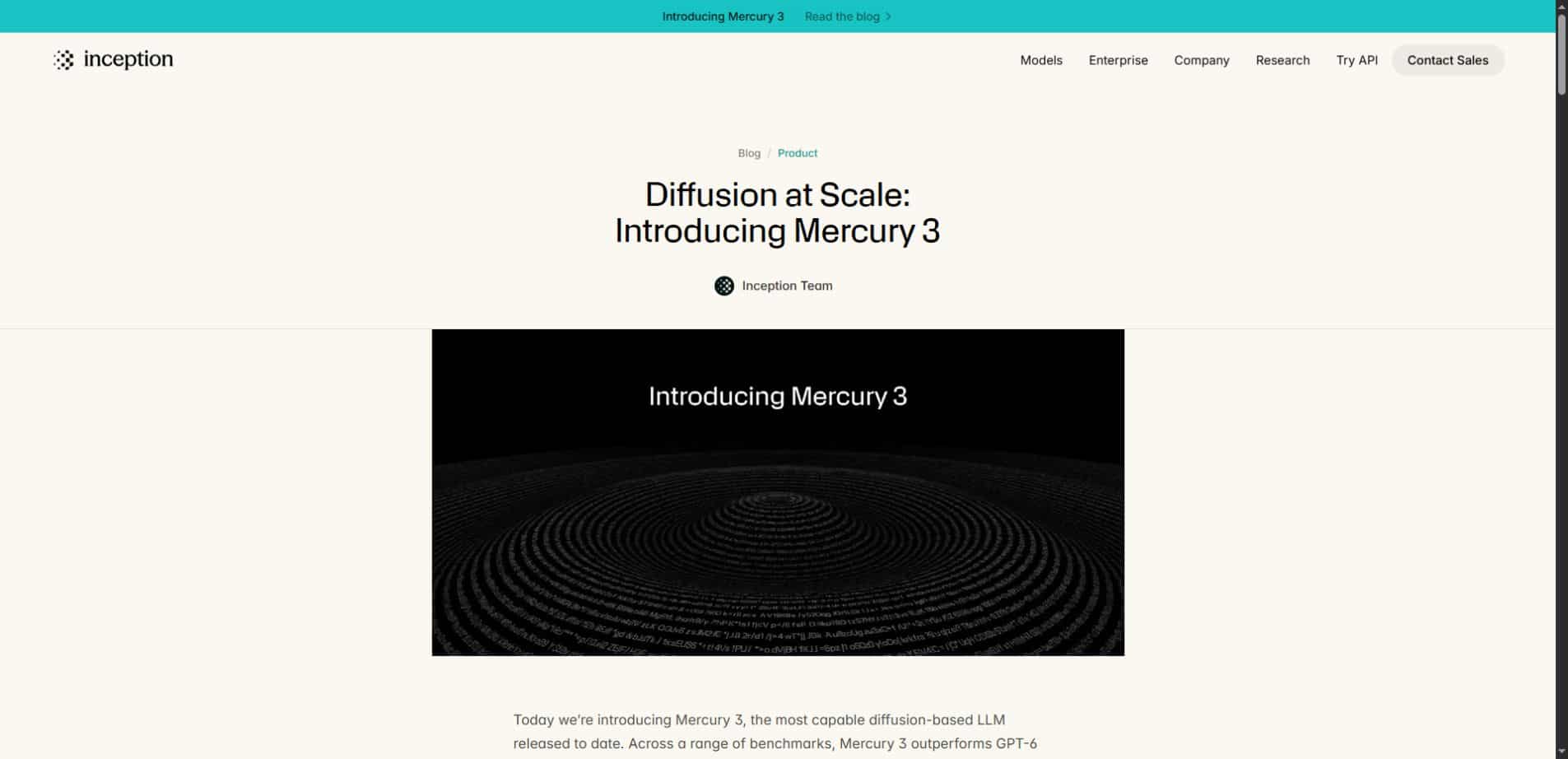
In its Mercury 3 launch post, Inception reports 1,068 generated tokens per second on NVIDIA GPUs and a context capacity of one million tokens. It positions the model for tasks such as browser agents, tutoring, search and customer support.
The announcement names access through Inception’s platform, OpenRouter, Baseten and Vercel. Hosted availability does not establish a downloadable open-weights release. It also does not mean every provider exposes identical settings, limits or prices.
What “diffusion-based language model” means
Mercury belongs to a family of language models that uses a diffusion approach. At a broad level, diffusion generation refines an output through a process rather than relying only on the familiar left-to-right prediction pattern. The implementation determines how that work is organized and served.
The architectural label is useful context, but it is not an application benchmark. A user still needs to know whether the model follows instructions, preserves facts and produces the required format. Different generation methods should be compared through useful outcomes, not assumed advantages.
For a concise account of the release, see AI News’s Mercury 3 report. The practical evaluation below focuses on work a reader can measure, rather than repeating vendor comparisons as universal rankings.
Three different meanings of fast
| Measure | What it tells you | What it leaves out |
|---|---|---|
| Time to first useful output | How long a person waits before seeing something useful | Whether the complete task succeeds |
| Output throughput | How quickly text is produced during generation | Other delays in the workflow |
| Task completion time | How long a verified result takes | Whether that result generalizes to other tasks |
The headline tokens-per-second figure describes output generation under the reported conditions. A complete request can also involve prompt processing, network delay, internal reasoning, tool calls and application logic. Those stages may dominate a short interaction.
Imagine a hypothetical support assistant that generates its reply quickly but waits several seconds for a customer record. Faster generation could still help, yet the database lookup remains part of the customer’s wait. Measure the whole interaction before attributing the experience to one model figure.
The same applies to an agent that takes many steps. Small savings per model call can accumulate, but retries or incorrect actions can erase them. A fast unsuccessful attempt is not equivalent to a fast completed task.
Published Mercury 3 pricing
The official model page lists standard Mercury 3 rates of $0.20 per million input tokens and $0.70 per million output tokens. At this review, a 50% launch promotion shows $0.10 input and $0.35 output, with cached input at $0.01 per million tokens.
| Token category | Standard listed rate | Launch rate shown |
|---|---|---|
| Input | $0.20 per million | $0.10 per million |
| Cached input | $0.02 per million | $0.01 per million |
| Output | $0.70 per million | $0.35 per million |
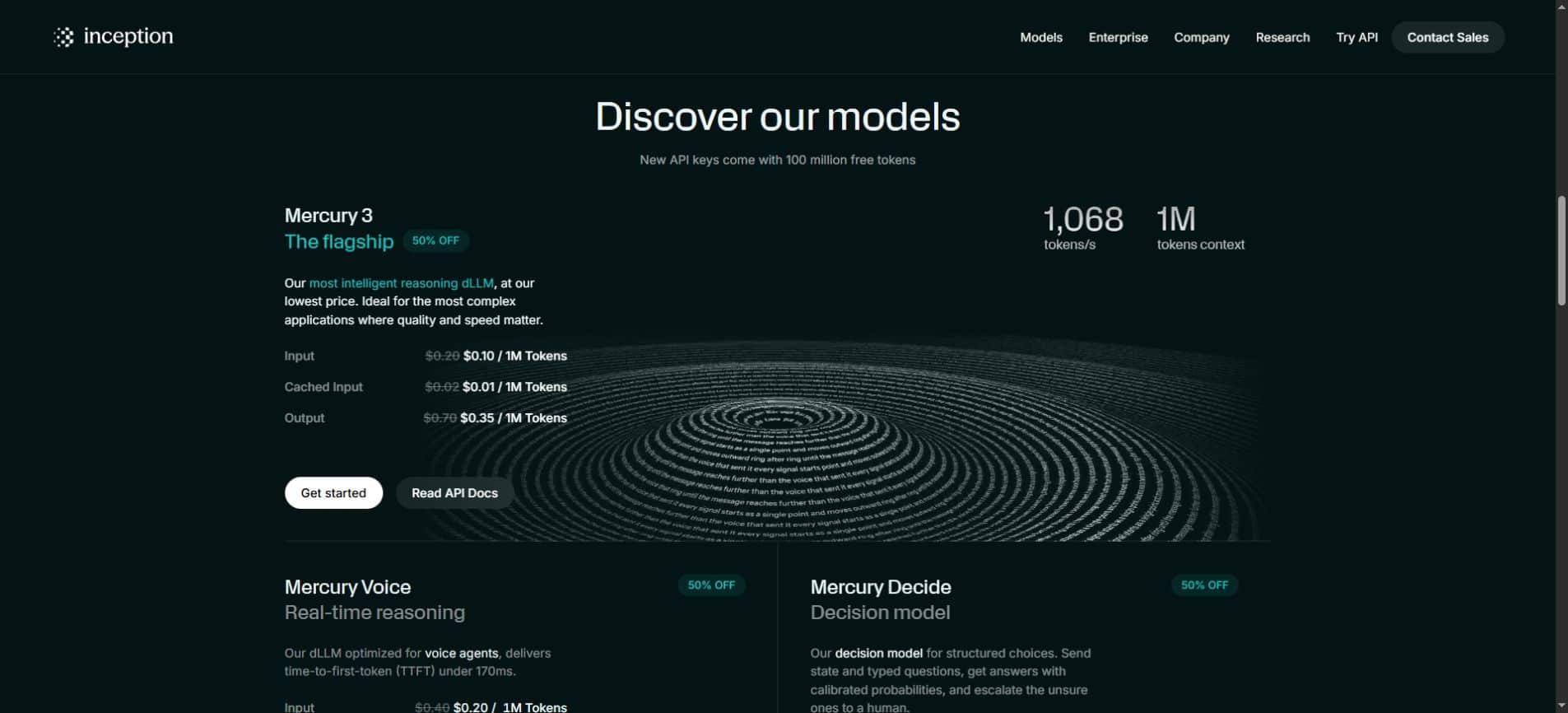
For a simple illustration, one million uncached input tokens plus 100,000 output tokens would cost $0.135 at the displayed promotional rates: $0.10 for input and $0.035 for output. At the standard listed rates, the same token amounts would total $0.27. These examples exclude other services and assume the stated token categories apply.
Do not automatically apply cached-input pricing to every repeated request. Confirm the provider’s cache rules and actual billing records. Also check the route used: a third-party platform may price or package access differently from Inception’s own service.
Budget beyond the promotion. Use the standard rate as a separate planning scenario, and track the full workflow’s consumption. More context, longer output or additional attempts can change total cost even when the per-token rate is low.
What a one-million-token context window is useful for
A larger context window allows a request to carry more material, such as documents or project information. It does not guarantee that every relevant detail will be used correctly. Capacity and reliable retrieval are different properties.
Suppose a task requires comparing a clause across several documents. A useful test includes the source text, an expected answer and an explicit request for supporting locations. Then check whether the model finds the right passage, handles conflicting versions and avoids inventing a missing detail.
Long context can also increase the amount of information the application sends and pays to process. Keep material relevant. Adding every file is not automatically better than selecting the evidence needed for the question.
Where this release could be worth testing
Interactive tools and support
Applications with short feedback loops are natural candidates for evaluating a faster model. A support assistant might need to explain a retrieved policy clearly, while a learning tool might need to respond to a student’s next step. In both cases, the answer must remain correct and appropriate.
Compare realistic short tasks rather than generating a long passage only to demonstrate throughput. A user asking a small question may care much more about the first useful answer than the speed of an extended response.
Agents that make repeated model calls
An agent may inspect information, choose a next action, use a tool and reassess the result. Model latency is repeated throughout that process. But the quality of each decision also matters: an incorrect step can introduce additional work or make the final result unusable.
Evaluate the agent in an isolated test environment with a clear expected outcome. Record steps and retries alongside elapsed time. This makes it possible to distinguish a more efficient workflow from one that merely produces text rapidly.
A small evaluation you can actually use
Start with a fixed set of tasks drawn from the work you expect the model to perform. Include straightforward requests, ambiguous instructions and examples that require saying the evidence is missing. Preserve the same inputs and success criteria across comparisons.
- Define correctness before running the model.
- Measure elapsed time to a verified result.
- Track input and output tokens, retries and tool calls.
- Check format compliance and source accuracy separately.
- Record tasks that fail, not only successful demonstrations.
- Compare promotional and standard-rate cost scenarios.
For a document task, review the answer against the original material. For a structured extraction task, verify fields and missing values. For coding or automation, inspect the resulting behavior. The validation method should match the actual job.
Our DeepSeek Flash update guide uses a similar distinction between model capability and the environment around it. A model comparison is easier to interpret when tools, instructions and task conditions are recorded.
Existing Mercury users have a migration detail to check
Inception’s model page says Mercury 2 and Mercury 2.5 are closed to new users. Existing customers with usage before October 19, 2026 retain access until November 15, while enterprise customers remain supported under their agreements. Confirm how that notice applies to your account.
Before changing a production integration, compare the new model on representative tasks and check output formats, error handling and application assumptions. Compatibility at the request level does not establish identical behavior. Keep a record of the configuration being evaluated.
There is no need to send private production information just to make an initial comparison. Use synthetic or suitably sanitized test cases while checking the workflow. Review the selected provider’s data-handling terms before deciding what the final application should send.
Frequently asked questions
When was Mercury 3 released?
The official launch post is dated October 19, 2026. This article was reviewed on October 22. It covers a recent release rather than presenting it as an announcement made today.
Does 1,068 tokens per second mean every answer is instant?
No. That is Inception’s reported generation figure. Network delay, prompt processing, output length, tools and application behavior affect the complete wait. Test the experience with the tasks you intend to run.
Is Mercury 3 open weight?
The reviewed launch material describes hosted access routes. That does not establish downloadable weights or a self-hosting license. Check for an explicit release and applicable terms before making that assumption.
Does Unlimited AI already provide Mercury 3?
This article reports on Inception’s release and does not announce an Unlimited AI integration. Availability through one provider does not establish which model another platform offers.
The useful takeaway
Mercury 3 combines an unusual language-generation approach with ambitious speed claims, long context and a launch discount. Its value depends on verified task quality, complete response time and actual cost. Start with a small comparison that measures all three.
Sources: Inception’s launch announcement and official model and pricing page. The examples and evaluation checklist are editorial guidance; no independent benchmark was conducted for this article.