Practical verification guide · 2026
Learning how to detect AI-generated content is becoming a basic digital skill. A realistic image, convincing voice message, polished article or short video may be completely authentic, partly edited with AI or created from scratch. The difficult part is that no visual clue or AI detector can prove the answer in every case.
The safest method combines several checks: investigate the original source, look for provenance records and watermarks, compare the content with independent evidence, inspect technical details and use detection tools only as supporting signals. This guide shows how to apply that process to text, images, video and audio without treating an automated score as a verdict.
Can AI-generated content be detected reliably?
Sometimes, but not with complete certainty. Detection is easier when the creator or platform has attached a verifiable provenance record or embedded a known watermark. It is harder when a file has been cropped, compressed, re-recorded, paraphrased, translated or stripped of its metadata.
An AI detector normally estimates whether patterns in a file resemble material produced by certain models. That estimate can be useful, but it is not the same as confirming who created the content, which tool they used or whether the underlying claim is true. A genuine photograph can mislead through a false caption, while an AI-generated illustration can be accurately labeled and used responsibly.
The NIST GenAI deepfake evaluation program reports that detector performance can fall sharply when systems move from controlled testing to real-world material. That is why a strong verification process looks at provenance, context and corroborating evidence as well as pixels or writing style.
AI detector, watermark and Content Credentials: what is the difference?
| Method | What it checks | Best use | Main limitation |
|---|---|---|---|
| AI detector | Statistical patterns associated with generated text, images, audio or video | Screening material for closer review | Can produce confident mistakes and may not recognize new models |
| Watermark | A signal intentionally embedded by a generation system | Checking content created by a compatible provider | Absence of a detectable watermark does not prove a file is human-made |
| Content Credentials | Signed provenance data describing the source and editing history | Tracing how a supported image or media file was created and changed | Credentials can be missing, and provenance does not guarantee that a claim is true |
| Source verification | The original account, publication, date, location and independent reports | Checking whether the story around a file is credible | Requires time and may be difficult when the original upload is unavailable |
The C2PA Content Credentials explainer describes a cryptographically bound record that can show an asset’s provenance. Google DeepMind’s SynthID uses invisible watermarks for supported AI-generated content. These technologies answer different questions, and neither should be interpreted as a universal truth detector.
A seven-step process for checking suspicious content
Use this workflow before focusing on small visual artifacts or detector percentages. It works across text, images, audio and video.
1. Pause before sharing or acting
Urgency is often part of the manipulation. Stop if the content asks you to transfer money, reveal a password, publish a damaging claim or make a decision immediately. Save the original link or file when it is safe to do so, but do not repeatedly redistribute potentially harmful material.
2. Find the earliest available source
Identify who posted the content first, when it appeared and whether the account or website has a credible history. A screenshot of a post is weaker evidence than the original post. A clipped video is weaker than the full recording. A copied paragraph is weaker than a dated document from its publisher.
3. Check the surrounding context
Look for the full conversation, longer video, original article, event date and location. Real media is frequently reused with a new caption. Context checking can solve a case even when the media itself contains no obvious manipulation.
4. Search for independent confirmation
Search the central claim rather than repeating the most emotional wording. Prefer primary documents, official statements and established reporting. If an alleged event is significant but no reliable source mentions it, treat the content cautiously.
5. Inspect provenance and metadata
Check whether the platform displays an AI label, Content Credentials or information about editing history. Downloaded and reposted files may lose metadata, so missing records are inconclusive. A valid credential can help establish origin and edits, but you must still judge whether the source deserves trust.
6. Use a relevant detector
Choose a detector designed for the media type and read its documentation. Test the original file when possible. Avoid uploading confidential, intimate or copyrighted material to an unknown service. Record the tool, version and result if the decision may later need review.
7. Make a confidence-based decision
Classify the result as verified, likely authentic, uncertain, likely generated or verified as generated. “Uncertain” is a responsible conclusion when evidence is limited. The higher the stakes, the more independent confirmation you need.
- Original source found
- Date and context confirmed
- Independent evidence checked
- Provenance or watermark inspected
- Detector result treated as one signal
- High-impact decision reviewed by a person
How to detect AI-generated text
AI-written text can be fluent, organized and factually correct. Human writing can also be repetitive, formal or predictable. Style clues alone are weak evidence, especially for short passages, edited work, non-native English and formulaic assignments.
OpenAI’s archived AI text classifier documentation warned that its own classifier was unreliable on short text and could mislabel human writing. The broader lesson remains useful: an AI text detector should not be the primary basis for punishment, grading, hiring or another high-impact decision.
Better checks for written content
- Verify factual claims. Open the cited source and confirm that it supports the sentence.
- Check the document history. Drafts, notes, revision history and source files can provide stronger authorship evidence than a detector score.
- Ask the writer to explain the work. A short discussion about choices, evidence and revisions can reveal understanding without relying on guesswork.
- Look for fabricated citations. AI systems may invent titles, authors, links or quotations that sound plausible.
- Compare with known samples carefully. A sudden style change can justify a conversation, but it is not proof of AI use.
If you use AI to draft or revise text, keep notes about your process and follow the rules of your school, workplace or publisher. Our AI hallucinations guide explains how to verify claims, citations and calculations before publishing.
How to detect AI-generated images

Older AI images often contained malformed hands, unreadable signs or impossible objects. Newer generators can correct many of those problems, while ordinary camera blur, compression and editing can make real photographs look artificial. Use visual clues to decide where to investigate, not as final proof.
Visual details worth inspecting
- Reflections that do not match the people, objects or light sources in the scene
- Shadows that point in inconsistent directions or change softness without explanation
- Repeated background objects, textures or faces
- Jewelry, glasses, wires or patterns that merge into skin and clothing
- Text, logos or interface elements with unstable shapes
- Unnatural edges around hair, teeth, fingers or transparent materials
Then run a reverse-image search, inspect the uploader’s history and look for a higher-resolution original. If the content may have been created with Google AI, Google’s official tools can check for a supported SynthID watermark. A negative result only means that the checked watermark was not detected; it does not rule out another generator.
When you create visuals with the Unlimited AI Image Generator, label generated or substantially altered images when the context could otherwise mislead readers. Our image generator guide also explains how to review output for visual errors.
How to detect AI-generated video and deepfakes
A deepfake may replace a face, alter lip movement, clone a person’s body or generate an entire scene. Modern systems can maintain consistency across many frames, so the absence of flickering or an obvious facial error is not enough to establish authenticity.
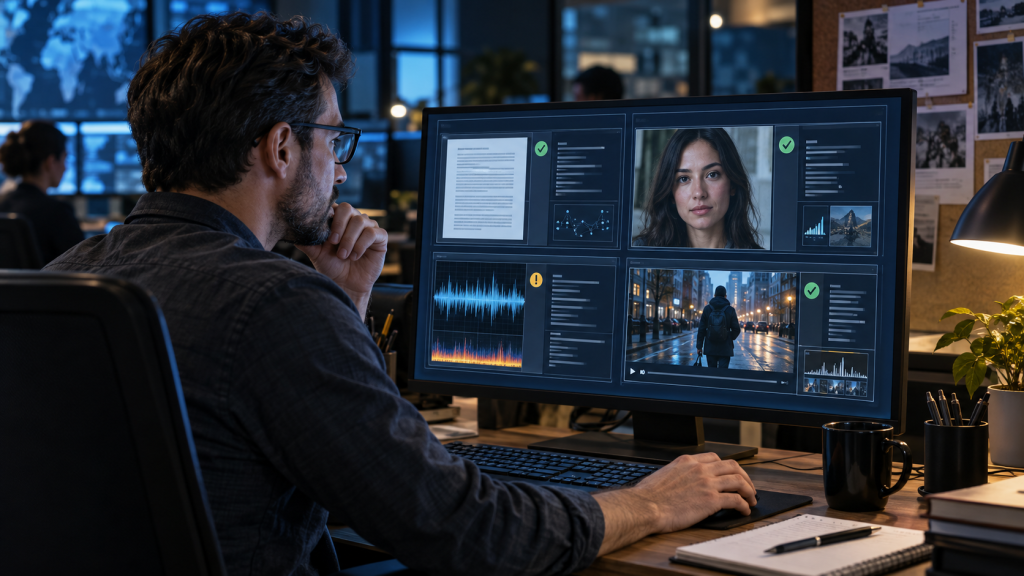
Check the video in layers
- Source: Find the earliest full-length upload and identify who recorded or published it.
- Story: Confirm the event, place, date and people through independent evidence.
- Frames: Examine lip synchronization, reflections, occlusion, rapid motion and cuts.
- Audio: Listen for changes in room tone, pacing, pronunciation and emotional delivery.
- Provenance: Look for Content Credentials, platform labels or a provider-specific watermark.
Compression on social platforms can hide artifacts and also create false ones. Whenever possible, review the original file rather than a screen recording. NIST’s current work on deepfake evaluation emphasizes realistic post-processing conditions because detectors that perform well in a laboratory may struggle after content has been compressed or altered.
If you generate a clip with the Unlimited AI Video Generator, avoid presenting fictional footage as a real event or using a real person’s likeness without permission. Clearly describe illustrative or generated scenes where viewers could misunderstand them.
How to detect AI-generated audio and cloned voices

Voice cloning is especially dangerous because people naturally trust a familiar voice. A synthetic call may imitate a relative, manager, public figure or customer. The most reliable response is behavioral: do not obey an urgent request during the same call.
The FTC’s guidance on fake-emergency scams recommends contacting the person through a phone number you already know. Be suspicious of demands for secrecy, cryptocurrency, gift cards, wire transfers or immediate payment.
Audio clues that justify closer review
- Unnatural pauses, breathing or changes in speaking rhythm
- A voice that sounds correct but uses unusual vocabulary or personal details incorrectly
- Room noise that changes suddenly or does not match the claimed location
- Emotion that sounds flat, exaggerated or disconnected from the words
- Refusal to answer an unexpected personal question or use another contact method
Why AI detectors make mistakes
Detection is an adversarial problem. Generators improve, files are edited and detector developers update their systems. A model trained on yesterday’s outputs may fail on a new generator. It may also mistake ordinary editing, compression, a formal writing style or a low-quality recording for evidence of AI.
| Cause | Possible result | What to do |
|---|---|---|
| Short or predictable text | Human writing may receive a high AI score | Use drafts, sources and an explanation of the writing process |
| Heavy image compression | Real photos may show artificial-looking artifacts | Find the original file and compare versions |
| Cropping, filters or re-recording | A watermark or provenance record may be lost | Treat a missing signal as inconclusive |
| New generation model | An older detector may miss synthetic content | Check detector documentation and update date |
| Human editing of AI output | The result may contain mixed signals | Describe the conclusion as uncertain or partially generated |
The European Commission’s 2026 studies on marking and detecting AI-generated text, audio, images and video examine the strengths and limits of different technical approaches. The practical lesson is to combine signals rather than depend on one universal detector.
How publishers should label AI-generated content
Disclosure should help a reader understand what was generated or altered and why it appears. A useful label is specific: “AI-generated illustration used to visualize a fictional scenario” communicates more than a small “AI” badge with no context.
- Label realistic generated people, events and voices clearly.
- Disclose substantial AI alteration when it changes the meaning of original media.
- Keep the label close to the image, audio or video.
- Preserve Content Credentials and other provenance data when your workflow supports them.
- Do not describe an AI-generated demonstration as first-hand testing.
- Review local laws, platform policies and professional standards.
In 2026, the European Commission published a code of practice supporting transparency obligations for AI-generated content. Requirements depend on the role, content and jurisdiction, so this guide is educational rather than legal advice.
How to use AI responsibly when creating content
Detection becomes easier when creators keep a transparent record. Save the original prompt, source material, important revisions and final human review. Do not upload private data or another person’s photo, voice or work unless you have the necessary permission.
For written work, use a clear prompt and then verify every factual claim. Our AI prompting guide shows how to define the goal, context, constraints and output. For private or sensitive tasks, follow the controls in our AI chat safety guide.
AI-generated content detection FAQ
What is the best way to detect AI-generated content?
Use several checks together: find the original source, confirm the context, look for Content Credentials or a known watermark, compare the claim with independent evidence and use a media-specific AI detector as a supporting signal.
Can an AI detector be 100% accurate?
No. Accuracy changes with the type of content, model, language, file quality and editing history. A detector may miss generated content or incorrectly flag human work.
How can I tell whether an image was made by AI?
Inspect the source, run a reverse-image search, check provenance records and look closely at reflections, shadows, repeated details and edges. A visual clue or detector score alone is not proof.
Do Content Credentials prove that a photo is true?
No. Content Credentials can help verify provenance and editing history, but they do not prove that the scene, caption or claim is accurate. Trust still depends on the signer and surrounding evidence.
Can teachers use AI text detectors to prove cheating?
A detector score should not be treated as proof. Draft history, sources, assignment-specific knowledge and a fair conversation with the student provide stronger evidence and reduce the risk of a false accusation.
What should I do if I receive a possible AI voice-cloning call?
End the call and contact the person through a number you already know. Do not send money, reveal codes or follow urgent payment instructions based only on a familiar-sounding voice.
Final verification checklist
- Stop before sharing, paying or accusing.
- Find the earliest available source.
- Confirm the date, location and full context.
- Search for independent primary evidence.
- Inspect Content Credentials, metadata and watermarks.
- Use a detector that matches the media type.
- Record uncertainty and require human review for high-impact decisions.
AI detection works best as an investigation, not a guessing game. When provenance, context, technical signals and independent evidence point in the same direction, you can make a more defensible decision. When they conflict, keep the conclusion open and avoid causing harm with an unsupported claim.