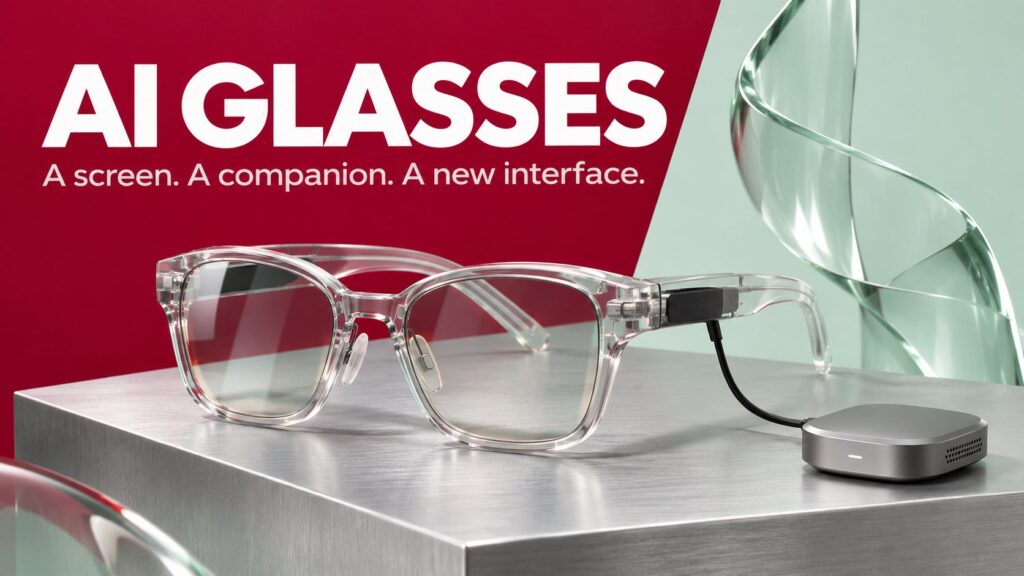
Your next AI interface might sit in front of your eyes rather than inside a browser tab. XREAL AURA combines a wearable display with Gemini assistance, raising a practical question: when does putting AI into glasses actually make a task easier?
This is a launch explainer, not a hands-on review. We separate the announced capabilities from the questions that still require real-world testing, then walk through several situations where the distinction matters.
The short version: a display system with AI assistance
Google announced XREAL AURA on October 28, 2026. According to Google’s launch announcement, it is a wired Android XR device with transparent lenses, a 70-degree field of view and glasses weighing under 95 grams. A cable connects the frame to a separate compute puck.
Google describes Gemini assistance across the wearer’s view and apps. The launch price starts at US$1,099 through year-end, with U.S., Canadian and Korean orders opening October 28 and Japanese orders November 2. The announcement says shipments begin in mid-November and specifies users aged 18 or older.
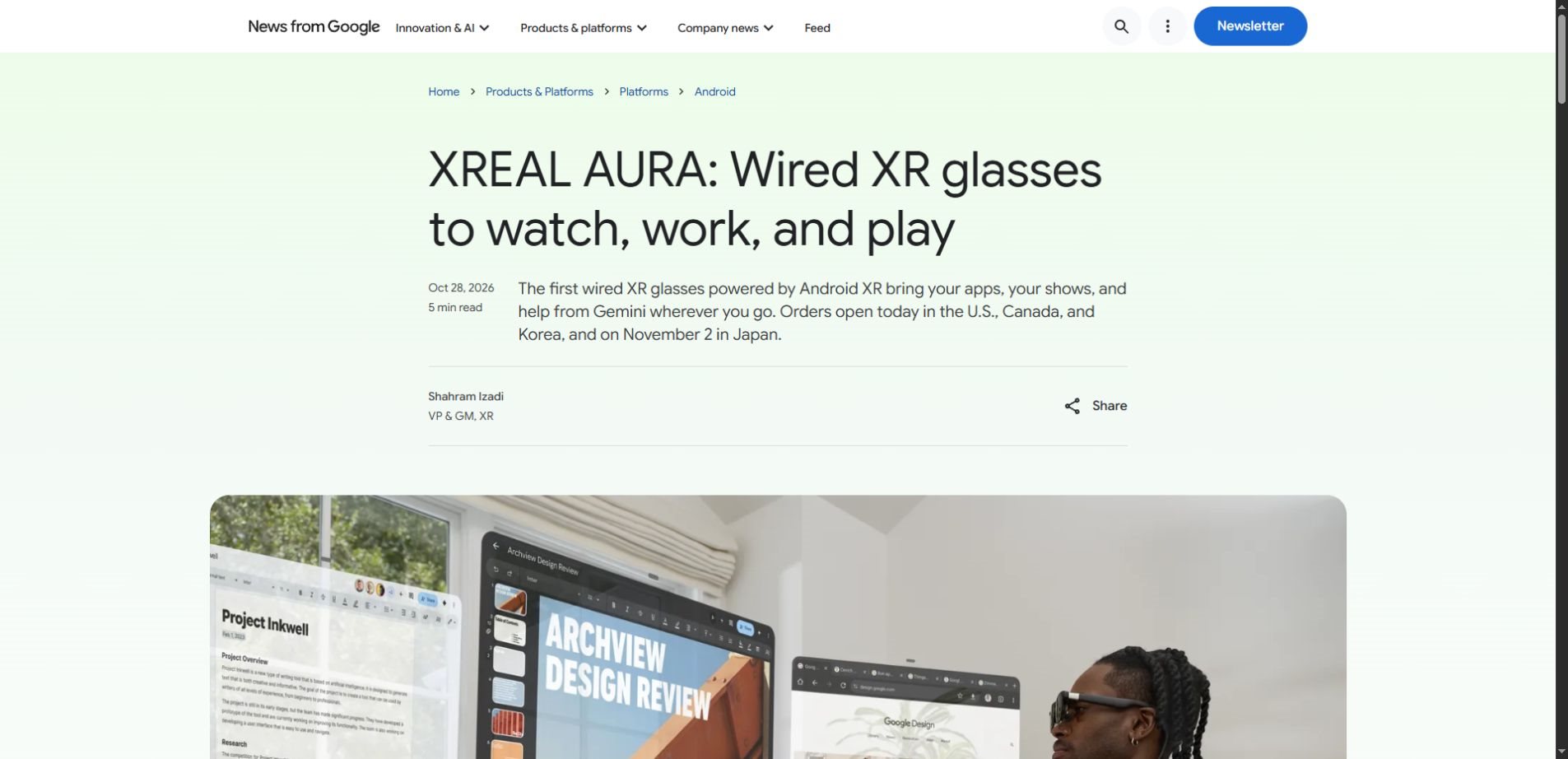
The useful distinction is between three layers: the physical glasses, the software that places digital windows in your view, and the AI that interprets a request. One can work well while another disappoints. A large virtual screen does not make an answer accurate, and a clever answer does not prove the glasses are comfortable.
Read the category carefully: AURA is wired XR hardware, not a promise of ordinary wireless eyewear that invisibly replaces every phone and laptop task.
Three situations that explain the appeal
1. A temporary desk without a full monitor setup
Consider arriving at a hotel with a laptop and needing to compare a draft, a reference page and a schedule. The appeal of spatial computing is arranging those views without carrying several physical monitors. The relevant question is whether the setup reduces effort for your actual work.
Google says AURA supports multiple app windows, Bluetooth input devices and laptop mirroring over a video-capable USB-C connection. Gemini can help with information in view. Those are announced functions; we have not measured text clarity, latency or the experience of completing a long work session.
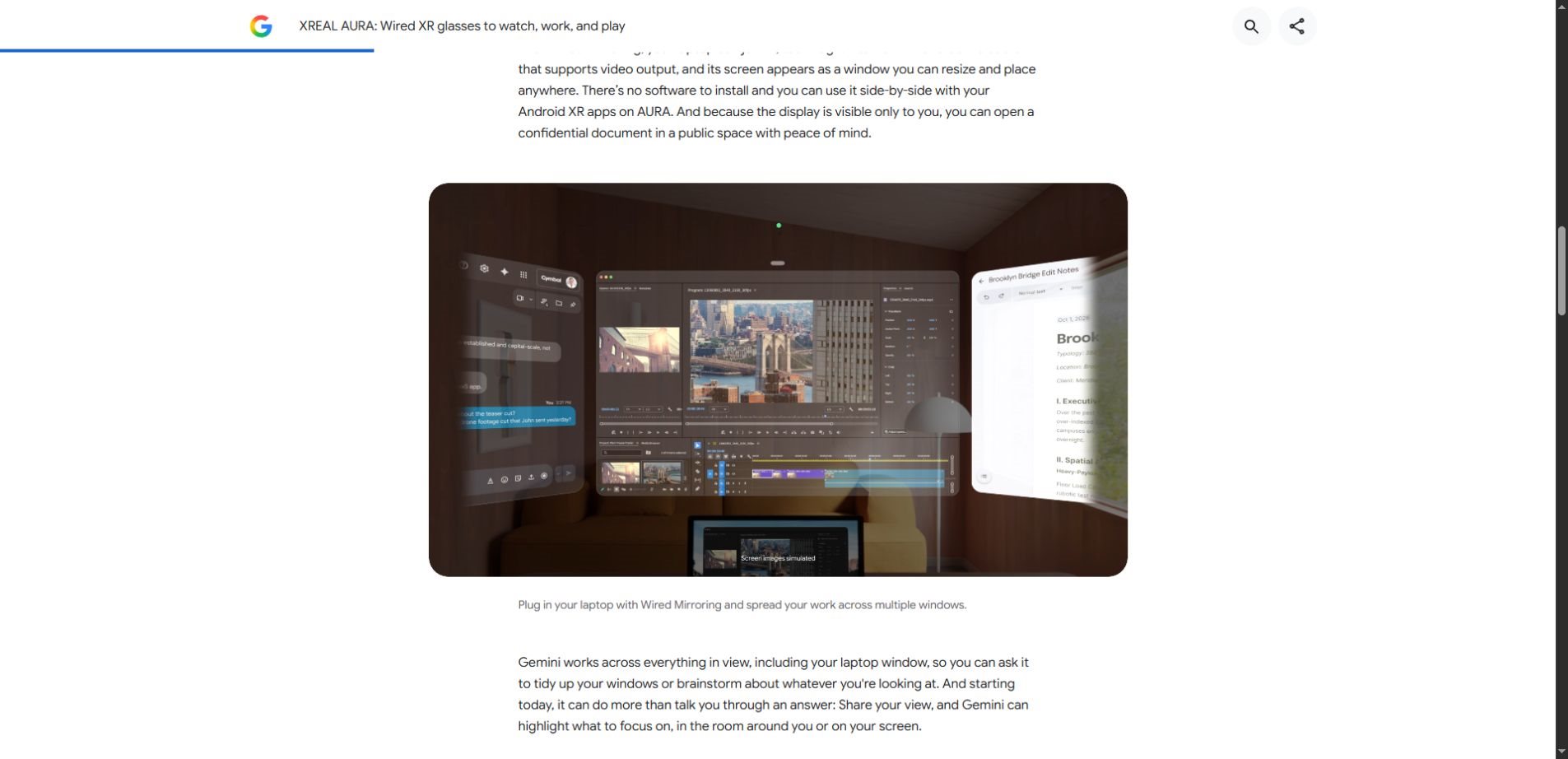
For an evaluation, use your own representative task. Read a dense page, switch between two windows and make a few edits with a keyboard. Check whether text remains readable near the edges, whether you can find the pointer easily and whether the cable gets in the way. A spectacular demo is a weaker test than finishing an ordinary document.
2. Asking about something while looking at it
Imagine planning a visit while examining a map. An assistant that receives the relevant view could answer a question without you copying each place name into a chat. That reduces the work of describing the context, which is often the most tedious part of asking for AI help.
However, “sees what I see” should not be interpreted as perfect understanding. Small text, an obscured object or an ambiguous request can still produce a poor answer. Ask the assistant to identify the exact item it is discussing before you rely on a recommendation.
The same principle applies to documents. Ask for the visible sentence or number supporting an answer. If the response cannot be tied back to something you can inspect, treat it as a suggestion to investigate. Our context engineering guide explains why providing relevant information matters as much as phrasing a question well.
3. A personal screen for entertainment
A wearable display offers a different reason to use the device: watching content without holding a screen. XREAL’s AURA product page describes optical see-through lenses, adjustable dimming, gesture interaction and control through the puck or Bluetooth devices. It also describes spatial viewing features for supported experiences.
For this use case, the AI is optional to the core value. You may care more about fit, readable subtitles, sound, the content you already subscribe to and the convenience of unpacking the device. That is a useful reminder that an “AI product” still has to succeed as a physical product.
What belongs in the display, and what belongs to the assistant?
Keeping these functions separate makes product claims easier to assess. The following is a conceptual distinction, rather than a measured comparison of AURA with another device.
| Layer | Its role | What you should test |
|---|---|---|
| Wearable hardware | Present a usable view and accept input. | Fit, cable placement and everyday handling. |
| Spatial interface | Arrange apps and content around the user. | Whether window management makes the task easier. |
| AI assistant | Interpret requests and provide help using available context. | Accuracy, relevance and acknowledgment of uncertainty. |
| Connected services | Supply apps, accounts and content. | Availability, permissions and subscription requirements. |
An interface can feel futuristic because it moves a window into space. That does not tell you whether the underlying task needs an AI model. Conversely, contextual assistance can be helpful even when the visual presentation is modest. Evaluate the benefit you need rather than treating every feature as one inseparable package.
The details that can change your experience
Fit deserves attention before any claim about productivity. XREAL lists two interpupillary-distance size options and prescription-lens support. Its product page also explains that the split design moves high-performance computing away from the glasses. Check the current fitting guidance and accessories for your region rather than assuming one configuration suits everyone.
Weight alone cannot settle comfort. How a device rests on your face, how often you adjust it and whether the visual presentation suits a task all affect the experience. We cannot judge those factors from launch materials. An in-person demonstration and clear return terms are more informative than a specification sheet alone.
Compatibility is another practical filter. List the apps, laptop connection and input devices you intend to use. Then verify each requirement against current product documentation. “Android apps” and “my exact workflow works without compromise” are different claims.
Finally, account for the complete setup. A portable display still needs somewhere for its connected hardware and accessories. If you expect to use it between meetings or while travelling, rehearse packing, connecting and putting it away as part of the trial, not just the moment the screen appears.
A private display is not a complete privacy policy
A screen visible to its wearer can reduce ordinary shoulder-surfing, but that says little about what an assistant receives or what connected services retain. Display privacy, camera access, microphone access and account data are separate issues.
Before sharing a view with an assistant, check what is included. A nearby person, a confidential document or a message notification may be unrelated to the question you intended to ask. Use a public sample document when learning how the feature behaves.
For workplaces, Google’s Android Enterprise announcement describes managed app distribution, enrollment and device-policy support for AURA through Android Enterprise. That is a management framework, not automatic approval to expose business information to every app or assistant. Organizations still need to choose allowed workflows and configure access.
A sensible first business trial uses non-sensitive material, a defined task and a person responsible for reviewing results. Our AI assistant testing guide provides a fictional-data approach for assessing accuracy without starting from actual customer records.
A five-question reality check before buying
- What task improves? Name a recurring activity and the inconvenience the glasses would remove.
- Does the essential workflow work? Confirm the specific app, connection and input requirements.
- Can you use the display comfortably? Try ordinary text and navigation rather than only cinematic content.
- What information reaches the assistant? Review permissions and the context you choose to share.
- What is the full commitment? Check current regional availability, accessories, subscriptions and return conditions.
These questions do not produce a universal verdict. A frequent traveller seeking a personal screen and a desk worker considering a monitor replacement are solving different problems. The same feature can be central for one person and irrelevant for the other.
Questions readers are asking
Are XREAL AURA glasses completely wireless?
No. The announced system uses a cable between the glasses and a compute puck. Do not confuse a relatively lightweight frame with a self-contained wireless device.
Does Gemini make everything on the display trustworthy?
No. AI assistance still requires checking important details against the original information. A contextual interface can reduce copying and describing, but it does not remove model errors or uncertainty.
Can AURA replace a laptop?
That depends on the task and software involved. Laptop mirroring should not be treated as proof that all desktop workflows run independently on the glasses. Verify your specific requirements before planning a replacement.
Has Unlimited AI tested AURA?
No. This article analyzes official launch information and offers evaluation questions. It does not claim first-hand experience, measured battery performance or a comparative product review.
The next thing worth watching
The interesting story is whether contextual AI becomes less effort to use when its interface moves into your view. That will depend on ordinary details: reliable input, understandable permissions, useful answers and a display people actually want to wear.
AURA is a concrete example of that direction. For now, separate announced capability from demonstrated benefit, test a familiar task and judge the complete experience. The best interface is the one that helps you finish the job with fewer distractions.